

Lead Response Time: How Quickly Should You Respond?
Learn how lead response time affects conversions, why speed to lead matters, and how to build faster lead response and follow-up workflows.
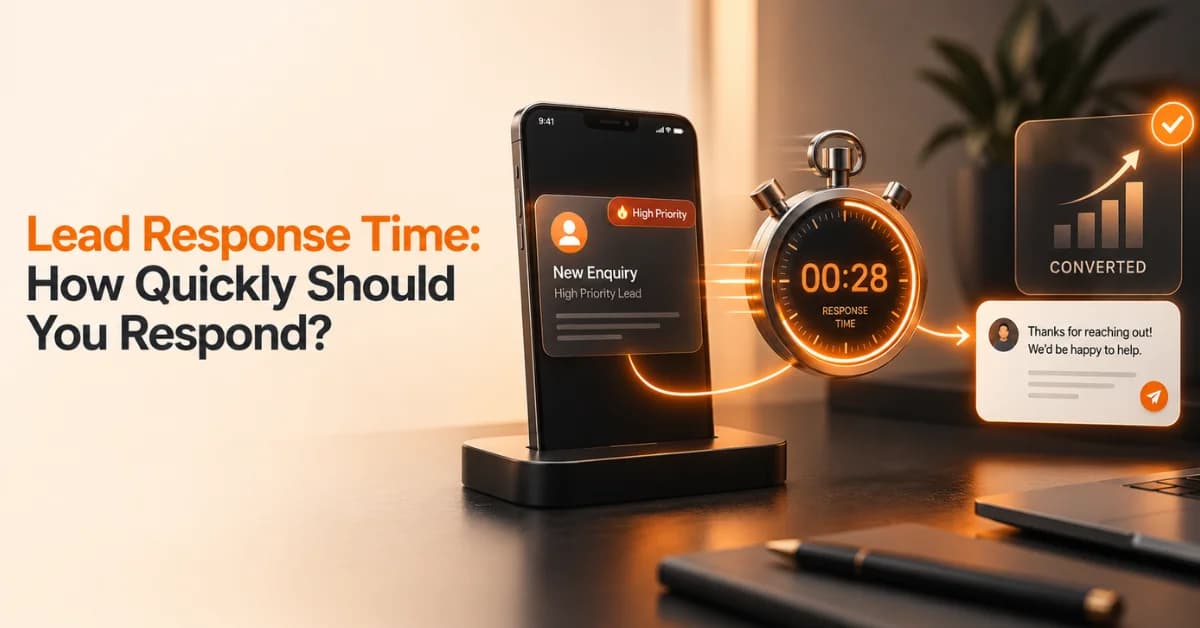
When a potential customer submits a form, requests a quote, books a consultation, or sends a message, the clock starts immediately. Lead response time measures how long your business takes to make the first meaningful contact after receiving that inquiry. For high-intent inbound leads, responding within minutes is a practical target. Research from InsideSales analyzed more than 55 million sales activities involving 5.7 million inbound leads and reported that conversion rates were more than eight times higher when leads were engaged within the first five minutes compared with waiting longer.
That does not mean every business needs to answer every inquiry in exactly five minutes. Lead quality, industry, time zone, working hours, sales complexity, and available resources all affect the appropriate response process.
What Is Lead Response Time?
Lead response time is the amount of time between receiving a new lead and making the first meaningful response or contact attempt.
For example, if someone fills out your website form at 10:00 AM and a sales representative calls at 10:04 AM, the initial lead response time is four minutes.
Businesses often use several related terms:
Speed to lead: How quickly your team responds after a prospect shows interest.
Instant lead response: An immediate acknowledgment or response triggered by a new inquiry.
Lead follow-up time: The time between subsequent follow-up attempts after the initial response.
First response time: The time taken to make the first meaningful contact.
These measurements help businesses identify delays in their sales and lead-management processes.
How Fast Should You Respond to a Lead?
For high-intent inbound leads, aim to respond within five minutes whenever your business can operationally support it. The five-minute benchmark comes from longstanding lead-response research rather than a universal rule for every company. InsideSales' 2021 research reported that conversion rates were eight times greater when leads were engaged during the first five minutes than during the following period.
A practical framework looks like this:
Under 5 minutes: Strong target for high-intent leads
5–15 minutes: Still relatively fast, but introduces more delay
15–60 minutes: The prospect may become less immediately engaged
1–24 hours: May suit lower-intent inquiries or businesses with longer sales cycles
More than 24 hours: Review whether your process is creating avoidable delays
These ranges should guide your internal service-level targets rather than act as guaranteed conversion thresholds.
Why Five Minutes Is a Useful Target
Older InsideSales research also found substantially higher contact and qualification odds when a lead was contacted within five minutes rather than after 30 minutes. The important lesson is not that every company must copy one exact number. It is that lead interest can be time-sensitive, particularly when someone has just requested information or demonstrated buying intent.
If your competitors respond while your lead is still waiting, the prospect may start a conversation with them instead.
What Research Says About Speed to Lead
The relationship between response speed and lead engagement has appeared repeatedly in lead-response research.
InsideSales' 2021 study examined more than 55 million sales activities across 5.7 million inbound leads from more than 400 companies. It reported that only 0.1% of inbound leads were engaged within five minutes, while 57.1% of first call attempts occurred more than a week after the lead arrived.
Another InsideSales audit of 4,723 companies found an average response time of 38.35 hours in the companies tested. Only 7.7% of leads received a response within five minutes.
These studies are useful evidence for the importance of speed, but they should not be interpreted as current conversion guarantees for every market or business model. Your own CRM data should ultimately determine the response target that works for your audience.
Why Fast Lead Response Time Can Improve Lead Conversion
A fast response can help your sales process in several practical ways.
The Lead Is Still Engaged
A person who has just requested a consultation or quote is already thinking about the problem your business can solve. A quick response lets your team continue that conversation while the original interest is fresh.
You May Reach the Prospect Before Competitors
Prospects often compare several businesses before making a decision. If three companies receive the same inquiry and one responds almost immediately, that company may get the first opportunity to understand the prospect's needs.
Fast response does not guarantee a sale, but it reduces an avoidable disadvantage.
The Original Buying Intent Is Fresh
The sales representative can see what the prospect requested and respond to that specific action.
For example:
“Thanks for requesting information about our website development service. I saw that you're interested in an e-commerce website. Could you tell me which platform you're currently using?”
This is more useful than a generic message sent hours later.
Faster Responses Improve Customer Experience
Response speed also communicates how organized your business is. A quick, relevant response can reassure a prospect that their inquiry reached the right person. However, speed should never replace accuracy. A fast but confusing response can create another problem.
What Is an Instant Lead Response?
An instant lead response is a response triggered immediately after a prospect submits an inquiry or performs another lead-generating action.
It can involve:
Automated email confirmation
SMS notification
WhatsApp message
Chatbot response
CRM alert
Sales representative notification
Instant appointment-booking option
However, an automated acknowledgment is not necessarily the same as a meaningful sales response.
Does an Automated Reply Count as a Lead Response?
It depends on what you are measuring.
If your system sends:
“We received your request and will contact you soon.”
that confirms receipt, but it does not necessarily address the prospect's actual question.
Automation should therefore support the sales process rather than replace useful human interaction.
InsideSales research has also highlighted the difference between rapid automated emails and personalized responses. Its research found that automated responses could be sent much faster, while personalized sales communication remained important for meaningful engagement.
How to Build a Faster Lead Response Process
Improving speed to lead usually requires more than telling sales representatives to “respond faster.”
You need a process that removes unnecessary waiting.
1. Set a Clear Response-Time Target
Create different targets based on lead intent.
For example:
High-intent consultation request: within five minutes
Quote request during business hours: within 15 minutes
General inquiry: within the same business day
After-hours inquiry: immediate acknowledgment and defined follow-up window
The exact targets should reflect your team's capacity and customer expectations.
2. Route Leads Automatically
A lead should not sit in a shared inbox waiting for someone to notice it.
Use your CRM or lead-management system to:
Assign ownership
Notify the relevant salesperson
Route leads by location
Prioritize high-value inquiries
Create follow-up tasks
Record response timestamps
Lead-routing problems can create major delays even when sales representatives are available.
3. Create a First-Response Framework
Give your team a simple structure:
Acknowledge → Personalize → Address intent → Ask the next question
For example:
“Hi Sarah, thanks for contacting us about PPC management. I noticed you're looking to generate more qualified leads. What monthly ad spend are you currently working with?”
This keeps the response fast without making it robotic.
4. Use Automation Without Losing the Human Touch
Automation can handle repetitive administrative work.
Useful applications include:
New-lead notifications
CRM assignment
Appointment scheduling
Follow-up reminders
Lead qualification questions
Email acknowledgments
Sales task creation
Let automation remove delays while your team handles conversations that require judgment.
5. Create an After-Hours Workflow
Not every company has someone available 24/7. If your business receives leads outside working hours, create a clear process.
For example:
Send an immediate acknowledgment.
Record the inquiry in the CRM.
Prioritize high-intent leads.
Notify an on-call representative if appropriate.
Schedule the next human response.
Follow up during the next available business period.
This prevents overnight leads from disappearing into an inbox.
How to Improve Your Lead Response Time
Before changing your technology, measure your current process.
Audit Your Current Response Time
Track:
Average response time
Median response time
Percentage contacted within five minutes
Percentage contacted within one hour
Uncontacted leads
Lead-to-meeting rate
Lead-to-customer conversion rate
The median can be especially useful because a few extremely slow responses can distort an average.
Find Where Leads Get Stuck
Review every step between the lead submitting a form and a representative making contact.
Common bottlenecks include:
Delayed notifications
Manual lead assignment
Unclear ownership
CRM errors
Missing contact details
Sales representatives handling too many leads
No after-hours process
Slow internal approvals
Fixing these bottlenecks can improve response time without increasing advertising spend.
Remove Unnecessary Steps
Ask a simple question:
What has to happen before someone can contact this lead?
If five manual steps exist before the salesperson receives the inquiry, look for ways to automate or eliminate them.
How to Measure Lead Response Time
You can calculate lead response time with a simple formula:
Lead Response Time = Time of First Meaningful Response − Time Lead Was Received
For example:
A prospect submits a form at 2:15 PM.
A sales representative calls at 2:19 PM.
Lead response time = 4 minutes.
Metrics to Track Alongside Response Time
Do not measure speed in isolation.
Track:
Speed to lead
Contact rate
Qualification rate
Appointment-booked rate
Lead-to-customer conversion rate
Follow-up completion rate
Missed-lead percentage
Response-time SLA performance
This helps you determine whether faster responses actually improve the outcomes that matter to your business.
Lead Response Time by Business Type
Not every business handles leads in the same way.
B2B Businesses
B2B sales can involve multiple decision-makers and longer buying cycles. A fast first response still matters, but the conversation may focus on qualification, business needs, budget, and scheduling rather than an immediate purchase.
Local Service Businesses
Local services often receive high-intent inquiries such as:
“How much does this cost?”
“Are you available tomorrow?”
“Can you provide a quote?”
“Do you serve my area?”
These leads can benefit significantly from fast responses because customers may contact several providers at once.
E-commerce Businesses
E-commerce companies may use instant chat, email, SMS, and automated support for product questions. The response process should match the urgency of the customer's question and the purchase stage.
Agencies and Professional Services
For agencies, consultants, and professional service providers, a lead may request a consultation, proposal, audit, or strategy call. The first response should acknowledge the specific service requested and make the next step easy.
Common Lead Response Mistakes to Avoid
Even businesses that generate plenty of leads can lose opportunities because of poor response processes.
Avoid these mistakes:
Waiting until the end of the day to respond
Treating an automated email as complete follow-up
Sending generic messages
Failing to assign lead ownership
Ignoring after-hours inquiries
Giving sales representatives incomplete lead information
Following up inconsistently
Measuring only average response time
Using automation without monitoring results
Setting unrealistic response targets
The objective is not simply to make a number smaller. The objective is to create a fast, useful, repeatable customer response process.
How Long Should You Follow Up With a Lead?
Lead follow-up time begins after the initial response. Responding quickly once does not solve the entire lead-management problem if the team never follows up afterward.
A practical follow-up sequence could look like this:
First response: Contact the prospect as quickly as practical.
Second touch: Follow up if the prospect does not respond.
Third touch: Provide additional useful information.
Later follow-up: Change the message rather than repeating the same request.
Final follow-up: Give the prospect an easy way to reconnect when the timing is right.
The exact number and timing of attempts should depend on the sales cycle, customer expectations, and channel.
InsideSales research has also examined persistence and reported differences in connection rates as the number of follow-up attempts increased.
Personalize Follow-Up Based on Lead Intent
A person requesting a proposal should not receive the same sequence as someone who downloaded a general guide.
Consider separating:
High-intent leads
Warm prospects
Low-intent leads
Existing customers
Returning prospects
This allows your team to spend time where timely communication has the greatest practical value.
When Should You Use Automation for Lead Response?
Automation is particularly useful when it removes repetitive tasks.
Good Uses of Automation
Use automation for:
Lead notifications
Lead assignment
Appointment scheduling
CRM updates
Follow-up reminders
Basic qualification
Confirmation messages
Internal alerts
When Human Response Matters Most
Human involvement becomes especially important when the prospect asks about:
Complex services
Pricing
Contracts
Technical requirements
Custom solutions
Negotiations
Complaints
High-value purchases
A useful rule is simple:
Automate the process, not the relationship.
Lead Response Time Checklist
Use this checklist to review your current process:
Define a response-time target
Track response time automatically
Notify the right salesperson immediately
Establish clear lead ownership
Create a useful first-response framework
Set up after-hours handling
Automate follow-up reminders
Track missed leads
Monitor median and average response time
Review conversion results
Improve bottlenecks regularly
FAQ
What is a good lead response time?
For high-intent inbound leads, many sales teams use five minutes or less as an operational target. Research from InsideSales supports the importance of very fast engagement, but the appropriate target depends on your business, lead source, customer expectations, and operating hours.
Why is speed to lead important?
Fast speed to lead helps your business engage prospects while their interest is still fresh. It can also reduce unnecessary delays and give your team an opportunity to speak with prospects before they move on to another provider.
Is five minutes a good lead response time?
Five minutes is a useful benchmark for high-intent inbound leads, but it is not a universal rule. InsideSales research found substantially stronger conversion performance for engagement within the first five minutes in its analyzed dataset.
Does an automated email count as an instant lead response?
An automated email can confirm that you received the inquiry, but it may not replace a meaningful human response. Use automation to acknowledge, route, prioritize, and organize leads while keeping human interaction where it adds value.
How do you calculate lead response time?
Subtract the time the lead arrived from the time of the first meaningful response. For example, a lead received at 11:00 AM and answered at 11:07 AM has a seven-minute lead response time.
How can I reduce lead response time?
Start by identifying delays in lead routing, notifications, ownership, and follow-up. CRM automation, instant notifications, clear ownership rules, response templates, and after-hours workflows can help reduce avoidable delays.
What is the difference between lead response time and lead follow-up time?
Lead response time measures the initial response after a new lead arrives. Lead follow-up time refers to the timing of subsequent contact attempts after the initial interaction.
About BrandVexo Digital Solutions
BrandVexo Digital Solutions helps businesses build practical digital growth systems across digital marketing, SEO, web development, AI automation, and business solutions. Our approach focuses on measurable business outcomes rather than vanity metrics. We help businesses improve the systems behind their online growth, from generating leads to managing and qualifying them more effectively.
For inquiries, contact BrandVexo at +971 52 356 5409, email info@brandvexo.com, or visit www.brandvexo.com.
Final Thoughts
Fast communication can make a meaningful difference in how your business handles inbound opportunities. The strongest approach is not simply to tell your sales team to “respond faster.” Instead, build a system that makes fast responses practical. Set a clear target, route leads automatically, give representatives useful context, monitor response performance, and create a consistent follow-up process.
For high-intent inquiries, a five-minute lead response time can be a useful operational benchmark supported by lead-response research. But your own customer data should ultimately guide the target that makes sense for your business.
Disclaimer: The information in this article is provided for general educational and informational purposes only. Lead response benchmarks and recommended practices may vary by industry, audience, lead quality, and business model. Businesses should use their own data and circumstances when setting response-time targets.
Free growth plan
Ready to grow your business?
Reading is a start — now let's build it. Tell us where you want to grow and a senior strategist will map the fastest, most profitable way to get there. Free, no obligation.
Discussion
Join the conversation
Be the first to comment. Comments are reviewed before they appear, so yours won't show up instantly — but we read every one.
Leave a comment
Keep reading
All articles
How to Simplify IT Services for Small Businesses in 2026
IT services for small businesses in 2026 with practical tips on cybersecurity, cloud tools, automation, IT support, and smarter technology cost management.

How to Build a Social Media Content Calendar for Ecommerce
Build a Social Media Content Calendar for ecommerce with practical planning steps, content ideas, scheduling tools, and tips to measure results.
How to Measure Lead Generation ROI for Ecommerce
Measure Lead Generation ROI for ecommerce with practical formulas, Shopify tracking tips, key metrics and strategies to boost campaign profitability and growth.