

Website Security Checklist for Small Businesses
Website Security Checklist for small businesses covering HTTPS, backups, MFA, updates, monitoring, access control, and practical website protection tips.
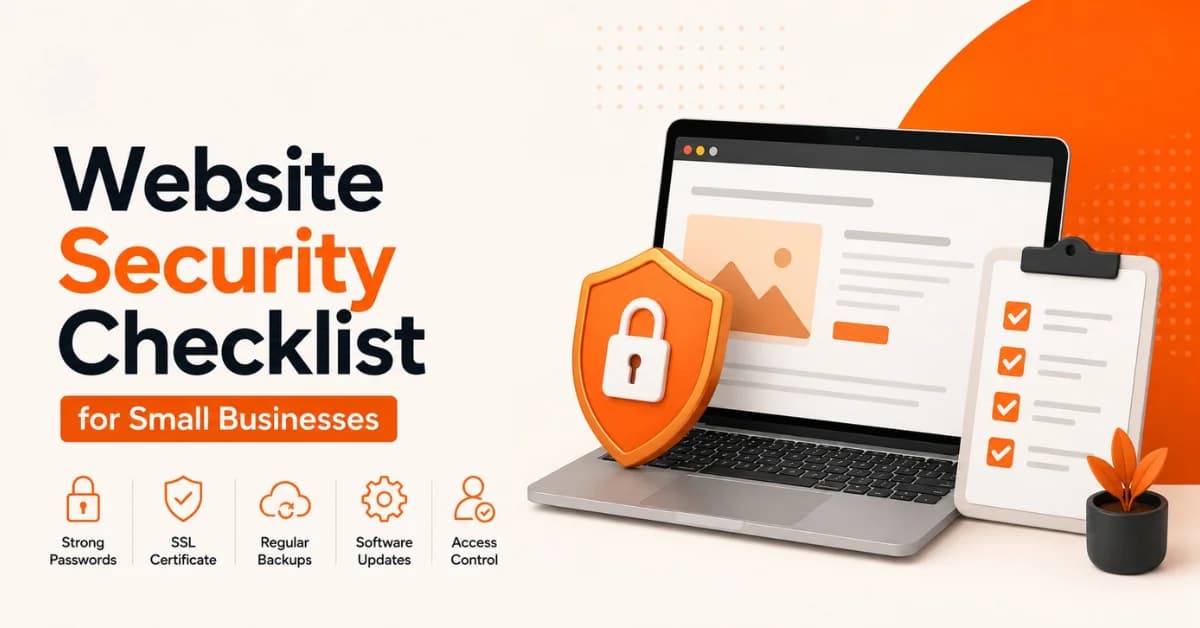
A business website is often the first place potential customers interact with your brand. It may also handle contact details, customer accounts, payments, forms, analytics, and connections to other business systems. That makes small business website security an important part of protecting your reputation and keeping your online operations running. A security problem does not always look dramatic. An outdated plugin, reused password, poorly configured server, or untested backup can create an avoidable weakness. Modern web application risks include broken access control, security misconfiguration, authentication failures, software supply-chain issues, and cryptographic failures.
What Is Website Security and Why Does It Matter for Small Businesses?
Website security refers to the processes and technologies used to protect a website, its users, data, applications, and supporting infrastructure from unauthorized access, malicious activity, data loss, and disruption.
For a small business, website protection is closely connected to customer trust. A compromised website can display malicious content, redirect visitors, expose information, become unavailable, or damage the company's reputation.
Common website security threats include:
Malware and malicious code
Brute-force login attacks
Phishing and stolen credentials
Outdated CMS software and plugins
SQL injection
Cross-site scripting (XSS)
Security misconfiguration
Unauthorized administrator access
Malicious redirects
Denial-of-service attacks
The OWASP Top 10:2025 identifies broken access control, security misconfiguration, software supply-chain failures, cryptographic failures, injection, and authentication failures among the major web application security risks.
Website Security Checklist: 12 Essential Steps for Small Businesses
Use the following checklist as a practical starting point. Your exact security requirements will depend on the type of website, the information it handles, its technology stack, and its integrations.
1. Enable HTTPS and Use a Proper TLS Certificate
HTTPS encrypts communication between a visitor's browser and your website. It is especially important when users submit forms, log in, make payments, or provide other information.
Check that:
Your website loads consistently over HTTPS.
HTTP traffic redirects correctly to HTTPS.
Your TLS certificate remains valid.
Login and form pages do not contain mixed-content problems.
Sensitive information is not unnecessarily transmitted or stored.
However, HTTPS is only one layer of security. It protects data in transit but does not prevent malware, weak passwords, outdated software, or unauthorized administrator access.
OWASP recommends strong, current encryption protocols and appropriate protection for sensitive information in transit.
2. Keep Your CMS, Plugins, Themes, and Software Updated
Outdated software can contain known vulnerabilities. If your website uses WordPress, another CMS, plugins, themes, frameworks, or third-party libraries, include them in your maintenance process.
Your checklist should include:
Update the CMS core.
Install security patches promptly.
Update plugins and themes.
Remove software you no longer use.
Download extensions only from trustworthy sources.
Review third-party components periodically.
Do not install an update blindly on a critical production website. Where appropriate, test significant changes before deployment and maintain a recent backup.
OWASP's current guidance specifically highlights vulnerable components, software supply-chain risks, and security misconfiguration as important application-security concerns.
3. Use Strong Passwords and Multi-Factor Authentication
Administrator accounts are valuable targets. A compromised password can give an attacker access to your website, hosting account, domain, or other connected services.
Use:
Unique passwords for important accounts
A reputable password manager
Multi-factor authentication (MFA)
Separate accounts for different employees
Limited administrator access
Immediate removal of access when someone leaves
Avoid sharing one administrator password with your entire team.
OWASP recommends MFA where possible because it helps reduce the impact of brute-force attacks, credential stuffing, and stolen credentials.
4. Create Regular Website Backups
Backups are one of the most important parts of a website security strategy because prevention cannot eliminate every risk.
A useful backup plan should consider:
How often your website changes
Where backups are stored
How many backup copies you retain
Whether backups are separated from the live environment
How quickly you can restore the website
Whether restoration has actually been tested
For an active e-commerce website, for example, a more frequent backup schedule may be appropriate than for a simple brochure website that changes once a month.
Do not assume a backup works simply because a backup system reports “successful.” Test restoration periodically.
CISA guidance for small and medium-sized businesses recommends automated or continuous backups for critical data and configurations and emphasizes keeping backup copies separated from the primary environment.
5. Secure Your Website Hosting and Server
Your website can be well designed but still vulnerable because of insecure hosting or server configuration.
Review:
Hosting security controls
Server software updates
Administrative access
File permissions
Firewall or web application firewall options
Server logs and alerts
Unused services and accounts
Security misconfiguration is a recognized web application risk. OWASP recommends establishing secure configurations and regularly verifying them rather than assuming default settings are safe.
6. Limit User Access and Administrator Permissions
Not every employee needs full access to your website. Apply the principle of least privilege: give each user only the permissions necessary for their role.
For example:
A content editor may not need server access.
A marketing employee may only need content-management access.
A developer may require technical access for a specific task.
Former employees should lose access immediately.
Review user accounts and permissions regularly, especially after staff changes.
7. Use Website Protection and Security Monitoring
Website protection can include several layers, depending on your website's risk profile.
Consider appropriate tools for:
Malware scanning
Web application firewall protection
Suspicious login detection
File-change monitoring
Security alerts
Traffic monitoring
Vulnerability assessment
Monitoring matters because security is not a one-time installation. A website can become vulnerable after a software update, configuration change, newly discovered vulnerability, or compromised third-party service.
OWASP's 2025 guidance includes security logging and alerting failures among its major application-security risks, reinforcing the importance of knowing what is happening within an application.
8. Protect Website Forms and Customer Data
Contact forms, login pages, booking systems, checkout pages, and customer portals can become targets for abuse.
Review:
What information each form collects
Whether sensitive information is necessary
How submitted information is stored
Who can access submissions
Whether spam protection is needed
Whether sensitive information is encrypted appropriately
Collect only the information your business genuinely needs.
For websites that process payments or sensitive personal information, security requirements can be substantially higher than for a simple informational website.
9. Scan for Malware and Unauthorized Changes
Regular scanning can help identify suspicious activity before it becomes a larger problem.
Watch for signs such as:
Unexpected website redirects
Unknown administrator accounts
Unfamiliar files or pages
Browser security warnings
Sudden spam appearing on the site
Unusual website traffic
Unexpected changes to content
Performance problems without an obvious cause
If you discover suspicious activity, avoid randomly deleting files. Preserve relevant information, restrict unauthorized access, and involve your hosting or security provider when appropriate.
10. Protect Your Domain and DNS
Website security does not end with your website files. Your domain registrar and DNS settings can also affect website availability and control. If an attacker gains access to the domain account, they may be able to redirect visitors or interfere with important services.
Protect your domain by:
Enabling MFA on the registrar account
Using a unique password
Limiting account access
Reviewing DNS records periodically
Keeping registration information accurate
Removing unnecessary users or delegated access
This is an often-overlooked part of small business website security.
11. Review Third-Party Tools and Integrations
Modern websites rarely operate alone. They may connect to payment processors, CRM systems, email platforms, analytics services, booking software, chat tools, APIs, and social media platforms.
Every integration can introduce another dependency.
Review:
Which services have access to your website
What permissions they receive
Whether unused integrations can be removed
Whether connected software remains supported
Whether API credentials need to be rotated
Only provide the access a service actually needs.
12. Create a Website Security Incident Response Plan
Even strong security controls cannot guarantee that an incident will never happen.
Prepare a simple response plan:
Identify the suspected problem.
Restrict compromised accounts or access.
Contact the appropriate hosting or security provider.
Preserve relevant logs and evidence.
Identify the likely vulnerability.
Patch or fix the underlying issue.
Reset affected credentials.
Restore from a verified clean backup when necessary.
Monitor the website after recovery.
Having this process ready can reduce confusion when something goes wrong.
How Often Should a Small Business Check Website Security?
Website security should become an ongoing maintenance process rather than an annual task.
Daily or Automated Checks
Website uptime
Security alerts
Critical login notifications
Automated monitoring
Weekly Checks
Backup status
Security scan results
Available software updates
Suspicious activity
Monthly Checks
User accounts and permissions
Plugins and integrations
Domain and DNS settings
Security logs
Unused software
Quarterly Checks
Test backup restoration
Conduct a broader security review
Remove unnecessary accounts and services
Review hosting and security configuration
Update the incident-response plan
The exact frequency should match your website's risk and how frequently it changes.
Website Security Checklist for WordPress Websites
WordPress websites require regular maintenance because the core platform, themes, plugins, and third-party components can all affect the security of the site.
A practical WordPress security checklist includes:
Keep WordPress updated.
Update plugins and themes.
Remove unused plugins and themes.
Use trusted extensions.
Protect administrator accounts with MFA where available.
Use strong, unique passwords.
Maintain reliable backups.
Monitor for malware and suspicious changes.
Review administrator accounts.
Keep hosting and server software maintained.
The same principle applies to other CMS platforms: keeping components current and removing unnecessary software reduces avoidable exposure.
What to Do If Your Business Website Gets Hacked
If you suspect your website has been compromised, act carefully rather than making random changes. Start by restricting unauthorized access and changing compromised credentials. Contact your hosting provider or qualified security professional if you need assistance investigating the incident.
Next, determine what changed, identify the likely entry point, patch the vulnerability, and review connected accounts. If you have a verified clean backup, restoration may be part of the recovery process.
After recovery, continue monitoring the website. A restoration without fixing the original vulnerability can allow the same problem to return.
Small Business Website Security: A Simple Example
Imagine a small UAE consulting company discovers that visitors are being redirected from its website to an unfamiliar page. The company has maintained regular backups, restricted administrator access, enabled MFA, kept its CMS updated, and monitored the website for suspicious changes.
Instead of starting from scratch, the team can investigate the incident, restrict affected access, identify the vulnerable component, patch the issue, and restore a known-clean version if necessary.
Website Security Mistakes Small Businesses Should Avoid
Some of the most preventable problems come from everyday maintenance decisions.
Avoid:
Reusing administrator passwords
Ignoring security updates
Installing unnecessary plugins
Leaving former employees' accounts active
Assuming HTTPS provides complete security
Keeping all backups on the same live server
Giving every user administrator privileges
Ignoring security alerts
Never testing backup restoration
Forgetting domain and DNS security
Waiting until a breach occurs before creating a recovery plan
A layered approach is more reliable than depending on a single product or setting.
Website Security Checklist: Quick Version
Before considering your website security process complete, review this quick list:
HTTPS is enabled and configured correctly
CMS software is updated
Plugins and themes are updated
Strong, unique passwords are used
MFA is enabled where available
Regular backups are configured
Backup restoration has been tested
Hosting and server settings are reviewed
User permissions are limited
Malware/security monitoring is active
Website changes are monitored
Domain and DNS accounts are protected
Third-party integrations are reviewed
An incident-response plan exists
When Should You Get Professional Website Security Help?
Professional assistance can be useful when your business website handles customer accounts, payments, sensitive information, complex integrations, or significant online revenue.
You should also consider specialist help if:
Your website has been hacked.
You repeatedly discover malware.
You cannot identify the source of an attack.
Your website has complex custom code.
You lack technical staff.
You need a structured security assessment.
A professional review can help identify risks that a basic checklist may not reveal.
How BrandVexo Can Help With Secure, Reliable Websites
A secure website needs more than a visually attractive design. It also needs thoughtful development, ongoing maintenance, performance monitoring, and responsible management of integrations and website components. BrandVexo supports businesses with digital marketing, SEO, web development, AI automation, and business solutions. For businesses building or improving their online presence, the right approach is to consider website performance, maintainability, security-conscious development practices, and long-term digital growth together.
If you are unsure whether your website has the basics covered, start with this website security checklist and address the highest-risk gaps first.
+971 52 356 5409
info@brandvexo.com
FAQ
Is HTTPS enough to secure a website?
No. HTTPS protects data while it travels between the browser and website, but it does not protect against every type of attack. Businesses also need secure authentication, software updates, access controls, backups, monitoring, and appropriate server configuration.
How often should a small business back up its website?
The right frequency depends on how frequently your website and its data change. A frequently updated e-commerce website may need more frequent backups than a simple company website. Most importantly, maintain reliable copies and periodically test that you can restore them.
What is the most important website security measure for a small business?
There is no single measure that protects every website. A strong baseline combines HTTPS, software updates, MFA, strong access controls, reliable backups, secure configuration, monitoring, and a recovery plan.
How do I know if my website has been hacked?
Possible warning signs include unexpected redirects, unfamiliar administrator accounts, suspicious pages or files, browser warnings, unexplained changes, unusual traffic, and sudden website performance problems. These signs do not always prove a compromise, so investigate before making major changes.
Can a small business website get hacked?
Yes. Website size does not eliminate security risk. Small businesses should protect their websites according to the information they handle, their technology, their integrations, and the potential business impact of an incident.
Does website security affect SEO?
Security problems can affect users' ability to access and trust a website. Malware, unwanted redirects, browser warnings, downtime, or compromised pages can also create broader business and search visibility problems. Security should therefore form part of ongoing website maintenance.
What should I do if my website is hacked?
Restrict unauthorized access, contact your hosting or security provider when necessary, investigate the incident, patch the exploited weakness, reset compromised credentials, and restore from a verified clean backup when appropriate. Continue monitoring after recovery.
Conclusion
Website security is not a one-time task. A secure website requires regular updates, strong authentication, reliable backups, controlled access, monitoring, secure configurations, and a clear recovery process. For small businesses, the best starting point is not necessarily an expensive security system. Start with the fundamentals. Enable HTTPS, update your software, protect administrator accounts with MFA, maintain tested backups, review permissions, monitor for suspicious activity, and secure your domain and third-party integrations.
Free growth plan
Ready to grow your business?
Reading is a start — now let's build it. Tell us where you want to grow and a senior strategist will map the fastest, most profitable way to get there. Free, no obligation.
Discussion
Join the conversation
Be the first to comment. Comments are reviewed before they appear, so yours won't show up instantly — but we read every one.
Leave a comment
Keep reading
All articles
Core Web Vitals for Startups: Improve Website SEO
Learn how Core Web Vitals for Startups can improve website performance, user experience, mobile SEO, and your technical SEO strategy.

Website Development Dubai: Costs, Process and Choices
Explore Website Development Dubai, including website cost Dubai, development steps, platform choices, SEO, timelines, and tips for choosing a website company.

Ecommerce Website Design: What Actually Drives Sales
Discover how ecommerce website design drives sales through better UX, mobile design, product pages, trust, speed, and conversion-focused checkout.