

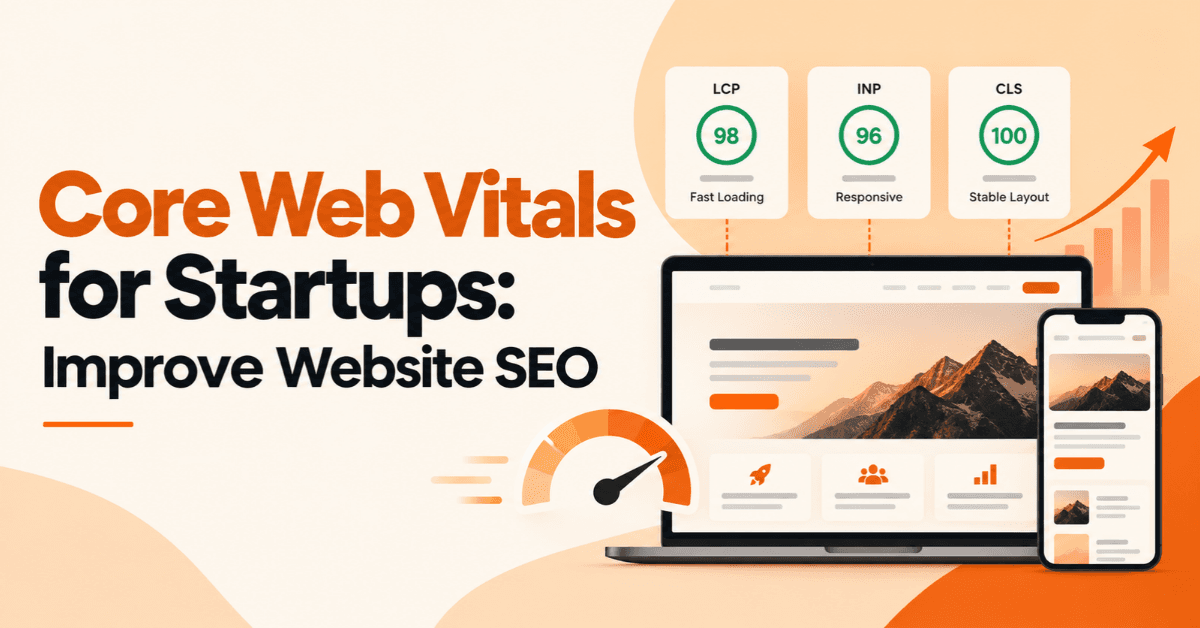
Core Web Vitals for Startups: Improve Website SEO
A startup website has only a few seconds to make a strong first impression. If pages load slowly, buttons respond late, or content shifts while users are reading, visitors may leave before they understand what the business offers. Core Web Vitals for Startups provide a practical way to measure these aspects of website performance and identify areas that need improvement. Core Web Vitals focus on three important parts of the user experience: loading performance, responsiveness, and visual stability. Google uses these metrics as part of its page-experience signals, although good Core Web Vitals alone do not guarantee higher search rankings.
For startups, the goal should not be to chase a perfect technical score. The better approach is to create a fast, stable, useful website that helps visitors find information, interact with the business, and complete important actions.
What Are Core Web Vitals and Why Do They Matter for Startups?
Core Web Vitals are user-focused performance metrics that help website owners understand how visitors experience web pages.
The current Core Web Vitals measure:
Largest Contentful Paint (LCP): loading performance
Interaction to Next Paint (INP): responsiveness
Cumulative Layout Shift (CLS): visual stability
Google's documentation identifies Core Web Vitals as part of the signals used by its ranking systems. However, page experience involves more than these three metrics, including mobile usability, HTTPS, and avoiding intrusive experiences.
For a startup, this matters because website performance is connected to more than SEO. A slow website can make a new business appear less reliable, create friction during lead generation, and make important pages harder to use.
Why Website Performance Matters for Startup Growth
Consider a startup selling a SaaS product. A potential customer lands on its pricing page but waits several seconds for the main content to appear. The pricing comparison then moves as images load, and clicking the signup button produces a noticeable delay.
The visitor may simply leave.
Better website performance can support:
A smoother user experience
Stronger mobile usability
Better engagement with landing pages
Easier lead generation
Greater customer confidence
A stronger technical SEO foundation
Google also recommends creating content and websites primarily for people rather than designing pages only to manipulate search rankings.
The 3 Core Web Vitals Every Startup Should Monitor
Understanding each metric makes it easier to decide what needs fixing.
Largest Contentful Paint (LCP)
Largest Contentful Paint measures how quickly the largest visible content element becomes available to the visitor.
This could be a:
Hero image
Large heading
Main product image
Video poster
Important block of text
A slow LCP can make a page feel slow even when other elements have already loaded.
Common causes include:
Oversized images
Slow server response
Render-blocking resources
Heavy JavaScript
Poor caching
Inefficient hosting
For a startup homepage, for example, the main hero section often becomes an important part of the LCP experience. Optimizing that section can therefore be more valuable than spending time on less visible parts of the page.
Interaction to Next Paint (INP)
Interaction to Next Paint (INP) measures how responsive a page feels when users interact with it.
This matters particularly for websites containing interactive features.
Examples include:
Opening a navigation menu
Clicking a product filter
Submitting a form
Opening a pricing calculator
Adding an ecommerce product to a cart
Interacting with a web application
Heavy JavaScript can make these interactions feel delayed.
INP replaced First Input Delay (FID) as a Core Web Vital. Google has specifically updated its documentation to reflect INP as the current responsiveness metric.
Cumulative Layout Shift (CLS)
Cumulative Layout Shift measures unexpected movement of content while a page loads. Imagine a visitor is about to click a button. An image suddenly loads above it, pushing the button downward. The visitor clicks the wrong element.
That is a poor user experience.
Common causes of layout shifts include:
Images without defined dimensions
Dynamically inserted content
Unstable advertisements
Web fonts changing the layout
Elements loading above existing content
Startups should pay particular attention to CLS on landing pages, forms, product pages, and navigation elements.
Core Web Vitals Scores: What Counts as Good?
Google provides thresholds for assessing Core Web Vitals performance.
Metric | Good | Needs Improvement | Poor |
|---|---|---|---|
LCP | ≤ 2.5 seconds | 2.5–4 seconds | > 4 seconds |
INP | ≤ 200 ms | 200–500 ms | > 500 ms |
CLS | ≤ 0.1 | 0.1–0.25 | > 0.25 |
These thresholds provide useful targets, but startups should avoid treating them as the only measure of website quality. Google explicitly notes that achieving good Core Web Vitals does not guarantee top rankings.
The bigger objective is to make important pages fast, responsive, stable, secure, mobile-friendly, and genuinely useful.
How Core Web Vitals Affect Startup SEO
Core Web Vitals form part of Google's broader page-experience signals. They should therefore be included in a startup's technical SEO strategy. However, it would be inaccurate to say that improving a Core Web Vitals score automatically pushes a page to the top of Google.
Search performance also depends on factors such as:
Content relevance
Search intent
Content quality
Technical accessibility
Internal linking
Site structure
Authority and trust
Overall page experience
Google says its systems continue to prioritize relevant content even when page experience is not perfect. At the same time, a good page experience can contribute to search success when users have several relevant results to choose from.
Are Core Web Vitals a Google Ranking Factor?
Yes, Core Web Vitals are used by Google's ranking systems, but they are not a standalone ranking formula. This distinction matters for startups. A business should not spend weeks trying to move a performance score from 96 to 100 while its service pages lack useful information or its website does not satisfy search intent.
A better priority is:
Useful content + strong technical SEO + good user experience + healthy Core Web Vitals
That approach supports both visitors and organic search performance.
How to Check Core Web Vitals for a Startup Website
Startups do not need an expensive tool to begin measuring website performance.
Check Core Web Vitals With PageSpeed Insights
Google PageSpeed Insights can provide performance information for individual URLs.
A simple workflow is:
Enter an important website URL.
Check the mobile results first.
Review LCP, INP, and CLS.
Examine the diagnostics.
Identify the biggest performance issues.
Make targeted improvements.
Test the page again.
Do not test only the homepage.
Review important pages such as service pages, product pages, pricing pages, blog landing pages, and lead-generation pages.
Monitor Real-World Performance in Google Search Console
Google Search Console can help website owners monitor Core Web Vitals across groups of URLs.
This is valuable because real users access websites from different:
Devices
Networks
Locations
Browsers
Hardware configurations
A page that performs well on a developer's laptop may behave differently for visitors using slower mobile devices.
Lab Data vs Field Data
This distinction is often overlooked.
Lab data comes from a controlled testing environment. It is useful for diagnosing individual performance problems.
Field data represents real-user experiences collected from eligible users. It helps show how a website performs outside a controlled environment.
Startups should use testing tools for diagnosis while also monitoring real-world performance over time.
Common Core Web Vitals Problems on Startup Websites
Many startup websites prioritize design and functionality but overlook the performance cost of those decisions.
Large Images and Unoptimized Media
High-resolution images can significantly increase page weight.
A startup can improve image performance by:
Compressing images
Using suitable modern formats
Serving appropriately sized images
Defining image dimensions
Lazy-loading appropriate below-the-fold images
The goal is not to remove visual content. It is to deliver the right content at the right size.
Too Much JavaScript and Third-Party Code
Startups often add multiple marketing and analytics tools as they grow.
Examples include:
Analytics platforms
Chat widgets
Heatmaps
Advertising scripts
Social media embeds
Tracking tools
Each additional script can introduce processing or loading work.
Review every third-party tool and ask a simple question:
Does this tool provide enough business value to justify its performance cost?
If not, remove it or find a lighter alternative.
Slow Hosting and Server Response
A website can have optimized images and still feel slow if the server takes too long to respond.
Possible areas to review include:
Hosting quality
Server configuration
Caching
Content delivery networks
Database performance
Backend processing
Technical optimization should address the actual bottleneck rather than applying random speed fixes.
Layout Shifts and Unstable Page Elements
Prevent unexpected movement by reserving space for elements before they load.
For example, define image dimensions so the browser knows how much space the image requires.
This simple practice can reduce unnecessary layout movement and create a more stable experience.
How to Improve Core Web Vitals for Startups
Improving Core Web Vitals should be systematic rather than based on guesswork.
Optimize Images and Above-the-Fold Content
Start with the content visitors see immediately.
Review:
Hero images
Large banners
Main headings
Product images
Background media
Compress unnecessary large files and make sure important content can load efficiently.
Reduce Unnecessary JavaScript
Review JavaScript that runs during page loading and user interactions.
Developers can consider:
Removing unused scripts
Reducing third-party code
Deferring non-critical scripts
Splitting large bundles
Reducing unnecessary client-side processing
This is particularly important for SaaS and ecommerce startups with interactive interfaces.
Improve Server Response Time
If the server is slow, front-end optimization alone may not solve the problem.
Consider:
Better hosting infrastructure
Server-side caching
CDN implementation
Database optimization
Backend performance improvements
The right solution depends on how the website is built and where the bottleneck occurs.
Prevent Unexpected Layout Shifts
Use stable page structures.
For example:
Define image and video dimensions
Reserve space for dynamic components
Avoid inserting content above existing content
Manage web fonts carefully
Stabilize advertisements and embeds
Optimize the Mobile Experience
Mobile performance should be a priority for startups.
A mobile visitor may use a slower connection and less powerful hardware than the device used by the development team.
Test important pages on mobile and focus on:
Readable content
Fast loading
Responsive layouts
Easy navigation
Fast interactions
Stable page elements
Google's page-experience guidance specifically recommends checking whether content displays well on mobile devices.
Core Web Vitals Optimization Checklist for Startups
Use this checklist when reviewing a startup website:
Test important pages on mobile
Check LCP, INP, and CLS
Review large images
Compress unnecessary media
Remove unused JavaScript
Review third-party scripts
Improve server response time
Use caching where appropriate
Consider a CDN where it provides value
Define image dimensions
Prevent unexpected content movement
Test important forms and interactive features
Monitor Google Search Console
Retest after significant website changes
The most important point is to keep monitoring performance after optimization. A website can become slower as new plugins, scripts, images, and features are added.
Core Web Vitals for Different Types of Startup Websites
Different startup models face different performance challenges.
SaaS Startup Websites
SaaS businesses often use JavaScript-heavy interfaces.
Prioritize:
Fast product pages
Responsive dashboards
Efficient signup flows
Interactive demos
Pricing pages
Lightweight marketing scripts
For SaaS applications, INP can become especially relevant because users frequently interact with menus, filters, forms, and application controls.
Ecommerce Startup Websites
Ecommerce websites often depend heavily on images and interactive features.
Focus on:
Product image optimization
Product filters
Search functionality
Add-to-cart interactions
Checkout performance
Mobile shopping experience
A visually impressive product page is not useful if large media files make it difficult for customers to browse products.
Service-Based Startup Websites
Service businesses should prioritize pages that generate leads.
These may include:
Homepage
Service pages
Landing pages
Contact forms
Booking pages
Pricing pages
For a service startup, improving the experience of a lead-generation page can be more commercially valuable than optimizing a low-traffic blog post.
Common Core Web Vitals Mistakes Startups Should Avoid
Avoid these common mistakes:
Focusing only on desktop performance
Treating PageSpeed scores as the entire SEO strategy
Ignoring real-user data
Installing too many plugins
Adding unnecessary third-party tools
Uploading oversized images
Ignoring mobile users
Optimizing only the homepage
Fixing technical problems without measuring their impact
Treating performance optimization as a one-time task
One of the biggest mistakes is chasing a perfect score without considering business priorities.
Google itself notes that trying to achieve a perfect page-experience score solely for SEO may not be the best use of time.
How to Prioritize Core Web Vitals Improvements With a Small Budget
Startups rarely have unlimited development resources. Instead of trying to fix everything at once, prioritize pages that can influence business results.
Start With High-Traffic Pages
Review:
Homepage
Main service pages
Product pages
Pricing pages
High-converting landing pages
Signup or contact pages
If a performance issue affects a page that receives thousands of visitors, fixing it may provide more value than optimizing a page that receives very little traffic.
Fix High-Impact Problems First
A useful prioritization approach is:
Business impact × affected users × implementation effort
For example, compressing a large hero image may be relatively easy and could improve the loading experience for many visitors.
A complete website rebuild may provide larger potential gains but could require significantly more resources.
The best strategy depends on the actual bottleneck.
Core Web Vitals and Website SEO: What Startups Should Do Next
Core Web Vitals should form one part of a broader website SEO strategy.
Startups should combine performance optimization with:
Helpful, relevant content
Strong search-intent alignment
Logical internal linking
Mobile usability
Technical SEO
Secure HTTPS
Clear website navigation
Appropriate structured data
Conversion-focused page design
Google emphasizes that people-first content should provide substantial value, demonstrate appropriate expertise, and leave users satisfied rather than forcing them to search elsewhere for better answers.
That same principle applies to website performance.
A fast website is valuable because it helps people use the website—not simply because it produces a better SEO score.
FAQs
What are Core Web Vitals for startups?
Core Web Vitals are Google's user-focused metrics for evaluating loading performance, responsiveness, and visual stability. They help startups identify technical issues that can make websites harder to use.
Do Core Web Vitals affect Google rankings?
Yes. Core Web Vitals are used by Google's ranking systems as part of page experience. However, good scores do not guarantee high rankings because Google considers many other signals, including relevance and content quality.
What is a good Core Web Vitals score?
A good target is an LCP of 2.5 seconds or less, INP of 200 milliseconds or less, and CLS of 0.1 or less.
How can I check Core Web Vitals?
You can use tools such as PageSpeed Insights and Google Search Console. Testing individual URLs helps diagnose problems, while Search Console can help monitor performance across groups of pages.
How can startups improve Core Web Vitals?
Start by optimizing large images, reducing unnecessary JavaScript, improving server response time, limiting third-party scripts, preventing layout shifts, and testing mobile performance.
Is PageSpeed Insights enough to monitor website performance?
It is useful for diagnosis, but startups should not rely on a single test. Combine controlled testing with real-user performance data and ongoing monitoring.
Should startups prioritize mobile Core Web Vitals?
Yes. Mobile performance deserves particular attention because visitors may use slower connections and less powerful devices. A website should provide a usable experience across different devices and conditions.
How BrandVexo Can Help!
BrandVexo helps businesses build practical digital growth systems across digital marketing, SEO, web development, AI automation, and business solutions. Our approach focuses on measurable outcomes rather than vanity metrics, helping businesses turn digital activity into meaningful commercial results.
We can help review website performance, SEO opportunities, content strategy, web development, and digital growth systems based on your business goals.
Phone: +971 52 356 5409
Email: info@brandvexo.com
Website: www.brandvexo.com
Conclusion
Core Web Vitals for Startups are more useful when treated as a practical website-quality framework rather than a ranking-score competition. Start by measuring LCP, INP, and CLS on the pages that matter most to your business. Then prioritize problems that affect real users and important conversion journeys.
Disclaimer: This article is provided for general informational and educational purposes only. Website performance, Core Web Vitals, and SEO requirements can change over time, and results may vary depending on your website, technology, hosting, content, and users. For specific technical or SEO decisions, consider consulting a qualified professional.
Free growth plan
Ready to grow your business?
Reading is a start — now let's build it. Tell us where you want to grow and a senior strategist will map the fastest, most profitable way to get there. Free, no obligation.
Discussion
Join the conversation
Be the first to comment. Comments are reviewed before they appear, so yours won't show up instantly — but we read every one.
Leave a comment
Keep reading
All articles Web
WebWebsite Development Dubai: Costs, Process and Choices
Explore Website Development Dubai, including website cost Dubai, development steps, platform choices, SEO, timelines, and tips for choosing a website company.
 Web
WebWebsite Security Checklist for Small Businesses
Website Security Checklist for small businesses covering HTTPS, backups, MFA, updates, monitoring, access control, and practical website protection tips.
 Web
WebEcommerce Website Design: What Actually Drives Sales
Discover how ecommerce website design drives sales through better UX, mobile design, product pages, trust, speed, and conversion-focused checkout.