

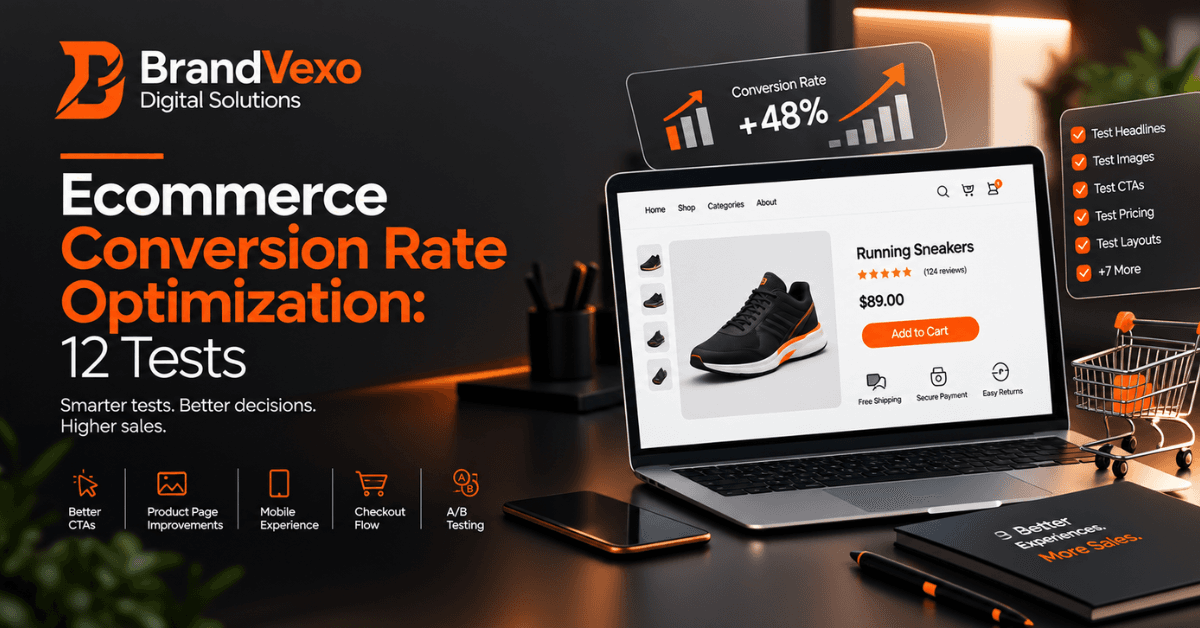
Ecommerce Conversion Optimization: 12 Tests to Try
Getting more visitors to an online store does not automatically mean getting more sales. A store can attract qualified traffic and still lose customers because of unclear product information, weak calls to action, unexpected costs, slow mobile experiences, or a complicated checkout process. Ecommerce conversion optimization helps businesses identify and reduce these points of friction.
Instead of guessing what customers want, ecommerce teams can use data and structured conversion rate tests to evaluate specific changes. Product pages, calls to action, shipping information, payment methods, mobile layouts, and checkout flows can all provide testing opportunities.
What Is Ecommerce Conversion Optimization?
Ecommerce conversion optimization is the process of improving an online shopping experience so that more relevant visitors complete valuable actions, such as purchasing a product, adding an item to their cart, or starting checkout.
Google Analytics can measure ecommerce interactions such as product views, add-to-cart actions, checkout events, purchases, and revenue when the appropriate ecommerce events are implemented.
For example, imagine an online store receives 10,000 sessions and generates 200 purchases. Its purchase conversion rate would be 2%. If the business improves the experience and generates more purchases from similar-quality traffic, it can increase revenue without relying entirely on additional acquisition.
Ecommerce CRO vs. General Website Optimization
Ecommerce CRO focuses specifically on improving the shopping journey.
It considers areas such as:
Product discovery
Product pages
Pricing and offers
Reviews and trust signals
Add-to-cart actions
Shopping carts
Checkout
Payment methods
Mobile shopping
Post-cart recovery
A content website may focus primarily on form submissions or engagement. An ecommerce store must also remove barriers that prevent customers from completing transactions.
How to Measure Ecommerce Conversion Rate
A simple purchase conversion rate calculation uses:
Conversion rate = Purchases ÷ Sessions × 100
However, businesses should not rely on this number alone. Google Analytics provides ecommerce metrics that can help teams examine different stages of the customer journey, including items viewed, items added to cart, checkout activity, and purchases.
Useful metrics include:
Purchase conversion rate
Add-to-cart rate
Checkout completion rate
Cart abandonment
Average order value
Revenue per visitor
Mobile conversion rate
Product-level purchase performance
Looking at these metrics together can reveal where customers experience the most friction.
How to Run Ecommerce Conversion Rate Tests Properly
A good testing process matters as much as the idea you test.
Start With a Clear Hypothesis
Create a simple hypothesis before changing a page.
For example:
If we display delivery information next to the Add to Cart button, customers may feel more confident about purchasing because they can understand when their order will arrive.
This approach gives the test a specific purpose.
Test One Meaningful Change at a Time
Avoid changing the headline, product images, CTA, pricing, reviews, and layout simultaneously. If the result changes, you may not know which element caused it.
Instead, isolate a meaningful variable whenever practical.
Use Customer and Analytics Data Together
Analytics can show where customers leave the journey, but numbers do not always explain why.
Combine quantitative and qualitative information from:
Google Analytics
Heatmaps
Session recordings
Customer reviews
Support conversations
On-site searches
Checkout abandonment
Customer surveys
GA4's ecommerce reporting can help businesses analyze product interactions and purchase behavior when ecommerce events are correctly implemented.
12 Ecommerce Conversion Optimization Tests to Try
1. Test Your Product Page Headlines
Your product headline should quickly tell shoppers what they are looking at and why the product matters.
Test a generic product description against clearer, benefit-focused messaging.
For example, a store could compare:
A specification-focused headline
A benefit-led headline
A concise headline with the main differentiator
Measure changes in product engagement and add-to-cart activity.
2. Test Product Images and Visual Presentation
Customers cannot physically inspect an online product, so product images carry significant responsibility.
Test:
Single hero image vs. multiple images
Product-only image vs. lifestyle image
Different image sequences
Product-in-use photography
Image zoom functionality
Video demonstrations
For example, a clothing store could test whether lifestyle photography helps shoppers understand how an item looks when worn.
Do not assume more images automatically produce better results. Test the presentation against your actual customer behavior.
3. Test Your Add-to-Cart CTA
Your Add to Cart button should remain easy to find and understand.
Test:
CTA wording
Button placement
CTA size
Sticky mobile CTA
Above-the-fold CTA placement
Possible wording includes “Add to Cart,” “Add to Bag,” or another action that accurately reflects your store.
The important point is not to assume one phrase always wins. Run a controlled test and measure the effect.
4. Test Product Descriptions for Clarity and Benefits
A product description should help customers make a purchase decision without forcing them to search for essential information.
Test:
Features vs. benefits
Paragraphs vs. bullet points
Short vs. detailed descriptions
Technical information placement
Benefit-first vs. specification-first copy
For example, instead of listing only material specifications, explain how the material affects comfort, durability, fit, or use.
Clear product information can reduce uncertainty before customers reach checkout.
5. Test Reviews, Ratings and Trust Signals
Customers often want reassurance before purchasing from an unfamiliar store.
Test the placement and presentation of genuine:
Customer reviews
Star ratings
Verified-purchase indicators
Customer photos
Product-specific testimonials
Frequently asked questions
You could test ratings beside the product title against ratings lower on the page.
Use authentic reviews and accurate claims. Do not manufacture scarcity, reviews, ratings, or customer experiences simply to increase conversions.
6. Test Shipping Costs and Delivery Information
Unexpected shipping costs can create friction late in the buying journey.
Test whether customers respond better when you display:
Shipping costs earlier
Delivery estimates on product pages
Free-shipping thresholds
Regional delivery information
Delivery dates near the CTA
For example, an online store could compare showing “Free delivery over £50” on the product page with revealing shipping information only during checkout.
The right approach depends on product margins, customer expectations, location, and fulfillment costs.
7. Test Your Checkout Flow
Checkout optimization deserves special attention because customers have already shown strong purchase intent by entering the checkout.
Test:
Guest checkout vs. account-first checkout
Shorter vs. longer checkout
Fewer form fields
Clearer error messages
Order-summary placement
Progress indicators
Address-entry improvements
GA4's Checkout journey report can help identify where users drop out between checkout stages. Google specifically notes that large drops around shipping or payment steps can indicate issues such as high shipping costs or forced login requirements.
8. Test Payment Options
Payment preferences can vary by market and customer segment.
Depending on your audience, test relevant options such as:
Credit and debit cards
Digital wallets
Local payment methods
Buy-now-pay-later options
Cash on delivery where appropriate
Do not add every possible payment method simply because it exists. Evaluate which options your customers actually use and whether additional choices improve or complicate checkout.
9. Test Your Mobile Shopping Experience
A mobile visitor should be able to browse, evaluate, and purchase without unnecessary friction.
Test:
Mobile navigation
Product image layouts
Sticky CTAs
Form fields
Page performance
Button placement
Checkout usability
Product filtering
Compare mobile and desktop behavior separately. A page that performs well on desktop may still create friction on a smaller screen.
10. Test Cart Abandonment Recovery
Conversion optimization does not stop when customers leave your store.
Test recovery strategies such as:
Cart reminder emails
Personalized reminders
Reminder timing
Product-focused messages
Limited incentives
Helpful shipping reminders
Avoid training customers to abandon carts simply to receive discounts. First test whether a useful reminder can recover the purchase without reducing your margin.
11. Test Product Recommendations and Cross-Sells
Product recommendations can increase the value of completed orders when they match customer intent.
Test:
Related products on product pages
Frequently bought together products
Accessories in the cart
Product bundles
Recommendations after adding an item
For example, an electronics store could recommend a compatible accessory rather than showing an unrelated high-priced product.
Measure both conversion and average order value. A recommendation that increases order value without harming purchase completion can create additional revenue.
12. Test Urgency and Scarcity Carefully
Legitimate urgency can help customers understand real deadlines or limited availability.
You can test:
Genuine stock information
Real sale deadlines
Delivery cutoffs
Seasonal availability
Limited inventory notices
For example, an ecommerce store could test a genuine “Order by 3 PM for next-day dispatch” message.
Avoid fake countdown timers or false stock warnings. Short-term clicks do not justify damaging customer trust.
Which Ecommerce Conversion Rate Tests Should You Run First?
You do not need to run all 12 tests immediately. Start with the areas that show the strongest evidence of customer friction.
Start With High-Friction Areas
Prioritize issues such as:
High checkout abandonment
Unexpected shipping costs
Payment failures
Poor mobile usability
Complicated forms
Then Test Product-Level Issues
Move to:
Product images
Product descriptions
Reviews
CTAs
Product information
Finally Test Revenue Expansion
After improving the core purchase journey, evaluate:
Cross-sells
Bundles
Product recommendations
Cart recovery
This sequence helps prevent businesses from optimizing secondary features while a major checkout problem remains unresolved.
Common Ecommerce CRO Mistakes to Avoid
Even well-designed tests can produce weak conclusions when businesses approach CRO incorrectly.
Avoid these common mistakes:
Testing without a clear hypothesis
Changing too many elements simultaneously
Ending tests before collecting useful evidence
Focusing only on conversion rate
Ignoring mobile visitors
Copying competitors without understanding your customers
Using discounts to solve every conversion problem
Creating misleading urgency
Ignoring checkout friction
Treating one successful test as a universal rule
A result from one store does not automatically apply to another. Product type, audience, traffic source, price, market, brand familiarity, and customer intent can all influence performance.
How to Build an Ecommerce Conversion Optimization Testing Plan
A simple process can turn random CRO ideas into a structured program.
Step 1 — Find the Biggest Conversion Friction
Review analytics, customer feedback, product performance, cart activity, and checkout behavior.
Step 2 — Create a Test Hypothesis
Define:
Problem → Change → Expected outcome
This keeps the test focused.
Step 3 — Choose the Primary Metric
Choose a metric that connects directly to the test.
Examples include:
Add-to-cart rate
Checkout completion
Purchase conversion rate
Revenue per visitor
Average order value
Step 4 — Run and Document the Test
Record:
Test date
Page tested
Original version
Test variation
Traffic
Primary metric
Result
Business impact
Step 5 — Apply the Learning
Not every test will produce a positive conversion change. A test can still teach you something about customer behavior.
Use those findings to create the next hypothesis.
FAQ
What is ecommerce conversion optimization?
Ecommerce conversion optimization improves an online store so that more relevant visitors complete valuable actions, particularly purchases. It combines data analysis, user experience improvements, testing, and customer research.
What is a good ecommerce conversion rate?
There is no single conversion rate that works as a universal benchmark. Results vary according to industry, product price, customer intent, traffic source, device, geography, and business model.
Instead of chasing an arbitrary benchmark, compare your performance over time and investigate where customers leave the purchase journey.
What should I A/B test on an ecommerce website?
Start with areas that can directly affect purchase behavior, such as product pages, CTAs, shipping information, checkout, payment methods, mobile UX, reviews, and cart recovery.
How can I improve my ecommerce conversion rate?
Start by identifying the biggest source of customer friction. Analyze your data, form a hypothesis, test one meaningful change, and measure the appropriate business metric.
What is the difference between CRO and SEO?
SEO focuses on attracting relevant organic search traffic. CRO focuses on improving the experience after visitors arrive so more of them take valuable actions.
A strong ecommerce strategy can use both. SEO can bring qualified visitors, while CRO can help the store convert those visitors more effectively.
How do I optimize an ecommerce checkout?
Focus on reducing unnecessary friction. Review the number of steps, form fields, payment options, shipping costs, error messages, guest checkout, mobile usability, and order-summary clarity.
Use checkout funnel data to identify exactly where users leave instead of changing the entire process based on assumptions.
Final Takeaway
Successful ecommerce conversion optimization does not come from copying a list of trendy CRO tactics. It comes from understanding your customers, identifying friction, forming useful hypotheses, and testing meaningful changes.
Start with the parts of the shopping journey that create the clearest problems. Product pages, CTAs, shipping information, payment methods, mobile experiences, and checkout can all provide valuable testing opportunities.
Disclaimer: The information in this article is provided for general educational and informational purposes only. Ecommerce results can vary based on industry, audience, product, traffic source, and testing conditions. Always evaluate your own data before making business or marketing decisions.
Free growth plan
Ready to grow your business?
Reading is a start — now let's build it. Tell us where you want to grow and a senior strategist will map the fastest, most profitable way to get there. Free, no obligation.
Discussion
Join the conversation
Be the first to comment. Comments are reviewed before they appear, so yours won't show up instantly — but we read every one.
Leave a comment
Keep reading
All articles Growth
Lead Generation Dubai: Channels, Costs and Strategy
Learn how lead generation Dubai works, which channels to use, what affects lead generation cost UAE, and how to build a scalable strategy.
 Growth
WhatsApp Lead Generation: From Click to Conversation
Learn how WhatsApp lead generation turns clicks into conversations, qualified leads, follow-ups, and conversions with practical strategies for businesses.
 Growth
Lead Response Time: How Quickly Should You Respond?
Learn how lead response time affects conversions, why speed to lead matters, and how to build faster lead response and follow-up workflows.