

Google Ads Negative Keywords: A Guide to Reducing Waste
Learn how Google Ads negative keywords reduce wasted ad spend, filter irrelevant searches, improve PPC targeting, and help businesses manage campaigns.
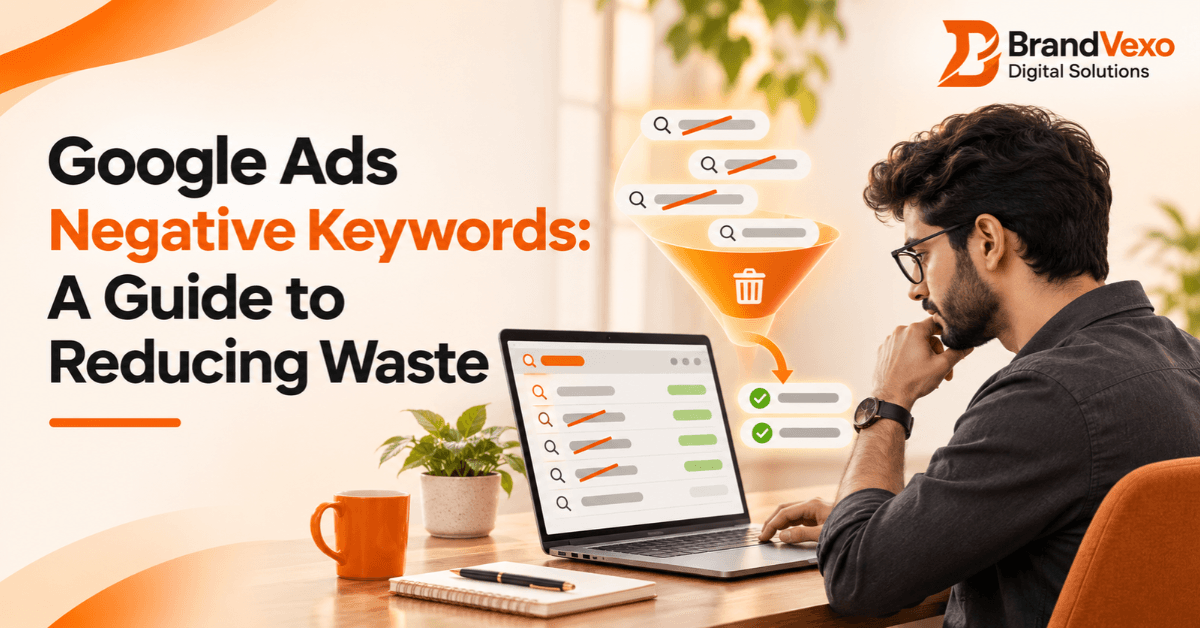
Running Google Ads can help businesses reach people who are actively searching for their products and services. However, not every click brings a potential customer. Some searches come from people looking for free resources, jobs, courses, or services that a business does not offer. Paying for these clicks can quickly waste an advertising budget. Google Ads Negative Keywords help advertisers prevent their ads from appearing for searches that do not match their business goals. By excluding irrelevant search terms, businesses can focus their budgets on more relevant audiences and improve campaign efficiency.
For example, a digital marketing agency offering paid advertising services may want to exclude searches such as "Google Ads jobs," "free PPC course," and "Google Ads salary." These searches may attract clicks, but they are unlikely to generate enquiries from businesses looking for professional advertising support.
What Are Negative Keywords in Google Ads?
Negative keywords are search terms that advertisers exclude from their Google Ads campaigns. When someone searches using a term that matches an applicable negative keyword, Google can prevent the advertisement from appearing for that search.
For example, a company selling professional website development services may want to exclude searches such as:
Free website builder
Website development jobs
Website design course
DIY website tutorials
These exclusions help the company focus its advertising on people who may need professional website development rather than people looking for free tools or educational resources.
Regular keywords help advertisers identify searches they want to target. Negative keywords help them identify searches they want to avoid.
Together, these targeting decisions create better control over paid search campaigns.
Why Google Ads Negative Keywords Matter for Campaign Performance
A successful PPC campaign does not depend only on attracting clicks. It also depends on attracting the right visitors who are more likely to become customers.
Without suitable negative keywords, advertisements may appear for searches that have little connection to the advertised offer. This can consume the budget without generating meaningful enquiries or sales.
Here are the main benefits of using negative keywords.
Reduce wasted ad spend: Exclude irrelevant searches before they consume more of your advertising budget.
Improve traffic quality: Focus on people whose searches better match your products or services.
Support conversions: Reduce unnecessary clicks and give relevant searches a greater share of your available budget.
Improve campaign control: Separate different search intentions across campaigns and ad groups.
Make reporting more useful: Identify which search terms attract relevant visitors and which ones need exclusions.
Negative keywords can also support better campaign analysis. For example, advertisers can review click-through rate (CTR), cost per click (CPC), conversion rate, and return on ad spend (ROAS) to understand whether their traffic matches their business objectives.
However, negative keywords do not automatically improve Quality Score or guarantee lower CPC. Their main purpose is to improve targeting by preventing unsuitable searches from triggering ads.
How to Find Negative Keywords for Google Ads
Finding the right negative keywords requires regular research and an understanding of customer search behaviour. Advertisers should use actual campaign data rather than relying entirely on assumptions.
1. Review the Google Ads Search Terms Report
The Search Terms Report is one of the most useful resources for finding negative keywords.
It shows the actual search queries that triggered your advertisements. Reviewing this information helps advertisers identify searches that do not match their products, services, or campaign objectives.
For example, a business advertising professional accounting services may find searches such as:
Accounting jobs near me
Free accounting course
Accounting internship
Accounting salary
If these searches do not support the campaign's objectives, the advertiser can consider adding suitable negative keywords.
Review the search terms alongside their impressions, clicks, costs, and conversions before excluding them.
2. Use Google Keyword Planner
Google Keyword Planner helps advertisers research keyword ideas and understand how people search for different products and services. Use it to explore variations around your main advertising keywords. Look for terms that indicate educational, employment, informational, or unrelated commercial intent.
For example, someone searching for "SEO agency pricing" may represent a potential customer, while someone searching for "SEO jobs for beginners" probably has a different objective.
Do not exclude a keyword simply because it looks informational. First, consider whether that search could support your sales process.
3. Analyse Customer and Competitor Search Intent
Think about the different reasons people might search for your advertised service.
Identify terms associated with:
Job seekers looking for employment.
Students searching for courses and training.
Users looking for free tools or resources.
People researching unrelated products.
Customers searching outside your service area.
A simple way to improve your research is to create separate groups for employment searches, educational searches, free-resource searches, and irrelevant product searches.
Negative Keyword Research Checklist
Before adding exclusions, ask:
Does this search relate to my actual product or service?
Is the person looking to buy, learn, compare, or find employment?
Has this search generated irrelevant clicks or unnecessary spending?
Could excluding this term block a potential customer?
Should I apply the exclusion to one ad group or several campaigns?
This process helps prevent unnecessary exclusions and keeps your targeting relevant.
Best Negative Keywords for Google Ads
Some search terms frequently indicate that a user has a different intention from the advertiser's target audience. However, the right negative keyword list depends on the business model and advertising goals.
The following list provides a starting point.
Employment-related searches
Jobs
Careers
Salary
Vacancies
Internship
Recruitment
Free-resource searches
Free
Download
Free template
Free tools
Free software
Educational searches
Course
Tutorial
Training
Definition
Certification
Meaning
DIY searches
DIY
Homemade
How to make
Repair guide
Step-by-step tutorial
Other potentially irrelevant searches
Login
YouTube
Sample
Manual
Student
These are examples, not universal exclusions. For instance, an online training company should not automatically exclude "course" or "training." Similarly, a SaaS company offering a free trial should carefully evaluate searches containing "free" before blocking them.
The best negative keywords for Google Ads are those that remove unwanted search intent without preventing valuable customers from finding your business.
Understanding Google Ads Negative Keyword Match Types
Google Ads provides three negative keyword match types for Search campaigns: broad match, phrase match, and exact match.
Each option controls how closely a search must match your excluded keyword before Google prevents the advertisement from appearing.
1. Negative Broad Match
Negative broad match is the default option when you add a negative keyword without specifying another match type.
Your ad will not show when a search contains all the terms in your negative keyword, regardless of their order.
For example, if you add:
running shoes
Your ad may be excluded for:
Blue running shoes
Shoes for running
However, a search containing only "running" or "shoes" may still trigger your advertisement.
Use negative broad match when you want to exclude searches containing all the specified terms.
2. Negative Phrase Match
Negative phrase match excludes searches containing your specified keyword phrase in the same order. Additional words can appear before or after the phrase.
For example, if you add:
"running shoes"
Your ad will not show for:
Buy running shoes online
Best running shoes for beginners
However, a search such as "shoes for running" may still trigger your advertisement because the words appear in a different order.
Use this match type when you want to block a particular phrase while allowing other searches containing similar individual words.
3. Negative Exact Match
Negative exact match excludes a search when it matches the specified keyword terms in the same order without additional words.
For example, if you add:
[running shoes]
Your ad will not show for the exact search "running shoes."
However, searches such as "buy running shoes" or "best running shoes" may still trigger your ad.
Use exact match when you want to exclude a specific search query without blocking a wider range of related searches.
Important: Negative keywords behave differently from positive keyword match types. They do not automatically cover close variants, synonyms, or singular and plural forms. For example, excluding "flower" does not automatically exclude "flowers." Review and add relevant variations separately.
How to Add Negative Keywords in Google Ads
Adding negative keywords is straightforward when you know where to find the relevant campaign settings.
Follow these steps to add exclusions to your campaigns.
Step 1: Sign In to Google Ads
Open your Google Ads account and select the campaign you want to optimise.
Step 2: Review Your Search Terms
Navigate to the Search Terms Report and identify queries that do not match your advertising objectives.
Look for irrelevant searches, unnecessary spending, and repeated search patterns.
Step 3: Select Negative Keywords
Choose the relevant negative keyword option. Depending on your account interface, you can manage exclusions through campaign or ad group settings.
Step 4: Choose the Appropriate Match Type
Decide whether broad, phrase, or exact match best suits the search you want to exclude. Avoid using broad exclusions when a more specific match type would protect valuable traffic.
Step 5: Save Your Changes
Add the selected negative keywords and save your settings.
Step 6: Monitor Campaign Performance
Review your search terms and campaign results after making changes. Check whether irrelevant traffic has decreased and whether your campaigns continue to attract relevant visitors.
You can also use Google Ads Editor to manage larger campaigns and make bulk changes more efficiently.
Where Should You Apply Google Ads Exclusions?
Google Ads offers different levels of negative keyword management. Choosing the right level helps advertisers control where exclusions apply.
Account-Level Negative Keywords
Account-level negative keywords help advertisers exclude unwanted searches across eligible campaigns and inventory.
They are useful for terms that have no relevance to the business across the account, such as employment searches for a company that does not advertise job vacancies.
Campaign-Level Negative Keywords
Campaign-level exclusions apply to a particular campaign.
For example, an advertising agency may run separate campaigns for SEO services and Google Ads management. It could exclude terms related to free SEO courses from its paid advertising campaign when those searches do not match its objectives.
Ad Group-Level Negative Keywords
Ad group-level exclusions help advertisers manage search intent within individual ad groups.
For example, a website development campaign may contain separate ad groups for ecommerce websites and business websites. Exclusions can help prevent searches intended for one service from triggering ads in another ad group.
Shared Negative Keyword Lists
Shared negative keyword lists allow advertisers to organise reusable exclusions and apply them to multiple relevant campaigns.
For example, a business could create a shared list containing employment-related searches and apply it to campaigns where those searches are consistently irrelevant.
Always check which campaigns use a shared list before changing it. A keyword that is irrelevant to one campaign may be valuable to another.
Negative Keywords for Performance Max Campaigns
Performance Max (PMax) uses Google's automated targeting and bidding to reach customers across multiple Google advertising channels.
Although advertisers have less direct control over individual search queries than in traditional Search campaigns, they can still use available exclusion tools to manage unwanted traffic.
Useful controls include:
Account-level negative keywords for eligible inventory.
Campaign-level negative keywords where supported.
Brand exclusions to prevent ads from appearing for selected brand-related searches.
Search term insights to understand relevant search themes.
Regular campaign reviews to identify unwanted traffic patterns.
Brand exclusions and negative keywords serve different purposes. Brand exclusions help manage searches related to specified brands, while negative keywords exclude particular search terms.
Advertisers should review the latest Performance Max controls and use exclusions carefully to avoid restricting valuable search opportunities.
Negative Keyword Examples for Different Business Types
Different businesses attract different search intentions. Therefore, advertisers should build negative keyword lists around their products, services, and target customers.
Negative Keywords for B2B Businesses
B2B companies often want to reach decision-makers, business owners, and procurement teams.
Potential exclusions include:
Jobs
Internship
Student
Salary
Free course
For example, a company selling business consulting services may exclude employment-related searches to focus on organisations looking for professional support.
Negative Keywords for Ecommerce Businesses
Online stores can use exclusions to reduce traffic from searches that do not match their products or purchasing model.
Potential exclusions include:
Repair manual
DIY
Free samples
Wholesale (if wholesale orders are not accepted)
Second-hand (if only new products are sold)
However, a store selling repair parts should not automatically exclude repair-related searches.
Negative Keywords for Local Businesses
Local service providers can exclude searches that do not match their service areas or commercial objectives.
Potential exclusions include:
Jobs
Careers
Internship
Unserved locations
Online-only (where online services are not offered)
For example, a Dubai-based digital marketing agency offering Google Ads management may exclude searches for Google Ads jobs, free PPC courses, and internships.
However, searches for Google Ads pricing or professional campaign management may indicate strong buying intent and should not be excluded without reviewing their relevance.
Negative Keywords for SaaS Businesses
Software companies can use negative keywords to filter searches that do not match their product or subscription model.
Potential exclusions include:
Jobs
Certification
Unrelated tutorials
Free alternatives (where free users are not part of the target audience)
SaaS advertisers should review searches carefully because educational content and free trials can sometimes introduce potential customers to their products.
Common Negative Keyword Mistakes That Waste Advertising Budgets
Adding negative keywords without a clear strategy can restrict valuable traffic and reduce campaign reach.
Avoid these common mistakes:
Using generic negative keyword lists: Copying another advertiser's list may block searches that are valuable to your business.
Ignoring search intent: A keyword that appears irrelevant may still represent a potential buyer.
Using overly broad exclusions: Broad match can block more searches than expected.
Forgetting keyword variations: Singular and plural forms may require separate exclusions.
Ignoring campaign structure: Applying the same exclusions everywhere can create unnecessary restrictions.
Failing to review search terms: Search behaviour changes, so negative keyword lists need regular maintenance.
Assuming exclusions guarantee better results: Campaign performance also depends on bidding, ad quality, landing pages, and conversion tracking.
Before applying a negative keyword, check its likely impact on your campaign and make sure it supports your actual business objectives.
How Often Should You Review Your Negative Keyword List?
Negative keyword management should be an ongoing part of PPC campaign optimisation.
Your review frequency should depend on campaign activity, spending, and search volume.
A practical routine includes:
New campaigns: Review search terms frequently during the initial optimisation period.
Active campaigns: Schedule weekly or fortnightly reviews, depending on traffic volume.
Seasonal campaigns: Reassess exclusions when customer demand and search behaviour change.
Large advertising accounts: Use shared negative keyword lists and Google Ads Editor to manage exclusions efficiently.
The goal is not to add as many negative keywords as possible. It is to maintain a list that keeps irrelevant searches out while protecting valuable traffic.
FAQs
What are negative keywords in Google Ads?
Negative keywords are terms advertisers exclude from their campaigns to prevent ads from appearing for irrelevant searches. They help businesses filter unwanted traffic, control advertising spend, and focus on searches that better match their products or services.
How do negative keywords work in Google Ads?
Google Ads checks searches against applicable negative keywords. When a search matches an exclusion under its selected match type, the ad becomes ineligible to appear for that search.
What is the difference between negative phrase match and exact match?
Negative phrase match excludes searches containing the specified words in the same order, even when additional words appear. Negative exact match excludes only the specified search without additional words.
Do Google Ads negative keywords match close variants?
No. Negative keywords generally do not automatically cover close variants, synonyms, or singular and plural forms. Advertisers should review relevant variations and add them separately when necessary.
How many negative keywords can you add to Google Ads?
Google Ads applies different limits depending on the exclusion type. For example, account-level negative keywords have a limit of 1,000, while shared negative keyword lists support up to 5,000 keywords per list. Check current Google Ads documentation for applicable limits.
Can you use negative keywords in Performance Max campaigns?
Yes. Advertisers can use available account-level and campaign-level negative keyword controls for eligible Performance Max inventory. Brand exclusions provide an additional way to manage brand-related searches.
Conclusion
Google Ads Negative Keywords help businesses avoid irrelevant searches and make better use of their advertising budgets. From reviewing search terms to selecting the right match types, every exclusion should support a clear campaign objective. The most effective approach combines regular search term analysis, carefully organised negative keyword lists, and ongoing performance monitoring.
If your campaigns attract clicks without generating relevant enquiries, reviewing your targeting and exclusions is a practical place to start.
Want to make your advertising budget work harder? BrandVexo helps businesses build and optimise paid advertising campaigns through smarter targeting, creative testing, and performance tracking. Explore our Paid Ads & PPC Services to see how a more structured advertising strategy can support your business growth.
How BrandVexo Can Help!
BrandVexo Digital Solutions helps businesses build practical digital growth systems through digital marketing, SEO, website development, paid advertising, and AI automation. We focus on connecting marketing activities with measurable business goals, helping brands improve their online visibility, attract relevant audiences, and generate meaningful enquiries.
Our approach combines strategy, technology, and creative execution to support sustainable digital growth.
Contact BrandVexo
Phone: +971 52 356 5409
Email: info@brandvexo.com
Website: https://www.brandvexo.com
Disclaimer: This article provides general educational information about Google Ads campaign optimisation. Google Ads features, policies, and account limits may change, so advertisers should consult official Google documentation before implementing campaign changes.
Free growth plan
Ready to grow your business?
Reading is a start — now let's build it. Tell us where you want to grow and a senior strategist will map the fastest, most profitable way to get there. Free, no obligation.
Discussion
Join the conversation
Be the first to comment. Comments are reviewed before they appear, so yours won't show up instantly — but we read every one.
Leave a comment
Keep reading
All articles
How UAE Businesses Can Reduce Customer Acquisition Costs

AI Search Visibility for Clinics: A Practical Guide
Improve AI Search Visibility for clinics with practical SEO, GEO, AEO, local search, and content strategies to reach more patients online.

IT Services for Small Businesses: A Complete Guide for Medical Clinics
Explore IT services for small businesses and how managed IT support helps medical clinics improve cybersecurity, protect patient data and reduce downtime.