

Google Ads Search Terms: How to Find Wasted Click Spend
Learn how to analyze Google Ads Search Terms, identify irrelevant clicks, use negative keywords, and reduce wasted ad spend while improving campaign performance.
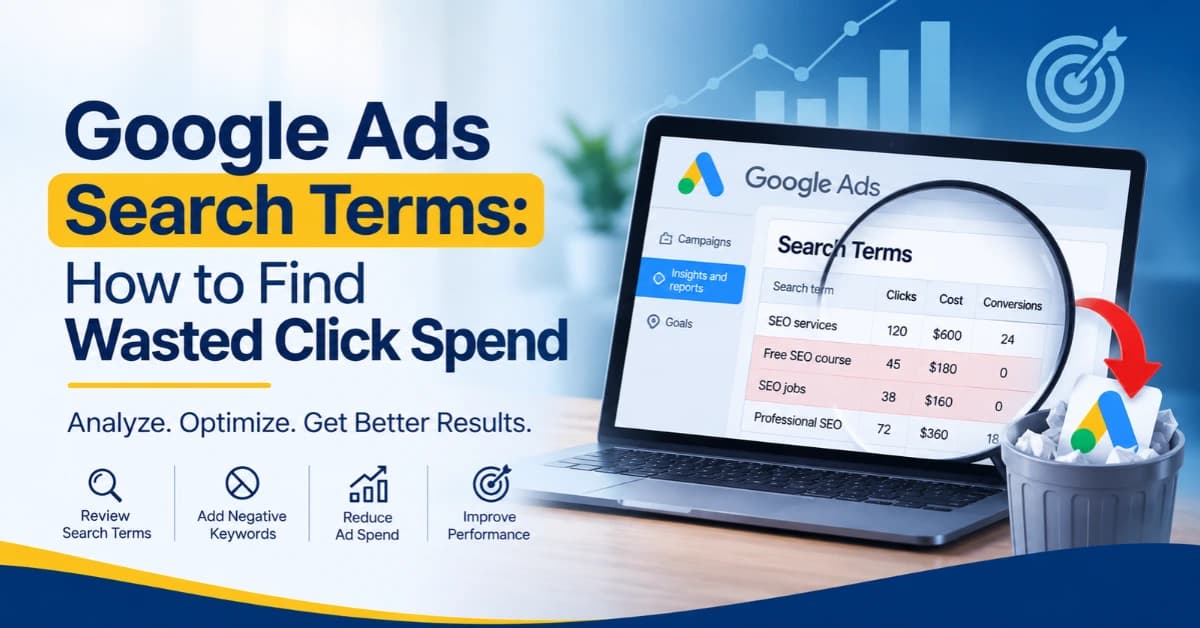
Running Google Ads can help businesses attract potential customers, generate enquiries, and increase sales. However, not every click brings value. Some visitors click an advertisement because they want free information, job opportunities, training, or services that a business does not offer. These irrelevant clicks can consume an advertising budget without generating meaningful results. Google Ads Search Terms help advertisers understand what people actually search for before clicking their advertisements. By reviewing this data, businesses can identify irrelevant search queries, investigate expensive clicks, improve keyword targeting, and reduce unnecessary advertising costs.
The key is to look beyond the number of clicks. Advertisers should understand search intent, conversion activity, and the quality of traffic they receive. A campaign with fewer clicks can deliver better results when it attracts people who genuinely want to purchase a product or service.
What Are Google Ads Search Terms and Why Do They Matter?
Google Ads Search Terms are the actual words and phrases people enter into Google before seeing or clicking a search advertisement. They help advertisers understand which searches trigger their ads and whether those searches match their business offerings.
For example, a digital marketing agency might target the keyword "SEO services." However, its advertisement could appear for searches such as:
SEO services for small businesses
Affordable SEO agency
Free SEO training
SEO jobs near me
SEO courses for beginners
Although these searches contain similar words, they represent different intentions. Some users want to hire an agency, while others want employment or educational resources.
Reviewing search terms helps advertisers understand these differences and make better campaign decisions.
Difference Between Keywords and Search Terms in Google Ads
Keywords and search terms are related, but they serve different purposes.
Keywords: Words or phrases advertisers add to their Google Ads campaigns to target relevant searches.
Search terms: The actual queries users enter into Google that may trigger advertisements.
Consider a website development company targeting the keyword "website development services."
A potential customer might search for "professional website developers in Dubai." Another person might search for "how to learn website development."
The first search indicates possible buying intent, while the second suggests an educational interest.
Understanding this difference helps advertisers refine targeting and avoid paying for clicks that do not support their campaign objectives.
How to Find the Google Ads Search Terms Report
The Google Ads Search Terms report allows advertisers to review searches that triggered their advertisements. You can use it to investigate traffic quality, identify irrelevant queries, and find opportunities for campaign improvement.
Follow these steps to access the report:
Sign in to your Google Ads account.
Open the Campaigns section.
Navigate to Insights and reports.
Select Search terms.
Choose the campaign or ad group you want to examine.
Set an appropriate date range.
Review the available search terms and performance metrics.
Google may update its interface, so menu labels and navigation can vary slightly between account views.
Which Metrics Should You Check in the Search Terms Report?
Do not focus only on clicks. Review several performance indicators to understand whether your advertising budget generates meaningful results.
Important metrics include:
Search term: Shows the query that triggered your advertisement.
Keyword: Identifies the targeted keyword associated with the search.
Match type: Shows how the search matched your keyword targeting.
Impressions: Measures how often your advertisement appeared.
Clicks: Shows how many people clicked your advertisement.
Cost: Indicates how much you spent on the traffic.
Conversions: Measures completed actions, such as purchases, calls, or enquiries.
Conversion rate: Shows the percentage of clicks that resulted in conversions.
Cost per conversion: Measures the average advertising cost for each recorded conversion.
Compare these metrics to identify search terms that attract relevant visitors and those that consume budget without producing valuable outcomes.
Keep in mind that Google does not display every individual search query. Some low-volume searches are withheld for privacy reasons.
How to Identify Wasted Click Spend in Google Ads
Finding wasted advertising spend requires more than identifying search terms with zero conversions. You need to understand why people clicked your advertisements and whether those searches align with your business objectives.
The following methods can help you identify unnecessary spending.
Find Irrelevant Search Queries
Start by reviewing search terms that do not relate to your products or services.
For example, a company offering professional SEO services might receive clicks from people searching for:
Free SEO courses
SEO jobs near me
SEO training for beginners
Free SEO tools
SEO certification programs
These searches may attract visitors, but they do not necessarily attract potential customers looking to purchase SEO services.
Review each query carefully before excluding it. Some searches that initially appear unrelated may still represent valuable commercial opportunities.
Identify High-Cost Search Terms Without Conversions
Some search terms generate multiple clicks and consume a significant portion of your advertising budget without producing enquiries or sales.
For example, imagine a business spends $150 on a search term that generates 30 clicks but no recorded conversions.
This search term deserves further investigation. However, do not immediately add it to your negative keyword list.
First, check:
Whether the search term matches your services.
Whether the landing page answers the visitor's needs.
Whether conversion tracking works correctly.
Whether visitors need more time before making a purchase.
Whether the campaign has enough data to support a decision.
A relevant search term may generate no immediate conversions because of a long sales cycle or a weak landing page. Fixing the underlying problem may deliver better results than excluding the search.
Watch for Low-Intent and Misleading Search Terms
Not every Google search indicates that someone wants to purchase something.
Some visitors are researching a topic, comparing options, looking for free resources, or searching for information.
Pay attention to searches containing phrases such as:
How to
What is
Free download
Tutorial
Jobs
Salary
Training
Course
These terms may indicate informational or employment-related intent rather than buying intent.
However, their value depends on the campaign. For example, a training company may consider course-related searches highly relevant.
The important distinction: Irrelevant traffic does not match your business offering, while low-intent traffic may match the topic but not the customer's current stage in the buying journey.
How to Use Negative Keywords to Stop Wasted Google Ads Spend
Negative keywords help advertisers prevent advertisements from appearing for searches that do not match their products or services. They are an important part of Google Ads keyword optimization because they help businesses focus their budget on more relevant searches.
For example, a company selling professional website development services may want to exclude searches related to free website builders, website development jobs, or beginner training courses.
Google Ads supports three negative keyword match types for Search campaigns: broad match, phrase match, and exact match.
Identify Search Terms That Should Become Negative Keywords
Review your search terms report and look for queries that clearly fall outside your business objectives.
Depending on your products or services, potential negative keywords may include:
Free: Searches from people looking for free alternatives.
Jobs: Employment-related searches.
Careers: People looking for career opportunities.
Salary: Searches about earnings rather than purchasing services.
Training: Educational searches unrelated to your offering.
Courses: People looking for lessons or certifications.
Tutorials: Searches for instructions rather than professional services.
DIY: Users interested in completing a task themselves.
Used: Searches for second-hand products when you only sell new products.
Do not automatically exclude every term on this list. A training company, for example, may want to attract searches containing "courses" or "training." Always consider the meaning of the search in relation to your business.
How to Add Negative Keywords in Google Ads
Once you identify irrelevant searches, follow these steps to exclude them:
Open your Google Ads account.
Navigate to Campaigns → Insights and reports → Search terms.
Review the search queries in your report.
Select the irrelevant search terms.
Click Add as negative keyword.
Choose whether to add them to an ad group, campaign, or existing negative keyword list.
Select the appropriate negative match type.
Save your changes.
You can also create a new negative keyword list and apply it to relevant campaigns. This makes it easier to manage common exclusions across multiple campaigns.
Understand Negative Keyword Match Types
Choosing the right match type matters because negative keywords behave differently from regular positive keywords.
1. Negative Broad Match
Your advertisement will not appear when a search contains all the terms in your negative keyword, regardless of their order.
Example: If you add running shoes as a negative broad match keyword, searches containing both words will be excluded, even if the order changes.
2. Negative Phrase Match
Your advertisement will not appear when a search contains the specified phrase in the same order, even if additional words appear before or after it.
Example: Adding "free website builder" can exclude searches such as "best free website builder for beginners."
3. Negative Exact Match
Your advertisement will not appear when someone searches for the exact excluded term without additional words.
Example: Adding [free website builder] excludes that exact search but may allow "best free website builder."
Remember that negative keywords do not automatically cover all synonyms, singular and plural variations, or related phrases. Add relevant variations when necessary and review the exclusions carefully.
How to Reduce Google Ads Costs Without Losing Quality Traffic
Reducing advertising costs does not mean removing every keyword that generates clicks without immediate conversions. The objective is to improve traffic quality while protecting searches that can generate valuable customers.
Here are practical ways to improve PPC campaign optimization.
Refine Keyword Targeting
Review the keywords responsible for triggering your advertisements. Identify whether broad, phrase, or exact match targeting attracts the most relevant searches.
Consider these actions:
Remove keywords that consistently attract unrelated traffic.
Separate different services into relevant ad groups.
Use specific commercial keywords when they match your campaign goals.
Review search term variations regularly.
Avoid targeting keywords that do not match your actual services.
For example, a company offering business website development should distinguish between searches for professional website development and searches for free website design tutorials.
Improve Ad Copy and Landing Page Relevance
Sometimes businesses receive clicks from relevant search terms but fail to convert visitors because their advertisements or landing pages do not meet customer expectations.
Your advertisement should clearly explain what you offer. Your landing page should continue that message without confusing visitors.
Improve relevance by:
Matching headlines with the targeted search intent.
Explaining your services clearly.
Highlighting useful benefits instead of making unrealistic promises.
Including visible contact details.
Providing clear calls to action.
Making enquiry forms simple and easy to complete.
A well-structured website can support these efforts. Explore BrandVexo's Website Development Services for information about conversion-focused website solutions.
Improve Conversion Tracking
Conversion tracking helps advertisers understand whether clicks lead to valuable actions.
Depending on your business model, you may want to measure:
Completed enquiry forms.
Phone calls from advertisements.
Online purchases.
Appointment bookings.
Qualified lead submissions.
Important customer actions.
Check that your conversion actions record the correct events and that duplicate conversions do not distort your reporting.
Also distinguish between a form submission and a qualified lead. A campaign may generate many enquiries, but some may come from people who cannot afford your services or do not need them.
Reliable conversion data helps you make better decisions about keywords, budgets, and campaign performance.
Review Location and Audience Targeting
Location targeting matters when your business serves specific cities, regions, or countries.
For example, a Dubai-based service company may want to reach customers in Dubai and nearby business areas rather than attract clicks from locations it cannot serve.
Review:
Locations targeted by each campaign.
Actual user locations where available.
Location settings and presence options.
Geographic performance and conversion quality.
Audience settings that support your campaign objectives.
Do not exclude locations simply because they have fewer clicks. Compare their costs, lead quality, and business value before making changes.
Practical Example: Finding Wasted Ad Spend for a UAE Business
Consider a Dubai-based digital marketing agency running a Google Ads campaign to generate enquiries for professional SEO services. The agency wants to attract businesses looking for SEO support, but its advertisements also receive clicks from people searching for courses, jobs, and free resources.
The following example shows how a search terms analysis can help identify opportunities for improvement.
Illustrative Google Ads search-term performance
Search term | Clicks | Cost | Conversions |
|---|---|---|---|
SEO agency Dubai | 25 | $125 | 5 |
Free SEO course | 20 | $80 | 0 |
SEO jobs Dubai | 15 | $60 | 0 |
Professional SEO services | 30 | $150 | 6 |
SEO training institute | 10 | $50 | 0 |
All figures are hypothetical and provided for educational purposes.
What Does the Data Tell Us?
The agency can identify several important patterns:
SEO agency Dubai: This search generates five conversions and appears relevant to the agency's services.
Professional SEO services: This query generates six conversions and attracts potential customers.
Free SEO course: This search attracts educational traffic rather than people looking to hire an agency.
SEO jobs Dubai: This query attracts job seekers rather than potential clients.
SEO training institute: This may be irrelevant if the agency does not provide training.
The agency should investigate the three potentially irrelevant searches and consider adding suitable negative keywords.
What Changes Should the Agency Make?
The agency can take the following steps:
Add clearly irrelevant educational and employment searches as negative keywords.
Protect commercial searches that generate qualified enquiries.
Review landing pages to make sure they match the advertisements.
Check whether conversion tracking records genuine enquiries.
Monitor the campaign after making changes.
This approach helps the agency focus its budget on relevant traffic without unnecessarily restricting valuable search opportunities.
The example also demonstrates why advertisers should review business relevance alongside conversion data. A search term with no conversions is not automatically a waste if it still attracts potential customers who need more time to make a decision.
Common Google Ads Search Terms Mistakes to Avoid
Even experienced advertisers can make mistakes when reviewing search queries. Poor decisions can restrict useful traffic and reduce campaign performance.
Avoid these common issues:
Adding negative keywords without checking intent: A word that appears irrelevant may still be valuable to your business.
Excluding searches with low click volume: Low volume does not automatically mean poor traffic quality.
Ignoring expensive search terms: High-cost queries deserve regular review, especially when they generate no valuable results.
Focusing only on clicks: Click volume does not explain whether visitors become customers.
Using overly broad negative keywords: Incorrect exclusions can prevent advertisements from appearing for relevant searches.
Ignoring conversion tracking: Tracking problems can make successful searches appear unsuccessful.
Making frequent changes without sufficient data: Small data samples can lead to unreliable decisions.
Forgetting to review negative keyword lists: Existing exclusions may become unsuitable as your products and services change.
A consistent review process helps advertisers avoid these problems and make more informed optimization decisions.
How Often Should You Review Google Ads Search Terms?
The right review schedule depends on your campaign budget, traffic volume, conversion cycle, and business objectives. However, regular monitoring helps you identify irrelevant traffic before it consumes too much of your advertising budget.
A practical review schedule includes:
Daily monitoring: Check significant spending changes, unusual traffic patterns, and obvious irrelevant searches, particularly in high-spend campaigns.
Weekly analysis: Review search terms, clicks, costs, conversions, and negative keyword opportunities.
Monthly evaluation: Assess keyword performance, campaign profitability, conversion quality, and the effectiveness of previous exclusions.
After major campaign changes: Review search queries after introducing new keywords, changing match types, expanding locations, or modifying targeting settings.
You can also use Google Ads Search Terms Insights to understand broader search categories and customer interests. Unlike the individual search terms report, this feature groups searches into categories and provides aggregated performance information.
Final Checklist for Finding Wasted Click Spend in Google Ads
Use this checklist when reviewing your Google Ads campaigns:
Open the Google Ads Search Terms report.
Select an appropriate reporting period.
Identify searches unrelated to your business.
Review high-cost search terms without conversions.
Compare search intent with your products or services.
Check keyword match types.
Add relevant negative keywords.
Verify conversion tracking.
Protect search terms that generate qualified leads.
Review landing-page performance.
Monitor campaign results after optimization.
Following these steps regularly can help you identify unnecessary spending and improve the quality of traffic reaching your website.
FAQs
1. What are Google Ads Search Terms?
Google Ads Search Terms are the actual words and phrases people enter into Google that trigger your advertisements. Reviewing them helps advertisers understand customer search behaviour, identify irrelevant traffic, and improve keyword targeting.
2. How do I find search terms in Google Ads?
Sign in to your Google Ads account, open Campaigns, navigate to Insights and reports, and select Search terms. Choose your campaign and date range to review the available search queries and their performance.
3. How can I identify wasted spend in Google Ads?
Review search terms that attract irrelevant visitors, generate high costs, or fail to produce valuable conversions. Compare clicks, spending, conversion rates, and customer intent before deciding which terms need optimization or exclusion.
4. What is the difference between keywords and search terms in Google Ads?
Keywords are the terms advertisers select for their campaigns, while search terms are the actual queries people enter into Google. One targeted keyword can trigger several different search queries depending on keyword matching.
5. How do negative keywords reduce Google Ads costs?
Negative keywords prevent advertisements from appearing for selected irrelevant searches. They help advertisers avoid paying for clicks from people looking for unrelated products, services, jobs, or educational resources.
6. How often should I check my Google Ads Search Terms report?
Review high-spend campaigns regularly, ideally weekly. Businesses with smaller budgets can review their reports less frequently, while campaigns with significant daily spending may benefit from more frequent monitoring.
7. Can I see every search term that triggered my Google Ads?
No. Google does not show every individual search query in the Search Terms report. Some searches are withheld because of privacy thresholds or insufficient reporting data. Search Terms Insights can provide additional aggregated information about search categories.
8. Should I pause keywords that receive clicks but no conversions?
Not immediately. First, check search relevance, advertising costs, landing-page quality, conversion tracking, and the customer buying cycle. A relevant keyword may need more time or a better landing page to generate conversions.
Get Better Results from Your Google Ads Campaigns with BrandVexo
If your Google Ads campaigns generate clicks but struggle to deliver quality leads, reviewing your targeting and advertising strategy can help identify opportunities for improvement.
At BrandVexo, we help businesses build practical digital growth strategies through paid advertising, SEO, website development, and digital marketing solutions. Our approach focuses on connecting advertising performance with measurable business outcomes.
Whether you want to improve campaign targeting, reduce unnecessary spending, or generate better-quality enquiries, the right strategy can help your business move towards sustainable growth.
Explore our Paid Ads and PPC Services or contact our team to discuss your advertising goals.
Contact BrandVexo
Phone: +971 56 410 4881
Email: info@brandvexo.com
Website: www.brandvexo.com
Conclusion: Make Every Google Ads Click Count
Wasted advertising spend can reduce the profitability of Google Ads campaigns, especially when businesses attract visitors who have no interest in their products or services.
Regularly reviewing Google Ads Search Terms helps advertisers understand what customers are searching for, identify irrelevant queries, and improve keyword targeting. Negative keywords, accurate conversion tracking, relevant landing pages, and consistent performance reviews all contribute to better campaign management.
Disclaimer: This article provides general information about Google Ads campaign optimization and advertising performance. Results may vary depending on campaign settings, competition, budget, and conversion tracking. Always review your account data before making significant campaign changes.
Free growth plan
Ready to grow your business?
Reading is a start — now let's build it. Tell us where you want to grow and a senior strategist will map the fastest, most profitable way to get there. Free, no obligation.
Discussion
Join the conversation
Be the first to comment. Comments are reviewed before they appear, so yours won't show up instantly — but we read every one.
Leave a comment
Keep reading
All articles
AI Search Visibility for Clinics: A Practical Guide
Improve AI Search Visibility for clinics with practical SEO, GEO, AEO, local search, and content strategies to reach more patients online.

IT Services for Small Businesses: A Complete Guide for Medical Clinics
Explore IT services for small businesses and how managed IT support helps medical clinics improve cybersecurity, protect patient data and reduce downtime.

Marketing KPI Dashboard: Choose Metrics Your Team Can Act On
Build a marketing KPI dashboard that tracks meaningful metrics, measures campaign performance, and helps your team make smarter, data-driven marketing decisions.