

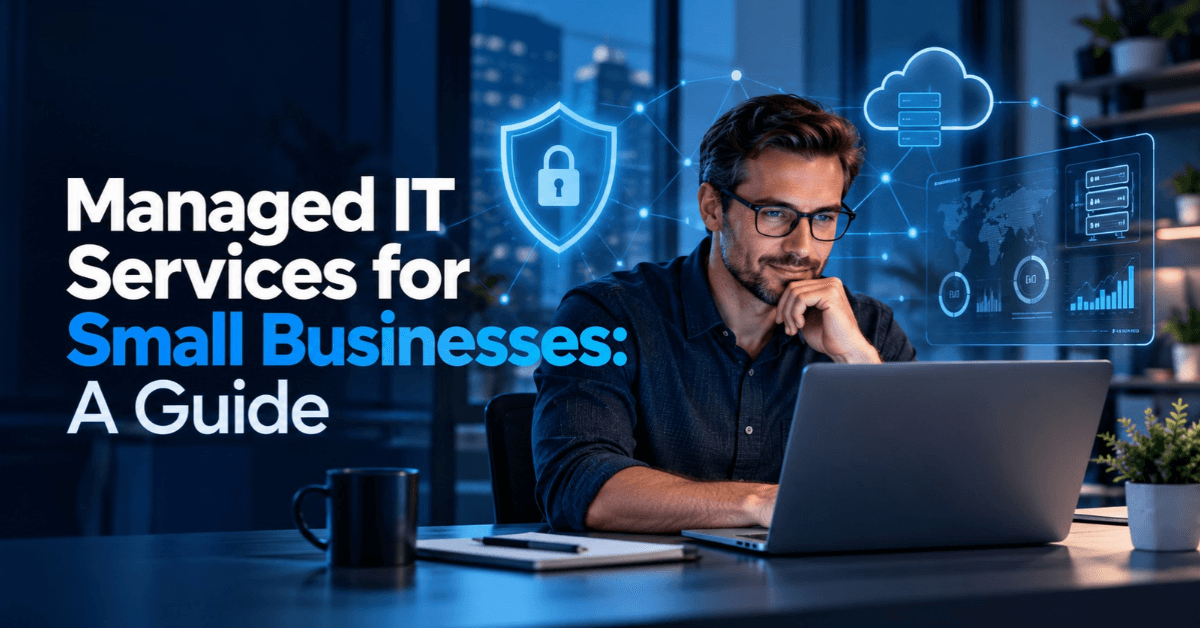
Managed IT Services for Small Businesses: A Guide
Small businesses rely on technology to communicate with clients, manage information, deliver services, and keep daily operations running smoothly. However, technical problems, cybersecurity threats, and unexpected system failures can interrupt work and increase operating costs. IT Services for Small Businesses help companies manage these challenges through reliable technical support, proactive maintenance, and better technology planning. Managed IT services offer a practical way for small businesses and professional service firms to maintain their IT systems without building a large internal technology team. From network security and cloud management to data backups and help desk support, the right approach helps businesses reduce avoidable disruptions and protect important information.
What Are Managed IT Services for Small Businesses?
Managed IT services involve outsourcing some or all of a company's technology management to an external provider, commonly known as a managed service provider (MSP). Instead of waiting for a problem to occur, the provider monitors systems, performs maintenance, and helps address technical risks before they cause major disruption.
These services can support businesses that lack dedicated IT employees or need additional technical expertise.
A managed IT service provider may handle:
Network monitoring and maintenance
Computer, software, and device management
Cybersecurity monitoring and updates
Help desk and remote technical support
Cloud platforms and business email
Data backup and disaster recovery planning
User accounts and access permissions
The exact scope depends on the service agreement. Some providers offer comprehensive IT management, while others specialise in cybersecurity, cloud services, or technical support.
What Does a Managed IT Service Provider Do?
A managed service provider helps maintain business technology through planned maintenance, monitoring, troubleshooting, and technical guidance. It may also review system performance, recommend improvements, and help businesses prepare for growth.
For example, a small marketing agency may need secure cloud storage, reliable email, employee laptop management, and protection for client files. An MSP can help coordinate these systems under an agreed support plan.
The goal is to make technology more reliable, manageable, and aligned with everyday business needs.
Why Do Small Businesses Need Professional IT Support?
Technology problems can affect productivity, customer relationships, and revenue. A failed laptop, inaccessible business email account, or network outage can prevent employees from completing essential tasks.
Small companies often depend on a limited number of employees, which makes unexpected technical problems especially disruptive. Without a clear support process, staff may spend hours troubleshooting issues instead of serving customers.
Professional IT support helps businesses manage these risks through consistent maintenance and access to technical expertise.
Key benefits include:
Reduced downtime: Monitoring and preventive maintenance can identify some problems before they interrupt operations.
Improved security: Updates, access controls, and security monitoring help reduce exposure to cyber threats.
Better productivity: Employees can receive technical assistance without spending excessive time solving IT problems themselves.
Support for remote work: Secure cloud tools and remote assistance help distributed teams collaborate.
More predictable planning: Businesses can budget for agreed IT services instead of relying entirely on emergency repairs.
Consider a consultancy whose employees cannot access shared project files before an important client meeting. Reliable IT support and a tested backup process can help the company restore access and reduce disruption.
Essential IT Services for Small Businesses and Service Firms
The best IT setup depends on the company's size, industry, budget, and operational risks. However, several services are particularly useful for businesses that depend on digital communication and client information.
1. Network Security and Cybersecurity Monitoring
Cybersecurity is an essential part of small business IT management. Attackers may target businesses of any size, particularly those with weak passwords, outdated software, or poorly controlled user access.
Network security and monitoring services may include firewalls, endpoint protection, security updates, suspicious activity monitoring, and multi-factor authentication.
Businesses should also review who can access sensitive files and remove unnecessary permissions when employees change roles or leave.
No single security tool can prevent every attack. A layered approach that combines technology, employee awareness, access controls, and incident response planning offers stronger protection.
2. Help Desk Support and Remote IT Assistance
Help desk support gives employees a clear way to report technical problems and receive assistance. Common issues include email failures, software errors, connectivity problems, printer issues, and device configuration.
Remote IT support allows technicians to resolve many problems without visiting the workplace. On-site support may still be necessary for hardware failures, network installations, or other physical tasks.
Before choosing a provider, businesses should confirm its support hours, response targets, escalation process, and any additional charges for urgent assistance.
3. Cloud Migration, Hosting, and Business Email Management
Cloud services allow employees to access approved applications and business files through internet-connected devices. They can support collaboration, remote working, and easier access to shared information.
Managed cloud services may include account administration, email management, permissions, security configuration, and migration from older systems.
However, moving data to the cloud does not automatically make it secure. Businesses should review access settings, authentication requirements, data retention, and backup arrangements before moving important information.
4. Data Backup and Disaster Recovery
Data loss can result from accidental deletion, hardware failure, ransomware, or other incidents. A backup strategy helps businesses restore important information and continue essential operations.
A practical backup plan should include:
Regular backups of critical business data
Separate or protected backup copies
Appropriate access restrictions
Defined recovery priorities
Periodic restoration tests
Businesses should also document how employees will continue essential work during an outage.
A backup is only useful if the business can restore the required data within an acceptable period. Testing recovery procedures is therefore just as important as creating backup copies.
5. IT Infrastructure and Device Management
IT infrastructure management covers the technology a business uses to operate, including computers, networks, software, servers where applicable, and connected devices.
A managed provider may help install updates, maintain device inventories, configure employee accounts, and standardise security settings.
These practices become increasingly valuable as businesses hire more employees or introduce new software. A consistent setup also makes it easier to identify outdated devices and manage access when staff join or leave.
Benefits of Outsourced IT Services for Small Business
Outsourced IT services give small businesses access to external technical expertise without requiring them to employ a full internal IT department. This arrangement can work well for companies that need regular support but do not have enough work to justify several dedicated IT roles.
One major benefit is access to a wider range of skills. A provider may support networking, cloud platforms, cybersecurity, and device management through a single service arrangement.
Outsourcing can also help businesses establish regular maintenance routines instead of relying entirely on reactive repairs.
Other advantages include:
Flexible support: Adjust services as the company grows or changes its technology.
Improved oversight: Use monitoring and reporting to understand recurring problems.
Consistent maintenance: Schedule updates, security reviews, and device checks.
Budget planning: Agree on monthly fees for clearly defined services.
Business continuity: Develop documented procedures for outages and data recovery.
However, outsourcing does not remove every technology risk or eliminate the need for internal responsibility. Business owners and managers still need to approve access, establish security policies, and ensure employees follow appropriate procedures.
How Much Do Managed IT Services Cost for Small Businesses?
The cost of managed IT services varies according to the company's requirements and the provider's pricing model. Factors include the number of employees and devices, complexity of the network, cybersecurity needs, support hours, and the level of service included.
Common pricing models include per-user fees, per-device fees, fixed monthly packages, and project-based charges.
A small office that needs basic help desk support may require a different package from a professional firm that handles confidential client information and needs advanced security monitoring.
Before comparing quotes, review the following:
Is remote and on-site support included?
Are cybersecurity monitoring and software updates covered?
Does the agreement include backup monitoring and recovery assistance?
Are after-hours support and emergency visits charged separately?
Do hardware, software licences, and cloud subscriptions cost extra?
Are onboarding, migration, and project work included?
Predictable monthly IT costs can make budgeting easier, but a fixed fee is only useful when the service scope is clear.
Request an itemised proposal and compare providers based on included services, response commitments, security practices, and additional charges rather than choosing solely on price.
Managed IT Services vs. In-House IT Support
Businesses can manage technology internally, outsource it to an external provider, or combine both approaches. The right choice depends on their size, technical requirements, budget, and risk exposure. With in-house IT support, employees work directly for the business and can focus on its internal systems and priorities. However, recruiting and retaining staff with a broad range of technical skills can be expensive for a small company.
Outsourced IT support provides access to external expertise through an agreed contract. It can offer broader technical coverage, although the provider may support multiple clients and work within defined service hours and response targets.
A hybrid approach combines an internal IT employee or manager with external specialists. For example, an office manager might coordinate everyday technology needs while an MSP handles cybersecurity monitoring, backups, and advanced troubleshooting.
When comparing the options, consider:
Total staffing and service costs
Availability and response times
Access to specialist expertise
Control over systems and information
Business growth and future technology requirements
The most suitable model is the one that meets the company's needs without creating unnecessary cost or operational complexity.
How to Choose the Right Managed IT Provider for a Small Business
Selecting a managed service provider requires more than comparing monthly fees. Businesses should assess the provider's experience, service scope, security practices, and ability to support their operations.
Start by identifying current problems and priorities. A company struggling with recurring technical issues may need stronger help desk support, while one handling sensitive client information may need better access controls, monitoring, and recovery planning.
Use this checklist when evaluating providers:
Check relevant experience. Ask whether the provider has supported businesses with similar systems, team sizes, and operational requirements.
Review service-level agreements. Confirm support hours, response targets, escalation procedures, and service exclusions.
Evaluate security practices. Ask about multi-factor authentication, patch management, monitoring, and incident response.
Confirm backup and recovery procedures. Understand how often backups run and whether restoration tests take place.
Clarify pricing. Request a breakdown of recurring fees, licences, onboarding, and additional work.
Review data ownership and access. Ensure the business retains control of its accounts, data, and administrative credentials.
Understand the exit process. Confirm how the provider will transfer documentation, credentials, and relevant data if the contract ends.
Questions to Ask Before Signing an IT Support Contract
Before committing to a provider, ask:
Which services are included in the monthly fee?
How do you handle critical incidents outside normal working hours?
How do you test backups and recovery procedures?
How do you protect confidential business and client information?
Who owns the accounts, configurations, and business data?
What happens if we change providers?
Clear answers help businesses understand their responsibilities and avoid unexpected costs or service gaps.
Managed IT Services for Professional Firms: A Practical Example
Consider a small consultancy in the UAE with ten employees who use cloud-based email, shared project files, and video meetings to serve clients.
Without a structured IT plan, employees might use inconsistent security settings, share files too widely, or struggle to recover information after accidental deletion.
The consultancy could work with an IT provider to introduce multi-factor authentication, standardise device updates, review access permissions, monitor systems, and test backup restoration. It could also establish a clear process for reporting technical problems.
These steps would not guarantee that incidents never occur. However, they could help the company manage risks more consistently, reduce avoidable disruptions, and clarify how employees should respond when something goes wrong.
The same principles apply to accounting practices, marketing agencies, legal firms, and other service businesses that depend on reliable technology and confidential information.
FAQs
Why Do Small Businesses Need Managed IT Services?
Small businesses use managed IT services to maintain technology, resolve technical problems, monitor security, and plan for system failures. External support can provide access to specialist expertise without requiring a full internal IT department.
How Much Do Managed IT Services Cost for Small Businesses?
Costs depend on the number of users and devices, service coverage, cybersecurity requirements, infrastructure complexity, and contract terms. Businesses should compare itemised proposals to understand which services are included and which incur additional fees.
What Are the Benefits of Outsourcing IT for Service Firms?
Outsourcing can provide access to technical expertise, regular system maintenance, help desk support, and security monitoring. It can also make IT costs easier to plan and help service firms scale support as their teams grow.
What Is the Difference Between Internal IT and Managed IT Services?
Internal IT support comes from employees hired directly by the business. Managed IT services come from an external provider working under an agreed contract. Some companies combine both models to balance internal control with specialist expertise.
How Do Managed IT Services Protect Small Businesses From Cyber Threats?
Managed IT providers may use security monitoring, software updates, endpoint protection, access controls, and multi-factor authentication to reduce cyber risks. Effective protection also requires employee awareness, tested backups, and a documented incident response plan.
Build a More Reliable IT Setup for Your Business
Reliable technology helps small businesses protect information, support employees, and deliver consistent service to customers. The right IT strategy combines appropriate technical support with cybersecurity, regular maintenance, clear responsibilities, and tested recovery procedures. Before selecting a provider, assess your current systems, identify the risks that matter most, and compare service agreements carefully. A practical, well-planned approach can help your business manage technology more effectively as it grows.
BrandVexo helps businesses strengthen their digital presence and business technology strategy through digital solutions, web development, SEO, and AI automation. If you are reviewing how technology supports your wider business goals, contact BrandVexo to discuss your digital requirements and identify practical opportunities for improvement.
Disclaimer: This article provides general educational information and does not constitute technical, cybersecurity, legal, or regulatory advice. Service requirements and costs vary by business, provider, and jurisdiction. Consult qualified professionals when assessing specific security or compliance obligations.
Free growth plan
Ready to grow your business?
Reading is a start — now let's build it. Tell us where you want to grow and a senior strategist will map the fastest, most profitable way to get there. Free, no obligation.
Discussion
Join the conversation
Be the first to comment. Comments are reviewed before they appear, so yours won't show up instantly — but we read every one.
Leave a comment
Keep reading
All articles Growth
Google Ads Management for B2B Teams | BrandVexo
Google Ads Management helps B2B teams attract qualified leads, improve campaign performance, track sales pipeline, and measure advertising ROI.
 Growth
Core Web Vitals for Business Websites: Guide for Consultants
How Core Web Vitals affect consulting websites, SEO and B2B leads. Explore LCP, INP, CLS, testing tools and practical performance fixes.
 Growth
Digital Growth Audit for Service Firms: A Practical Guide
How digital growth audit helps service firms assess SEO, website performance, lead generation and marketing metrics to identify practical growth opportunities.