

Website Forms That Convert: Improve Trust and Reduce Friction
Improve Website Forms with clear fields, strong calls to action, mobile-friendly design and trust signals that reduce friction and turn visitors into leads.
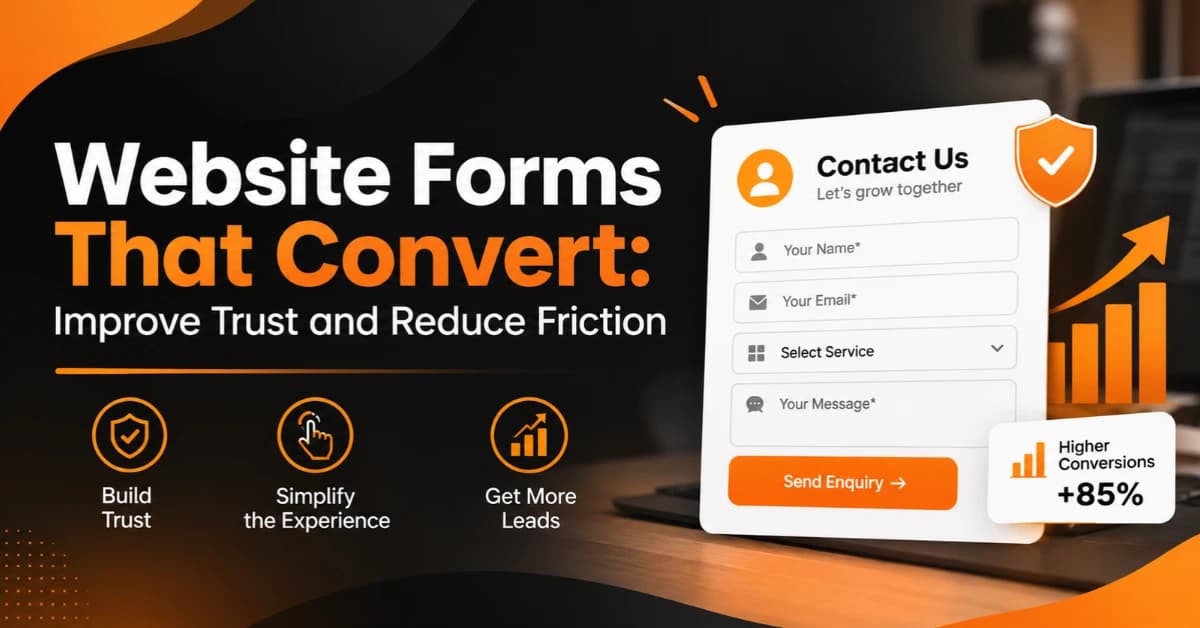
A website can attract visitors through SEO, digital marketing, and paid campaigns, but traffic alone does not generate business. Visitors also need a simple way to contact a company, request information, or take the next step. This is where well-designed Website Forms become important. A complicated form can discourage potential customers from completing an enquiry. Too many questions, unclear instructions, privacy concerns, and poor mobile layouts can create unnecessary friction. On the other hand, a simple and trustworthy form makes it easier for visitors to share their information.
Businesses should treat form design as part of their overall website experience. By improving form usability, reducing unnecessary fields, and explaining how customer information is handled, companies can create a smoother journey from website visit to enquiry.
What Are Website Forms and Why Do They Matter for Business Growth?
Website forms are interactive sections that allow visitors to submit information through a business website. They help companies collect enquiries, answer customer requests, arrange appointments, and build relationships with potential customers.
For example, a visitor exploring a web development company's services may want to discuss a new project. A contact form gives that visitor a direct way to share their requirements without searching for an email address or making an unexpected phone call.
Businesses use different types of forms depending on their goals:
Contact forms: Allow visitors to send general questions and enquiries.
Lead generation forms: Collect information from people interested in a product or service.
Quote request forms: Help customers request pricing for specific requirements.
Newsletter subscription forms: Allow visitors to receive updates and useful content.
Appointment booking forms: Help customers arrange consultations or meetings.
Registration forms: Collect information for accounts, events, or memberships.
Feedback forms: Gather customer opinions and suggestions.
The most effective form matches the visitor's needs and asks only for information the business genuinely requires.
Why Do Visitors Abandon Website Forms?
Visitors do not always abandon forms because they have lost interest. Sometimes, the form itself creates more work than they expected.
A potential customer may want to request a quotation but leave when the website asks for unnecessary personal or business information.
Several common problems contribute to form abandonment:
Too many fields: Long forms require more time and effort.
Unclear instructions: Visitors may not understand what information they should provide.
Privacy concerns: People hesitate when businesses do not explain how they use submitted information.
Poor mobile experience: Small input fields and difficult layouts make completion frustrating.
Technical errors: Forms that fail to submit can cause visitors to leave.
Complicated verification: Unnecessary CAPTCHA challenges can interrupt the process.
Weak CTA buttons: Generic instructions do not clearly communicate the next action.
Businesses should review their forms from the visitor's perspective. Every field, instruction, and additional step should serve a clear purpose.
10 Website Forms Best Practices to Increase Conversions
Creating effective Website Forms requires more than choosing attractive colours and adding a submission button. Businesses should focus on usability, accessibility, trust, and the amount of effort required from visitors.
1. Keep Form Fields Short and Relevant
Only request information that helps your team respond to an enquiry or complete the next step.
For a basic contact form, the following fields may be sufficient:
Full name
Email address
Service or enquiry type
Brief message
A company offering professional services may need additional information about project requirements. However, it should avoid requesting detailed budgets, addresses, or other information before establishing whether those details are necessary.
The objective is not to collect the smallest possible amount of information in every situation. It is to collect the right information without creating unnecessary barriers.
2. Write Clear Form Labels and Instructions
Visitors should understand what each field requires without guessing.
Use familiar labels such as Name, Email Address, Phone Number, and Project Details. If a field needs a particular format, explain it near the input.
For example, instead of writing "Enter your details", use a specific instruction such as "Tell us briefly about your website project."
Keep instructions short and place them where visitors can easily find them.
3. Use Strong and Action-Oriented CTA Buttons
A call-to-action button tells visitors what happens when they complete a form.
Avoid relying on generic labels when a more descriptive option can communicate the next step.
Consider these alternatives:
Submit → Send Enquiry
Submit → Request a Quote
Contact Us → Book a Consultation
Subscribe → Get Marketing Updates
Choose wording that accurately reflects the action. Do not promise a free consultation or instant response unless the business genuinely provides it.
4. Build Trust Through Privacy and Security
People share personal information more confidently when they understand how a business handles it.
Add an accessible privacy policy and explain why you collect the requested information. Use a secure HTTPS connection and avoid collecting sensitive details unless they are genuinely necessary.
For example, a digital marketing agency can explain that it will use submitted contact information to respond to the visitor's enquiry.
Avoid fake security badges, exaggerated promises, or misleading statements. Genuine transparency creates stronger trust than decorative elements.
5. Make Forms Mobile-Friendly
Many people visit business websites using smartphones. A form that works well on a desktop may become difficult to complete on a smaller screen.
Improve mobile form usability by:
Using responsive layouts.
Providing sufficiently large input fields.
Making CTA buttons easy to tap.
Using appropriate mobile keyboard types.
Keeping instructions readable.
Avoiding unnecessary horizontal scrolling.
Test forms on different screen sizes instead of assuming that a desktop layout will automatically work on mobile devices.
6. Use Helpful Form Validation and Error Messages
Form validation helps visitors identify missing or incorrect information before submitting their details.
However, error messages should explain the problem rather than simply displaying an error notification.
For example:
Instead of "Invalid input", explain "Enter a valid email address."
Instead of "Required field", explain "Please enter your name."
Instead of displaying a general error, identify the field that needs attention.
Whenever possible, preserve correctly completed fields so visitors do not have to enter everything again.
7. Create Simple and Accessible Form Designs
Accessibility makes forms easier to use for people with different abilities, devices, and browsing preferences.
Follow these practices:
Provide visible labels for every input.
Maintain sufficient text and background contrast.
Support keyboard navigation.
Use clear focus indicators.
Identify errors through text, not colour alone.
Associate instructions with the relevant fields.
Use appropriate form controls.
Follow recognised accessibility guidance, including the Web Content Accessibility Guidelines (WCAG).
8. Add Progress Indicators to Longer Forms
Some businesses need more information than a basic contact form can collect.
For example, a business consultancy may need details about company requirements, services, business activities, and project timelines.
Instead of presenting every question on one screen, divide the form into logical steps.
A progress indicator can show visitors:
Their current step.
The number of remaining steps.
Whether they can return to previous sections.
What information they need to complete the process.
Only introduce multi-step forms when the additional structure makes a complicated process easier.
9. Explain What Happens After Submission
Submitting a form should not leave visitors wondering whether their information reached the business.
Display a clear confirmation message after successful submission.
For example:
"Thank you for contacting us. Your enquiry has been received. Our team will review your message and respond using the contact details you provided."
Businesses should also explain realistic response expectations and provide an alternative contact method when appropriate.
10. Test and Improve Form Performance
A form should not remain unchanged simply because it looks professional.
Review its performance regularly and identify areas where visitors experience difficulties.
Test different elements, including:
Number of required fields.
CTA wording.
Form placement.
Field order.
Instructions.
Mobile layout.
Confirmation messages.
Change one important element at a time where practical, and compare results over a meaningful period. This helps businesses understand which improvements make a genuine difference.
How to Build Trust with Website Forms
Trust influences whether visitors feel comfortable sharing their information. Even when someone wants a particular service, uncertainty about privacy or business credibility can prevent them from completing an enquiry.
A trustworthy form should explain what information the company needs and why it needs it.
Include these important trust elements:
Privacy policy: Provide an accessible explanation of data collection and use.
Secure connection: Use HTTPS to protect information during transmission.
Business identity: Display consistent company branding and genuine contact details.
Transparent instructions: Explain why additional information is necessary.
Clear confirmation: Tell visitors when their submission succeeds.
Real testimonials: Use genuine customer feedback where appropriate.
Accessible support: Provide a reasonable way to contact the business if the form does not work.
For example, a UAE-based consultancy can place a short privacy explanation below its contact form, explaining that submitted details will be used to respond to the enquiry.
Avoid unnecessary pressure, misleading guarantees, or fake urgency. Visitors should feel informed rather than forced to submit their details.
How Website Forms Support Small Business SEO and Organic Growth
SEO helps businesses attract people who are actively searching for information, products, and services. However, attracting visitors is only one part of building a successful online presence.
Website forms provide a clear next step for people who arrive through organic search.
The Role of Website Forms in Small Business SEO
Small business SEO focuses on improving a company's visibility in relevant search results and attracting visitors who may become customers.
When someone finds a service page through Google, a relevant contact form can help them request information without leaving the website.
For example, a person searching for website development services may visit an agency's service page. A clear project enquiry form allows that visitor to explain their requirements and request further information.
Businesses should:
Place relevant forms on high-intent service pages.
Match form messaging with the page's search intent.
Use descriptive CTA buttons.
Make forms accessible on mobile devices.
Track enquiries from organic landing pages.
Forms do not directly improve Google rankings simply because they exist. Their value comes from helping businesses convert relevant website traffic into meaningful enquiries.
Include Website Forms in Your SEO Plan
An effective SEO plan should consider what happens after visitors arrive through search engines.
Keyword research, content development, technical optimization, and internal linking help attract relevant audiences. Conversion-focused forms help those visitors take action.
Consider these steps:
Identify service pages receiving relevant organic traffic.
Review whether each page offers an appropriate next step.
Match form questions with visitor requirements.
Monitor submissions from organic landing pages.
Improve pages where visitors struggle to complete enquiries.
This approach connects search visibility with actual business objectives instead of focusing only on rankings and traffic.
Website Forms as Part of an Organic Growth Strategy
A sustainable organic growth strategy combines useful content, search visibility, a positive website experience, and consistent lead management.
Forms support this process by creating a direct connection between interested visitors and the business.
For example, a small digital agency can publish helpful articles, attract relevant search traffic, direct readers to suitable service pages, and provide simple enquiry forms.
The business can then review which pages generate qualified leads and improve its content and conversion paths accordingly.
Over time, this creates a more connected approach to digital growth.
How to Measure Website Form Performance
Businesses should use actual performance data to understand whether their forms work effectively.
A visually attractive form does not necessarily produce qualified enquiries. Measurement helps identify problems and guide improvements.
Important Website Form Metrics to Track
Pay attention to these metrics:
Form conversion rate: The proportion of relevant visitors or form starters who complete the form, based on a clearly defined measurement.
Submission volume: The total number of successfully submitted forms.
Form abandonment rate: The proportion of visitors who start but do not complete a form.
Field-level errors: The fields that create repeated validation problems.
Qualified lead rate: The proportion of submissions that match the business's target customer requirements.
Device performance: Differences between mobile, tablet, and desktop submissions.
Traffic source: Whether enquiries originate from organic search, paid campaigns, referrals, or other channels.
Google Analytics 4 and Google Tag Manager can help businesses configure form-related event tracking. Depending on the website setup, useful events may include form starts, successful submissions, and validation errors.
Make sure tracking measures successful submissions rather than treating every button click as a completed enquiry.
Common Website Form Mistakes Businesses Should Avoid
Even a well-designed website can lose potential enquiries when its forms create unnecessary problems.
Avoid these common mistakes:
Requesting excessive information: Collecting details that are not needed for the initial enquiry can discourage visitors.
Hiding privacy information: Visitors should understand how the business handles their data.
Using vague CTA buttons: Buttons should clearly explain the next action.
Ignoring mobile users: Forms must remain easy to complete on smaller screens.
Adding unnecessary CAPTCHA challenges: Use appropriate spam protection without creating excessive friction.
Using unclear field labels: Visitors should understand what each field requires.
Ignoring accessibility: Forms should support different ways of navigating and interacting.
Failing to test submissions: Broken forms can silently prevent businesses from receiving enquiries.
Skipping follow-ups: A successful submission should trigger an appropriate response process.
Regular testing can identify these problems before they affect a large number of potential customers.
Practical Example: Improving a Small Business Contact Form
Consider a hypothetical web development company that receives organic website traffic but gets fewer enquiries than expected.
Its original contact form requests the visitor's name, company name, job title, phone number, email address, company address, monthly budget, project description, and preferred meeting date.
These questions may create unnecessary work for someone who simply wants to ask about a service.
The company reviews the form and reduces the initial requirements to:
Name
Email address
Service required
Brief project description
It also adds clear instructions, a visible privacy notice, and a descriptive "Request a Consultation" button.
The updated form creates a simpler enquiry process. However, the company should monitor completed submissions, qualified leads, and user behaviour before deciding whether the changes improved conversions.
The lesson is straightforward: collect information according to the visitor's current needs, not every detail the business might eventually want.
Final Checklist for Creating High-Converting Website Forms
Before publishing or updating a website form, review these important points:
Keep form fields relevant to the enquiry.
Write clear labels and instructions.
Use descriptive CTA buttons.
Provide accessible privacy information.
Make forms mobile-friendly.
Include helpful error messages.
Follow accessibility best practices.
Test successful submissions.
Display clear confirmation messages.
Configure appropriate conversion tracking.
Review lead quality and form performance regularly.
A consistent review process helps businesses maintain a reliable enquiry experience as their website and services grow.
FAQs
1. What Makes a Website Form Effective?
An effective website form is easy to understand, simple to complete, mobile-friendly, and transparent about information collection. It asks relevant questions and gives visitors a clear reason to take the next step.
2. How Many Fields Should a Website Contact Form Have?
There is no universal ideal number. A basic enquiry form may only need a name, email address, and message. More detailed forms can include additional questions when the business genuinely needs that information.
3. How Can I Increase Website Form Submissions?
Reduce unnecessary fields, improve instructions, use clear CTA buttons, explain privacy practices, improve mobile usability, and test the complete submission process. Track results to identify which changes help.
4. Why Do Visitors Abandon Online Forms?
Visitors may abandon forms because they take too long, request unnecessary information, contain confusing questions, display technical errors, or create concerns about personal data.
5. Are Website Forms Important for Small Business SEO?
Yes. Website forms help small businesses convert relevant organic search visitors into enquiries. Although forms are not a direct Google ranking factor, they support the business outcomes of an SEO strategy.
6. How Can I Track Website Form Conversions?
Use Google Analytics 4 and Google Tag Manager to configure appropriate form-start and successful-submission events. Test the setup to ensure that tracking records completed submissions accurately.
Conclusion
Effective Website Forms help businesses turn website interest into meaningful customer enquiries. The best approach is to reduce unnecessary steps, communicate clearly, protect visitor information, and provide a smooth experience across devices.
Businesses should also measure form submissions, lead quality, and abandonment to identify opportunities for improvement.
When form optimization works alongside useful content, SEO, and a well-structured website, it can support a more effective digital growth strategy.
How BrandVexo Can Help!
BrandVexo helps businesses strengthen their digital presence through practical digital marketing, SEO, website development, and AI-powered automation solutions. Our approach connects search visibility, website performance, user experience, and business objectives to support measurable digital growth.
We focus on building useful digital systems that help businesses attract relevant audiences, improve their online presence, and generate meaningful opportunities.
Contact BrandVexo:
Phone: +971 52 356 5409
Email: info@brandvexo.com
Website: https://www.brandvexo.com
Get in touch with BrandVexo to review your website experience, SEO strategy, and lead generation opportunities.
Disclaimer: This article provides general website optimization and digital marketing guidance. Results vary depending on website structure, audience behaviour, implementation, and business requirements.
Free growth plan
Ready to grow your business?
Reading is a start — now let's build it. Tell us where you want to grow and a senior strategist will map the fastest, most profitable way to get there. Free, no obligation.
Discussion
Join the conversation
Be the first to comment. Comments are reviewed before they appear, so yours won't show up instantly — but we read every one.
Leave a comment
Keep reading
All articles
Social Media Reporting: 10 Metrics That Matter to Business Owners
Understand social media reporting metrics that matter to business owners. Track engagement, reach, leads, conversions and ROI to improve results.

CAC vs LTV: The Metrics Every Growing Business Should Understand