

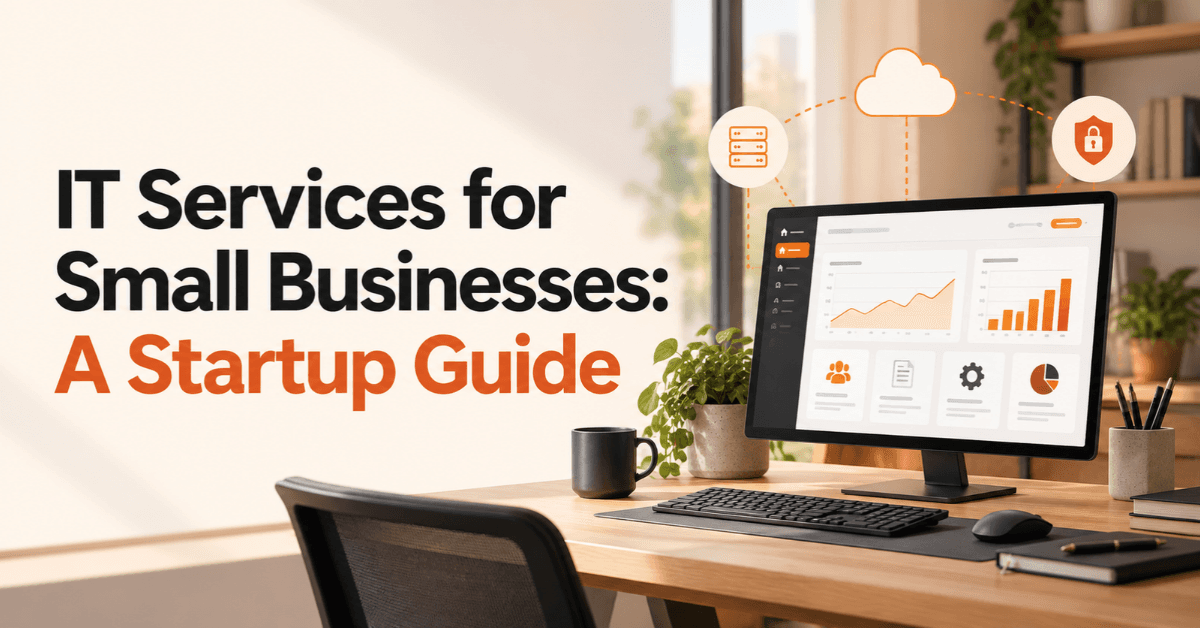
IT Services for Small Businesses: A Startup Guide
Startups depend on technology from the moment they begin operating. Email, cloud applications, laptops, business software, customer data, websites, and communication tools all need to work reliably. When something goes wrong, even a small technical issue can interrupt sales, customer service, or daily operations. IT Services for Small Businesses help startups manage these systems without immediately building a large internal IT department.
Managed IT services take this approach further by providing ongoing monitoring, technical support, cybersecurity, backups, device management, and other technology services. Instead of waiting for a problem to happen, startups can use proactive IT support to identify and address issues earlier.
The right approach depends on the company's size, technology stack, security requirements, remote-work setup, and growth plans. This guide explains what managed IT services include, when startups need them, what they may cost, and how to choose an IT service provider.
What Are Managed IT Services for Small Businesses?
Managed IT services are ongoing technology management and support provided by an external IT service provider, commonly known as a managed service provider (MSP).
Rather than calling an IT technician only when something breaks, a business can have its systems monitored and maintained continuously. Depending on the agreement, services can include help desk support, network management, cloud administration, cybersecurity, backups, software updates, and device management.
For startups, this model can provide access to technical expertise without the cost and complexity of immediately creating a large internal IT team.
Managed IT Services vs Traditional IT Support
Traditional IT support often follows a break-fix model. A business experiences a problem, contacts a technician, and waits for the issue to be resolved. Managed IT services are generally more proactive. The provider may monitor systems, apply updates, manage devices, review security controls, and identify potential problems before they cause major disruption.
The difference can be summarized simply:
Break-fix support: Fix the problem after it occurs.
Managed support: Monitor and maintain systems continuously.
Reactive approach: Respond to technical incidents.
Proactive approach: Reduce the likelihood and impact of incidents.
One-off support: Pay for individual interventions.
Ongoing service: Receive defined services under an ongoing agreement.
This does not mean every startup needs comprehensive managed services. The right level of support should match the company's actual technology and business risks.
Why Startups Need IT Services for Small Businesses
A startup may begin with only a few employees, but its technology requirements can grow quickly. A five-person company might use cloud email, accounting software, customer relationship management (CRM), project management tools, laptops, cloud storage, video conferencing, and online payment systems. As the company hires more people, managing these systems becomes more complicated.
Startups Have Limited Internal IT Resources
Founders and employees often handle basic technical problems themselves during the early stages. That may work temporarily, but it can create hidden costs. A founder spending two hours troubleshooting an email account is spending less time on customers, sales, hiring, or strategy.
IT support for startups can move routine technical responsibilities away from employees so they can focus on their core roles.
Technology Problems Can Disrupt Growth
Consider a startup preparing for an important customer presentation. If a laptop suddenly stops working, an employee loses access to a business application, or the internet connection fails, the technical problem can become a business problem. The same applies to cybersecurity incidents and data loss.
Good IT management should therefore consider more than whether computers work. It should support business continuity, productivity, security, and growth.
Startups Need Technology That Can Scale
A technology setup that works for eight employees may become difficult to manage at 30 or 50 employees.
Growing businesses may need:
More laptops and mobile devices
Additional user accounts
Stronger access controls
Better network management
More cloud applications
Centralized device management
Employee onboarding and offboarding
Stronger cybersecurity controls
Reliable data backup and recovery
Planning for these needs early can prevent a startup from repeatedly rebuilding its IT environment.
What Do Managed IT Services Include?
The exact service package varies between providers, so businesses should always review what the agreement actually covers.
Common small business technology solutions include the following.
Help Desk and Technical Support
IT help desk services give employees a defined place to report technical problems.
Support may cover:
Login problems
Software errors
Email issues
Device troubleshooting
Application access
Printer and peripheral problems
Remote technical assistance
Remote IT support can be particularly useful for startups with distributed teams.
Network Management and Monitoring
Network management focuses on the infrastructure employees depend on to connect to business systems. Services may include monitoring network performance, managing routers and firewalls, troubleshooting connectivity, and identifying unusual activity.
For a growing startup, reliable connectivity becomes increasingly important because employees may depend on cloud applications throughout the working day.
Cloud Services and Microsoft 365 Support
Many startups use cloud-based applications instead of maintaining traditional on-site infrastructure.
Cloud services for small businesses may include support for:
Microsoft 365
Google Workspace
Cloud storage
SaaS applications
User permissions
Email accounts
Cloud-based collaboration tools
The goal is not simply to move everything to the cloud. Businesses also need to manage permissions, security, user accounts, and data appropriately.
Cybersecurity and Endpoint Protection
Cybersecurity should be part of the IT strategy from the beginning rather than added only after an incident.
Common controls include endpoint protection, firewall management, multi-factor authentication, access controls, security monitoring, software patching, and employee awareness.
NIST recommends that small businesses enable MFA where available, maintain backups, update software, protect devices, and train employees to recognize threats such as phishing and ransomware.
Data Backup and Disaster Recovery
Backups protect businesses against scenarios such as accidental deletion, hardware failure, malware, and ransomware.
A useful backup strategy should answer three questions:
What data needs to be backed up?
How frequently is it backed up?
Has the recovery process actually been tested?
NIST specifically recommends regularly backing up business data and protecting and testing those backups rather than simply assuming they will work when needed.
Device and User Management
As the team grows, managing every device manually becomes increasingly difficult.
IT management services can help with:
Laptop setup
Software installation
Security configuration
Device inventory
User account creation
Employee onboarding
Employee offboarding
Access removal
This becomes especially important when employees work remotely or use several business applications.
How Managed IT Services Help Startups Scale
Managed IT services should support business growth rather than create unnecessary complexity.
Faster Employee Onboarding
When a startup hires a new employee, IT tasks can include creating accounts, configuring a laptop, assigning software access, and applying security settings.
A standardized onboarding process makes these tasks more predictable.
Better Control as the Team Grows
As more employees join, companies need better visibility over:
Who has access to what
Which devices belong to the business
Which software employees use
Which accounts are active
Which users have administrative privileges
Centralized IT management can make these processes easier to control.
Supporting Remote and Hybrid Teams
Remote employees introduce additional IT requirements.
Employees may connect from different networks and locations while accessing business systems and sensitive data.
Remote IT support, cloud applications, endpoint protection, secure authentication, and access management can help create a more consistent working environment.
Preparing for Future Growth
Scalable IT solutions allow businesses to add employees, devices, applications, and locations without completely redesigning their infrastructure.
The objective is not to purchase every possible technology in advance. Instead, startups should build a flexible foundation that can evolve as the company grows.
Managed IT Services vs Hiring an In-House IT Team
Startups often face a choice between outsourcing IT and hiring internal technical staff.
There is no universal answer.
When Outsourced IT Services Make Sense
Outsourcing may be appropriate when a startup:
Has a small team
Does not need a full-time IT specialist
Requires access to multiple areas of expertise
Has remote employees
Wants ongoing technical support
Needs cybersecurity expertise
Wants predictable IT management
An MSP can potentially provide access to several areas of expertise without requiring the startup to employ a separate specialist for every function.
When an Internal IT Team May Be Better
An internal team can make sense when a company has:
A larger workforce
Complex internal systems
Specialized technical requirements
Significant internal infrastructure
A need for dedicated on-site technical staff
As the company grows, its IT model can also change.
Can Startups Use a Hybrid IT Model?
Yes.
A startup may have one internal IT employee who manages day-to-day priorities while an external provider handles specialized areas such as cybersecurity, cloud infrastructure, network monitoring, or after-hours support.
This hybrid model can provide flexibility as the business grows.
How Much Do Managed IT Services Cost for a Startup?
There is no single price that applies to every startup.
The cost of managed IT services depends on the number of users, devices, applications, support requirements, security needs, and service coverage.
Number of Users and Devices
A company with ten employees and ten laptops generally has different support requirements from a 50-person company with multiple offices and hundreds of devices.
Services Included in the Package
A basic support package may focus mainly on help desk assistance, while a broader package could include:
24/7 monitoring
Cybersecurity
Cloud administration
Backup management
Device management
Network monitoring
Disaster recovery
Cybersecurity Requirements
A startup handling sensitive customer information or operating in a highly regulated environment may require more advanced security controls than a low-risk business.
Cloud and Software Environment
The number and complexity of cloud applications can also influence the workload involved in managing accounts, permissions, integrations, and security.
Support Hours and Response Times
A startup should check whether support is available during business hours only or whether the provider offers extended or 24/7 coverage.
Rather than choosing the cheapest option, compare the scope of services, response expectations, security coverage, and scalability.
How to Choose the Right IT Service Provider for a Startup
Choosing an IT provider is not simply about finding someone who can fix computers.
Check the Provider's Startup and Small Business Experience
Ask whether the provider has experience supporting organizations with similar:
Team sizes
Technology stacks
Remote-work requirements
Security needs
Growth expectations
Relevant experience can help the provider understand the practical challenges a startup faces.
Review the Service Level Agreement
A service level agreement (SLA) should clearly explain what the provider commits to deliver.
Review:
Response times
Support hours
Escalation procedures
Service availability
Communication methods
Included and excluded services
Ask About Cybersecurity
Do not treat security as an optional add-on without understanding the risks.
Ask whether the provider can support MFA, endpoint protection, backups, patching, access management, security monitoring, and incident response.
NIST's small-business guidance also recommends a continuous approach to cybersecurity because technologies, business conditions, and threats change over time.
Understand What Is Actually Included
Before signing an agreement, ask exactly what the package covers.
For example:
Is help desk support included?
Are backups monitored?
Does the provider manage Microsoft 365?
Are new employee devices configured?
Is cybersecurity included?
Is on-site support available?
Are third-party software issues covered?
Clear answers prevent unexpected gaps later.
Check Scalability
The provider should be able to support the startup as its requirements change.
A good question is:
“What happens when our team doubles?”
The answer can reveal whether the provider has a practical growth model or only offers basic technical support.
Essential IT Security Practices for Startups
Cybersecurity does not require a startup to build an enormous security department. It does require consistent basic controls.
Use Multi-Factor Authentication
MFA adds another verification step beyond a password. Startups should enable MFA on important business accounts wherever supported, especially accounts that contain sensitive information or provide administrative access. NIST specifically recommends MFA across accounts that offer it.
Keep Software and Devices Updated
Security patches often address known vulnerabilities. Businesses should establish a process for keeping operating systems, applications, browsers, security tools, and other software updated.
Control User Access
Employees should receive the access they need to perform their jobs rather than unnecessary administrative privileges. When someone leaves the company, their access should be removed promptly.
Maintain Reliable Backups
A backup is only useful if the business can recover the information. Regular testing helps confirm that recovery procedures work as expected.
Train Employees Against Phishing
A phishing message may appear to come from a manager, customer, bank, supplier, or familiar service. Employees should know how to identify suspicious requests and how to report them.
NIST notes that phishing can arrive through email, text messages, social media, phone calls, and other channels, so awareness should extend beyond email alone.
Common IT Mistakes Startups Should Avoid
Startups can reduce unnecessary technology problems by avoiding these common mistakes:
Waiting until something breaks before seeking IT support
Giving employees unnecessary administrator access
Using personal accounts for business information
Ignoring software updates
Relying on one backup
Failing to document systems and access securely
Forgetting to remove access when employees leave
Choosing an IT provider only because it offers the lowest price
Treating cybersecurity as an afterthought
Building technology without considering future growth
The biggest mistake is often not having a clear owner for IT responsibilities. Even when a company outsources IT, someone inside the business should understand who manages systems, security decisions, access, vendors, and escalation.
A Practical IT Checklist for Startups
Before Hiring an IT Provider
Start by documenting the current environment:
List business devices
List important applications
Identify remote employees
Review current backup procedures
Identify recurring technical problems
Review user access
Identify important business data
Define expected support hours
Identify cybersecurity concerns
This gives the provider a clearer picture of what the business actually needs.
After Implementing Managed IT Services
The startup should then establish a practical baseline:
Enable MFA
Maintain tested backups
Monitor business devices
Standardize employee onboarding
Create an employee offboarding process
Review user permissions
Keep software updated
Schedule periodic security reviews
Test disaster recovery procedures
NIST's Cybersecurity Framework 2.0 provides a broader risk-management structure for small businesses, including identifying, protecting, detecting, responding, and recovering from cybersecurity risks.
Startup Example: When Managed IT Services Become Valuable
Consider an illustrative startup that begins with eight employees. At this stage, the founders may manage laptops, email accounts, cloud applications, and passwords themselves. When the company reaches 15 employees, the IT environment becomes more complicated. New employees need devices and accounts. Existing employees need different permissions. More SaaS applications enter the workflow.
At 25 employees, the company may need more structured:
Device management
Account provisioning
Access control
Cybersecurity
Cloud administration
Employee onboarding
Backup management
Remote IT support
The lesson is not that every startup should hire an MSP at exactly a certain employee count.
Instead, the trigger should be complexity and risk.
If technology is consuming significant employee time, creating security gaps, or becoming difficult to manage consistently, it may be time to formalize IT support.
Are Managed IT Services Worth It for Startups?
Managed IT services can be valuable when technology has become essential to everyday operations but the company does not yet need a large internal IT department.
They may make particular sense when:
The business is hiring quickly
Employees work remotely
Multiple cloud applications are being used
Cybersecurity risks are increasing
Downtime would affect customers
Employees frequently need technical support
The business lacks internal IT expertise
However, not every startup needs a comprehensive package.
A small company with simple technology may only need limited support, basic security controls, reliable backups, and a clear process for handling technical problems.
The goal should be to match IT support to business requirements, rather than buying technology services simply because they are available.
FAQs
What are IT services for small businesses?
IT services for small businesses include technical support, network management, cloud administration, cybersecurity, device management, backups, and other technology services that help a business operate reliably.
What do managed IT services include?
Managed IT services can include help desk support, system monitoring, network management, cloud services, cybersecurity, backup and recovery, device management, and user administration. The exact services depend on the provider and agreement.
Are managed IT services suitable for startups?
Yes. Managed IT services can suit startups that lack dedicated IT staff, use several cloud applications, have remote employees, or need stronger security and ongoing technical support.
How much do managed IT services cost for a small business?
Pricing varies according to users, devices, services, security requirements, support hours, infrastructure, and provider scope. Businesses should compare the services included rather than looking at price alone.
What is the difference between managed IT services and IT support?
Traditional IT support often focuses on resolving problems when they occur. Managed IT services generally take a broader, ongoing approach that can include monitoring, maintenance, security, backups, and proactive management.
Should a startup outsource its IT?
A startup may benefit from outsourced IT services when it needs technical expertise but does not require a full-time internal IT department. The decision should depend on its size, technology complexity, security requirements, and growth plans.
Do managed IT services include cybersecurity?
Some providers include cybersecurity as part of their managed services, while others offer it separately. Startups should confirm exactly which security controls and services are included.
Can managed IT services support remote employees?
Yes. Managed IT providers can support remote teams through remote troubleshooting, cloud administration, device management, security controls, access management, and endpoint protection.
When should a startup hire an IT service provider?
There is no universal employee threshold. A startup should consider professional IT support when technology problems consume significant time, security requirements increase, systems become difficult to manage, or business growth makes informal IT processes unreliable.
How BrandVexo Can Help!
BrandVexo helps businesses build practical digital growth systems across digital marketing, SEO, web development, AI automation, and business solutions. Our approach focuses on solving real business problems and creating measurable outcomes rather than chasing vanity metrics. We also support businesses with social media management, content strategy, and personal and business branding.
Contact BrandVexo:
Phone: +971 52 356 5409
Email: info@brandvexo.com
Website: www.brandvexo.com
Final Thoughts
Technology should help a startup move faster, not become another operational obstacle. The right IT Services for Small Businesses can give growing companies access to technical support, cloud management, cybersecurity, backups, device management, and scalable IT infrastructure without requiring a large internal team from day one.
The most important step is to assess what the business actually needs. Start with the systems employees use every day, identify security and support gaps, and then choose an IT model that can evolve as the company grows.
Disclaimer: This article is provided for general informational purposes only and does not constitute professional IT, cybersecurity, legal, or business advice. IT requirements, risks, and service costs vary by business, technology environment, and provider. Businesses should assess their specific needs and consult qualified IT professionals before making technology or security decisions.
Free growth plan
Ready to grow your business?
Reading is a start — now let's build it. Tell us where you want to grow and a senior strategist will map the fastest, most profitable way to get there. Free, no obligation.
Discussion
Join the conversation
Be the first to comment. Comments are reviewed before they appear, so yours won't show up instantly — but we read every one.
Leave a comment
Keep reading
All articles Growth
Google Ads Management for B2B Teams | BrandVexo
Google Ads Management helps B2B teams attract qualified leads, improve campaign performance, track sales pipeline, and measure advertising ROI.
 Growth
Managed IT Services for Small Businesses: A Guide
Explore IT services for small businesses, including managed IT support, cybersecurity, cloud management, backups, costs, and provider selection tips.
 Growth
Core Web Vitals for Business Websites: Guide for Consultants
How Core Web Vitals affect consulting websites, SEO and B2B leads. Explore LCP, INP, CLS, testing tools and practical performance fixes.