

Website Migration SEO: Complete Checklist for Business Owners
Follow this website migration SEO checklist to protect rankings, preserve organic traffic, manage redirects, and avoid common technical SEO mistakes.
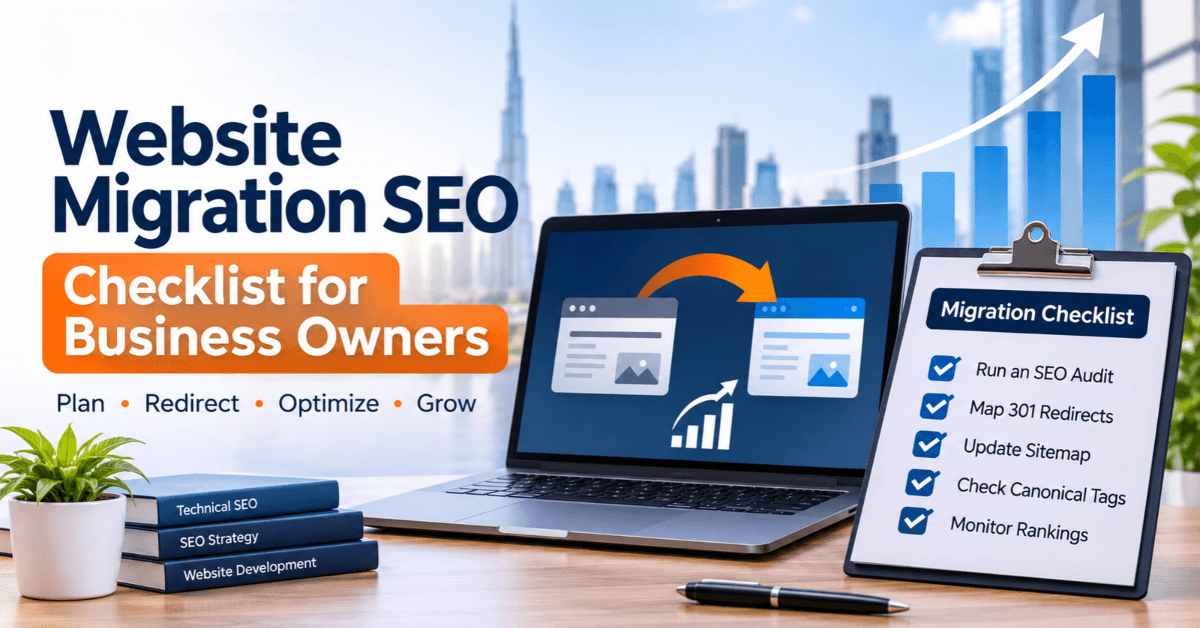
A website migration can help a business improve its design, performance, technology, and customer experience. However, changing a website without proper SEO planning can lead to lost search rankings, broken links, indexing problems, and reduced organic traffic. This is why Website Migration SEO should be part of every website migration project from the beginning. Whether you are changing your domain, redesigning your website, moving to a new content management system (CMS), or switching e-commerce platforms, you need a clear strategy to protect your existing search visibility. Even small technical mistakes can affect how search engines discover, crawl, and understand your website.
What Is Website Migration SEO?
Website Migration SEO refers to the process of protecting and maintaining a website's organic search visibility when making significant changes to its domain, URLs, platform, design, hosting, or technical structure.
Search engines need to discover and process the updated website correctly. If important pages disappear, redirects fail, or technical settings prevent crawling, businesses may experience changes in their search rankings and organic traffic.
A proper SEO website migration strategy focuses on preserving valuable content, backlinks, internal links, and existing search signals while helping search engines understand the new website structure.
Common Types of Website Migrations
Businesses may undertake different types of migrations depending on their technical and commercial requirements.
Domain migration: Moving a website from an existing domain to a new domain.
CMS migration: Changing the content management system, such as moving from WordPress to another platform.
Website redesign: Updating the website's appearance, navigation, layout, and structure.
HTTP to HTTPS migration: Moving a website to a secure HTTPS connection.
E-commerce platform migration: Transferring an online store from one platform to another, such as WooCommerce to Shopify.
URL structure migration: Changing existing page URLs, directories, or website architecture.
Hosting migration: Moving website infrastructure to another hosting provider without necessarily changing public URLs.
Each migration type creates different SEO considerations. Understanding the changes before development begins helps businesses select the right migration strategy.
Why Is SEO Important During Website Migration?
A website may already have valuable search visibility, backlinks, indexed pages, and organic traffic. A poorly planned migration can put these assets at risk.
SEO helps businesses maintain continuity while introducing website improvements.
Important benefits include:
Protecting search rankings: Preserving relevant page content and URL signals helps reduce unnecessary ranking disruption.
Maintaining organic traffic: Proper redirects help visitors and search engines reach the correct destinations.
Preserving link equity: Redirecting valuable URLs helps search engines process signals associated with existing links.
Preventing indexing problems: Correct technical settings allow search engines to discover important pages.
Maintaining user experience: Working links, navigation, and mobile-friendly layouts help visitors find information.
Protecting business enquiries: Maintaining important landing pages helps businesses continue attracting potential customers.
For example, a UAE-based consultancy may receive regular enquiries through its Google search traffic. If a website redesign removes important service pages without suitable replacements, the business could lose valuable opportunities.
Therefore, SEO should remain part of the migration process rather than becoming a task that businesses consider after launch.
Website Migration SEO Checklist: What to Do Before Launch
Preparation is one of the most important stages of site migration SEO. Before changing the existing website, businesses should understand what currently works and identify the pages they need to protect.
1. Conduct a Complete Pre-Migration SEO Audit
Start with a detailed review of the existing website. This audit provides a baseline for evaluating the migration's impact.
Review the following:
Identify pages receiving organic traffic.
Check important keyword rankings.
Review landing-page performance in Google Analytics 4.
Identify pages with valuable external backlinks.
Check indexed URLs through Google Search Console.
Find broken internal links and existing 404 errors.
Review page titles, meta descriptions, and heading structures.
Evaluate website speed and mobile performance.
Pay particular attention to service pages, product pages, and blog articles that attract qualified visitors.
2. Create a Complete URL Inventory
A URL inventory helps businesses understand which pages exist before migration.
Use website crawling tools, XML sitemaps, analytics reports, and your CMS to collect existing URLs.
Include:
Homepage and main navigation pages.
Service and product pages.
Blog posts and resource articles.
Category and subcategory pages.
Important landing pages.
Pages receiving external backlinks.
This inventory becomes the foundation of your redirect mapping strategy.
3. Record Your SEO Benchmark Data
Before launching the new website, save important performance information.
Record:
Organic clicks and impressions.
Important keyword positions.
Organic landing-page traffic.
Indexed page counts.
Conversion rates and enquiry submissions.
Backlinks pointing to important pages.
These measurements allow businesses to compare performance before and after migration.
4. Review Website Content and Internal Linking
Avoid removing useful content simply because the new website has a different design.
Review existing pages and identify content that deserves to remain.
Check whether:
Important service information is preserved.
Existing pages still match their search intent.
Valuable blog articles remain accessible.
Internal links point to relevant destinations.
Important navigation links remain available.
If a page needs rewriting, maintain its core purpose and address the same user needs.
For additional guidance, read BrandVexo's Website Redesign Checklist for Growing Businesses.
How to Create a 301 Redirect Mapping Strategy
Redirect mapping is an essential part of a website migration SEO checklist, especially when businesses change their domain or URL structure.
A redirect tells browsers and search engines that an existing URL has moved to another location.
1. Map Old URLs to Relevant New URLs
Create a spreadsheet containing the old URLs, their corresponding new destinations, and redirect status.
For example:
Old URL | New URL | Redirect |
|---|---|---|
301 | ||
301 | ||
301 |
Every important old URL should have a relevant destination.
Avoid redirecting unrelated pages to the homepage. If a page has no suitable replacement, assess whether it should return a genuine 404 or 410 response.
2. Use 301 Redirects for Permanent Changes
A 301 redirect indicates that a page has permanently moved to another URL.
A 302 redirect indicates a temporary move.
For permanent website migrations, server-side 301 or 308 redirects are generally appropriate. Google also recommends using permanent server-side redirects when possible.
3. Avoid Redirect Chains and Redirect Loops
A redirect chain occurs when one URL redirects through multiple destinations before reaching the final page.
For example:
Old URL → Page A → Page B → Final Page
A redirect loop occurs when URLs repeatedly redirect to each other without loading the intended destination.
To prevent these problems:
Redirect old URLs directly to their final destinations.
Remove unnecessary intermediate redirects.
Test important URLs after implementation.
Check for redirect loops.
Update internal links to point directly to new URLs.
Google's official redirect documentation provides additional implementation guidance.
Technical SEO Checks Before Launching the New Website
Technical SEO determines whether search engines can access, understand, and process the new website correctly.
Before launch, review these important elements.
1. Check XML Sitemap and Robots.txt
An XML sitemap helps search engines discover important website URLs.
Before launch:
Generate an updated XML sitemap.
Include canonical URLs that should appear in search results.
Remove outdated and redirected URLs.
Check that important pages remain crawlable.
Review robots.txt for accidental restrictions.
Do not assume that submitting a sitemap guarantees indexing. It helps discovery, but search engines decide which pages to index.
2. Review Canonical Tags and Noindex Directives
Canonical tags identify the preferred version of a page when similar or duplicate URLs exist.
During migration:
Update canonical tags to reference the correct new URLs.
Check that important pages do not contain unintended noindex directives.
Review duplicate page versions.
Verify that canonical URLs use the correct HTTPS domain.
Incorrect canonical settings can prevent search engines from selecting the intended pages.
3. Test the Staging Environment
A staging environment allows developers and SEO specialists to test the new website before publishing it.
Use appropriate access restrictions to prevent staging pages from appearing in search results.
Before launch, check:
Page titles and meta descriptions.
H1, H2, and H3 structures.
Internal and external links.
Mobile responsiveness.
Page loading performance.
Canonical tags.
Structured data.
Contact forms and important functionality.
Crawlability and indexability.
Should You Block Search Engines on a Staging Site?
Yes. Businesses should prevent search engines from accessing or indexing unfinished staging websites. Password protection or other access controls provide stronger protection than relying only on robots.txt. If you use temporary noindex directives, remember to remove them from the live website when appropriate.
Website Migration Launch Day SEO Checklist
Launching the new website requires careful coordination between developers, SEO specialists, and business owners.
Before considering the migration complete, verify these essential tasks:
Activate the planned 301 redirects.
Confirm that the new website loads correctly.
Test important service and product pages.
Check internal links and navigation.
Verify HTTPS and SSL configuration.
Review canonical tags.
Remove unintended noindex directives.
Confirm robots.txt allows crawling of intended pages.
Submit the updated XML sitemap through Google Search Console.
Verify analytics and conversion tracking.
Check DNS configuration and server responses.
Do not immediately shut down the old website infrastructure if it still needs to serve redirects or support the transition.
For large websites, businesses may also consider moving selected sections first when technically practical. This can help teams identify problems before expanding the migration.
Post-Migration SEO Monitoring: What to Check After Launch
Website migration SEO does not end when the new website goes live. Continuous monitoring helps businesses identify technical problems and understand how search performance changes.
1. Monitor Google Search Console
Google Search Console provides useful information about website search visibility and indexing.
After migration:
Review indexing and page status reports.
Check crawl-related errors.
Submit the new XML sitemap.
Monitor clicks and impressions.
Inspect important new URLs.
Investigate unexpected indexing issues.
For domain migrations, verify the relevant old and new domain properties. If the move involves a domain change, review Google's Change of Address requirements.
2. Track Organic Traffic and Keyword Rankings
Compare the new website's performance with the benchmark data recorded before migration.
Monitor:
Organic sessions.
Search clicks and impressions.
Important keyword positions.
High-performing landing pages.
Lead submissions and conversions.
Revenue from organic search, where measurable.
Do not judge migration performance using one day's data. Consider normal traffic fluctuations, seasonality, and changes in search demand.
3. Identify Broken Links and 404 Errors
Crawl the new website to identify missing pages and incorrect destinations.
Check:
Broken internal links.
Missing redirects.
Incorrect page destinations.
Redirect chains.
Unexpected 404 responses.
Links pointing to the old domain.
Update internal links to use the new URLs instead of relying on redirects unnecessarily.
4. Review Website Performance
A migration may change the website's code, hosting infrastructure, images, and page templates.
Review Core Web Vitals, mobile usability, and page speed after launch.
For more guidance, see BrandVexo's guide to improving website performance for business growth.
What Are the Biggest SEO Risks During a Domain or Website Migration?
Some migration mistakes can create avoidable search visibility problems.
Watch out for these common issues:
Missing 301 redirects: Old URLs may stop directing visitors to the correct pages.
Deleting valuable content: Removing pages that attract organic traffic can reduce search visibility.
Incorrect URL mapping: Sending visitors to unrelated destinations creates a poor experience.
Blocked search engines: Incorrect robots.txt settings can prevent important pages from being crawled.
Unremoved noindex tags: Important pages may remain excluded from indexing.
Broken internal links: Links to old URLs can create unnecessary redirects or errors.
Incorrect canonical tags: Search engines may identify the wrong preferred page.
Missing XML sitemap updates: Search engines may take longer to discover the new URL structure.
Unverified analytics: Businesses may lose accurate performance and conversion data.
Poor post-launch monitoring: Technical issues may remain unresolved for longer than necessary.
A structured SEO migration strategy helps teams identify these risks before they affect important business pages.
How Long Does SEO Recovery Take After a Site Migration?
SEO recovery after a website migration does not follow a fixed timeline. Google needs to discover, crawl, and process the updated URLs before its search results fully reflect the changes. Small and medium-sized websites may see most URL changes processed within a few weeks, while larger websites can take longer. Rankings and organic traffic may fluctuate temporarily during this process. Accurate redirects, updated sitemaps, accessible pages, and continuous monitoring help search engines understand the migration more efficiently.
Businesses should avoid making unnecessary changes simply because rankings fluctuate shortly after launch. First, investigate technical errors and compare performance with the original benchmark data.
Best Practices for a Successful Website Migration SEO Strategy
A successful migration requires planning, technical accuracy, and coordination between everyone involved.
Follow these best practices:
Start SEO planning early: Include SEO specialists during the website planning and development stages.
Create a complete URL inventory: Document important existing pages before changing the website.
Preserve valuable content: Maintain useful information and search intent.
Prepare redirect mappings: Connect old URLs to relevant new destinations.
Test before launch: Review technical settings and website functionality in staging.
Maintain website architecture: Keep important pages accessible through clear navigation and internal links.
Check mobile performance: Ensure the new website works properly across different screen sizes.
Maintain analytics tracking: Verify GA4 and conversion measurement.
Update external links: Contact important referring websites and request updates to old URLs where practical.
Monitor after migration: Review traffic, indexing, redirects, and website performance regularly.
For businesses planning a new website, BrandVexo's website development services focus on creating fast, mobile-first, and SEO-ready websites.
FAQs
What Is Website Migration SEO?
Website Migration SEO is the process of maintaining a website's organic search visibility when changing its domain, URLs, CMS, hosting, or design. It includes SEO audits, redirect mapping, technical checks, content preservation, and post-launch monitoring.
How Can I Migrate a Website Without Losing SEO?
Start with a complete SEO audit and record existing performance data. Create an inventory of important URLs, map old pages to relevant new destinations, implement permanent redirects, preserve useful content, and check indexing after launch.
Why Does Organic Traffic Drop After a Website Migration?
Organic traffic may decline because of missing redirects, deleted pages, incorrect canonical tags, crawlability problems, indexing restrictions, or changes to important content. Review Google Search Console and website analytics to identify the underlying issue.
How Do You Map 301 Redirects for a Website Migration?
Collect all important existing URLs and match each one with its most relevant new destination. Record the mappings in a spreadsheet, implement server-side permanent redirects, and test the destinations to identify incorrect redirects and chains.
Should You Block Search Engines on a Staging Site?
Yes. Staging websites should generally remain inaccessible to search engines until they are ready for launch. Password protection or access restrictions can prevent premature discovery. Review and remove temporary indexing restrictions from the production website when it goes live.
Does Website Redesign Affect SEO Rankings?
Yes. A redesign can affect rankings when it changes URLs, content, internal links, page structure, mobile usability, or technical settings. Businesses should review existing SEO performance and preserve important search signals throughout the redesign.
Is a Website Migration SEO Audit Necessary?
Yes. A pre-migration SEO audit identifies valuable pages, existing rankings, backlinks, technical problems, and important content. It gives businesses a clear baseline and helps them plan redirects and monitor the new website accurately.
Conclusion
A website migration can create new opportunities for business growth, but it requires careful SEO planning. From conducting a pre-migration audit and mapping URLs to implementing redirects and monitoring indexing, every stage plays an important role in protecting organic visibility.
Business owners should involve SEO specialists and developers before making major website changes. A well-planned migration helps preserve valuable search assets while creating a stronger foundation for future growth.
Need Help Planning Your Website Migration?
At BrandVexo, we focus on building digital experiences that support search visibility, website performance, and business growth. Our team can help assess your website structure, identify technical SEO opportunities, and plan improvements that support your long-term digital goals.
Explore our SEO and Local SEO services or website development services to understand how the right digital strategy can support your business.
How BrandVexo Can Help!
BrandVexo is a digital growth partner helping businesses strengthen their online presence through SEO, website development, digital marketing, and AI automation. We focus on practical strategies that connect search visibility, user experience, and business objectives. Our approach prioritises measurable improvements, useful digital experiences, and sustainable growth.
Contact Details
Phone: +971 52 356 5409
Email: info@brandvexo.com
Website: https://www.brandvexo.com
Disclaimer: Website migration requirements vary depending on the platform, website structure, and type of migration. This article provides general SEO guidance and does not guarantee specific rankings or traffic outcomes. Consult qualified SEO and development professionals before making significant technical changes.
Free growth plan
Ready to grow your business?
Reading is a start — now let's build it. Tell us where you want to grow and a senior strategist will map the fastest, most profitable way to get there. Free, no obligation.
Discussion
Join the conversation
Be the first to comment. Comments are reviewed before they appear, so yours won't show up instantly — but we read every one.
Leave a comment
Keep reading
All articles
Local SEO Citations: How to Check Business Listing Accuracy
Learn how to check Local SEO Citations, fix incorrect business listings, maintain NAP consistency and improve your business's local search visibility.

Local SEO for Multi-Language Websites: What to Plan First
Learn how to plan Local SEO for multi-language websites with localized keywords, hreflang tags, URL structures, and local business optimization.

Local SEO Reviews: A Practical System to Earn More Trust
Learn how Local SEO Reviews build customer trust, support Google rankings, and improve local visibility with practical review management strategies.