

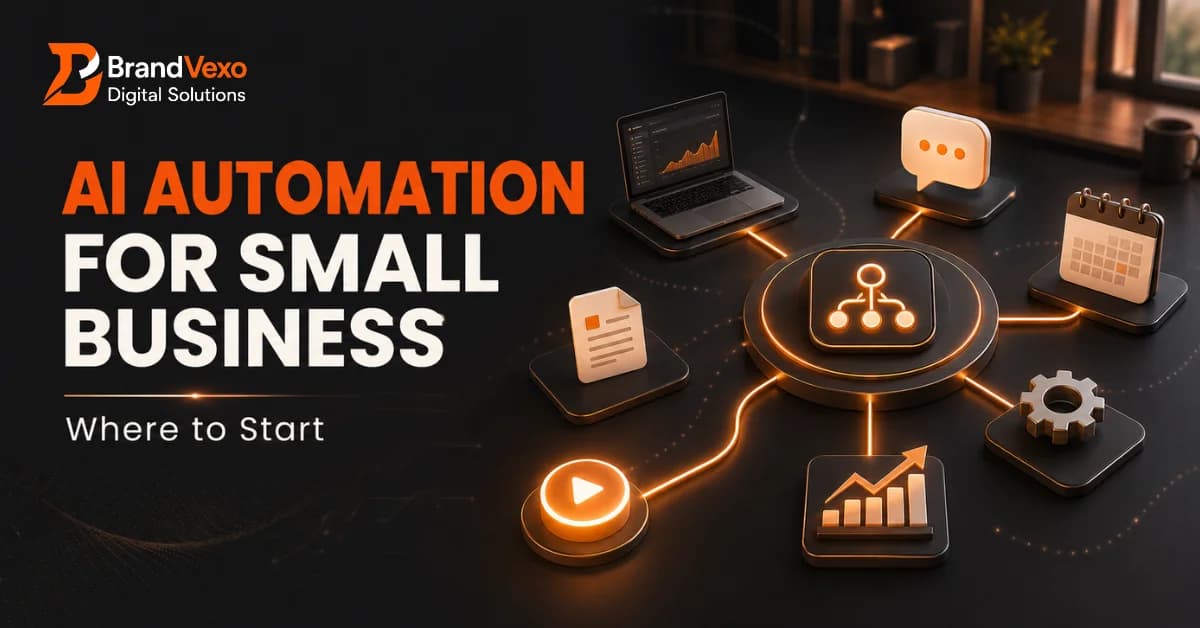
AI Automation for Small Business: Where to Start
AI automation for small business is no longer limited to large companies with dedicated technology teams. Today, small businesses can use AI to automate repetitive tasks, improve customer response times, organize information, and free up employees' time for high-value work.
The challenge is knowing where to start.
Buying several AI tools without a clear plan can create more complexity instead of saving time. A better approach is to identify repetitive processes, choose one high-impact workflow, test it carefully, and measure the results before expanding.
This guide explains how AI automation for small business works, which processes are worth automating first, how to build practical AI workflows, what mistakes to avoid, and how to create a simple 30-day automation plan.
What Is AI Automation for Small Business?
AI automation combines artificial intelligence with automated business processes to complete tasks that traditionally require manual work. Traditional business automation usually follows predefined rules. For example, when someone fills out a website form, an automation platform may automatically send an email.
AI automation can go further. An AI system can understand a customer's message, classify an inquiry, summarize information, generate a response, or recommend the next action before the automation continues.
For a small business, this can turn a multi-step manual process into a connected workflow.
AI Automation vs Traditional Business Automation
Traditional automation generally works with fixed rules:
Trigger → Rule → Action
AI-powered automation can handle information that requires more interpretation:
Trigger → AI analysis → Decision → Action → Human review
For example, a traditional workflow might send the same email to every new lead. An AI workflow could analyze the lead's inquiry, identify the service they need, create a personalized response, and notify the appropriate team member.
This makes small business AI particularly useful for processes involving emails, documents, customer questions, text, and large amounts of unstructured information.
Why Are Small Businesses Turning to AI Automation?
Small businesses often operate with limited time, staff, and resources. Owners and employees may spend hours handling tasks that do not directly generate revenue.
AI automation can help reduce this operational burden.
Common benefits include:
Less time spent on repetitive administrative work
Faster customer responses
More consistent follow-ups
Reduced manual data entry
Better organization of business information
Faster internal reporting
Improved employee productivity
Greater ability to handle increasing workloads
The goal is not to automate every task. The goal is to automate the right tasks.
The Biggest Opportunity Is Usually Repetitive Work
Look at the activities your team performs repeatedly.
Examples include:
Copying customer information between systems
Sending appointment reminders
Answering frequently asked questions
Following up with leads
Preparing meeting summaries
Categorizing customer inquiries
Sending invoice reminders
Creating recurring reports
If a task happens frequently, follows a predictable process, and consumes significant employee time, it may be a strong candidate for process automation.
Where Should a Small Business Start With AI Automation?
The best starting point is not an AI tool. It is a business problem.
Before choosing software, identify the process that creates the most unnecessary manual work.
1. List Your Most Repetitive Business Processes
Start by documenting what your team does every day or week.
Ask:
Which tasks take the most time?
Which tasks involve repetitive copying and pasting?
Which tasks require similar responses?
Where do employees frequently make mistakes?
Which processes involve multiple software platforms?
Which tasks delay customers or sales opportunities?
Do not worry about automation yet. First understand the existing process.
2. Identify High-Value Automation Opportunities
Not every repetitive task deserves automation.
Prioritize tasks based on:
Frequency
Time required
Business impact
Error risk
Customer impact
Automation complexity
A task that takes five minutes once a month may not justify automation. A task that takes 20 minutes every day could be much more valuable.
3. Map the Current Process Before Automating It
Write down every step.
For example:
New inquiry → Employee reads inquiry → Employee identifies service → Employee enters CRM → Employee writes response → Employee follows up
Now identify where AI and automation can help.
The improved workflow might become:
New inquiry → AI reads inquiry → AI categorizes lead → CRM record created → AI drafts response → Employee reviews → Follow-up scheduled
This is a practical example of an AI workflow.
4. Start With One AI Workflow
Avoid trying to automate your entire company at once.
Choose one workflow with a clear beginning and measurable outcome.
For example, a small service company could start by automating new lead follow-up.
The workflow could:
Receive a new website inquiry.
Extract the customer's information.
Identify the requested service.
Add the lead to the CRM.
Draft a personalized response.
Notify the sales team.
Schedule a follow-up.
Once the workflow works reliably, the business can expand automation to other processes.
5. Measure Results Before Scaling
Track results before and after automation.
Useful metrics include:
Hours saved per month
Average response time
Number of leads followed up
Error rate
Conversion rate
Cost per process
Employee productivity
Measurement helps determine whether the automation is actually creating business value.
Best AI Automation Use Cases for Small Businesses
Different businesses have different automation opportunities. However, several use cases apply across industries.
AI Automation for Lead Generation and Follow-Up
Sales teams often lose opportunities because they respond too slowly or forget follow-ups.
AI automation can help capture and organize leads while keeping the sales team informed.
A workflow might look like:
Website inquiry → AI qualification → CRM update → Personalized response → Sales notification → Follow-up
AI can analyze the inquiry and identify whether the customer is asking about pricing, services, availability, or another topic.
The sales team can then focus on conversations that require human judgment.
AI Automation for Customer Service
Businesses receive many questions that have similar answers.
AI automation can help with:
Frequently asked questions
Email classification
Support ticket routing
Response drafting
Customer inquiry summaries
Escalation of complex cases
Human employees should remain involved when an issue involves sensitive information, complaints, refunds, legal matters, or other decisions that require judgment.
AI Automation for Marketing
Marketing teams can use AI workflows to reduce repetitive content tasks.
Possible applications include:
Content ideation
Content repurposing
Email personalization
Social media workflows
Campaign summaries
Customer segmentation
Basic reporting
AI should support the marketing process rather than remove the need for strategy, brand judgment, and quality control.
AI Automation for Sales
Sales automation can reduce administrative work around customer interactions.
Examples include:
Prospect research
Lead qualification
Meeting preparation
Follow-up email drafting
CRM updates
Call summaries
Sales reporting
This allows sales professionals to spend more time building relationships and closing opportunities.
AI Automation for Finance and Administration
Administrative work can also provide strong automation opportunities.
Businesses may automate parts of:
Invoice processing
Expense categorization
Payment reminders
Document data extraction
Report preparation
Record organization
Financial, tax, and compliance decisions should still receive appropriate professional review. AI can assist with processing information, but businesses should not treat automated outputs as a substitute for qualified judgment.
7 AI Workflows Small Businesses Can Automate First
Instead of trying to automate everything, start with practical workflows that have a clear business outcome.
1. New Lead Follow-Up Workflow
Trigger: New website inquiry
AI task: Understand the inquiry and categorize the lead
Automation: Create CRM record and prepare response
Human role: Review and handle qualified opportunities
2. Customer Support Email Workflow
Trigger: New customer email
AI task: Classify the request and summarize the issue
Automation: Route the request to the appropriate team
Human role: Handle complex or sensitive cases
3. Meeting Notes and Task Workflow
Trigger: Meeting ends
AI task: Summarize the discussion and identify action items
Automation: Create tasks and distribute the summary
Human role: Review important decisions and deadlines
4. Invoice Reminder Workflow
Trigger: Invoice approaches its payment deadline
Automation: Send an approved reminder according to the company's process
Human role: Handle disputes, exceptions, and sensitive customer situations
5. Content Repurposing Workflow
Trigger: New long-form content is approved
AI task: Create draft social posts, email ideas, or short summaries
Automation: Send drafts to the content team
Human role: Edit, fact-check, and approve the final content
6. Employee Onboarding Workflow
Trigger: New employee joins
Automation: Create onboarding tasks, send approved documents, and notify relevant teams
Human role: Complete training, access approval, and employee support
7. Customer Feedback Workflow
Trigger: Customer submits feedback
AI task: Categorize sentiment and identify common themes
Automation: Route urgent feedback and organize insights
Human role: Review important complaints and decide appropriate action
How to Choose the Right AI Automation Tools
The best automation tool is not necessarily the one with the most features.
Start with your existing business systems.
Look at Your Existing Software First
Consider the tools your business already uses for:
CRM
Email
Accounting
Calendars
Forms
Project management
Customer support
Communication
An automation solution that connects with your existing systems may be more useful than adding another disconnected platform.
Consider No-Code and Low-Code Automation
No-code and low-code platforms can help businesses build workflows without extensive programming.
They can work well for straightforward processes such as:
Form submission → AI processing → CRM update → Email
However, businesses with complex systems or specialized requirements may eventually need custom integrations.
Know When You Need Custom AI Automation
Custom development may make sense when your business needs:
Complex integrations
Custom databases
Industry-specific workflows
Advanced AI agents
API connections
Customized internal processes
The decision should depend on business requirements rather than the desire to use advanced technology.
How Much Does AI Automation Cost for a Small Business?
There is no single price for AI automation.
The total cost can depend on:
Number of workflows
AI software subscriptions
Automation platforms
Integration requirements
Data volume
Custom development
Maintenance
Human oversight
A simple workflow may require only existing software and an automation platform. More complex systems may require custom development and ongoing technical support.
The smarter approach is to start with one workflow and calculate its potential value before making a larger investment.
Start Small Instead of Automating the Entire Business
A phased approach can reduce unnecessary spending.
Phase 1: Automate one repetitive task.
Phase 2: Build one complete workflow.
Phase 3: Connect multiple workflows.
Phase 4: Introduce more advanced AI automation where the business can demonstrate clear value.
Common AI Automation Mistakes Small Businesses Should Avoid
AI automation can create significant value, but poor implementation can produce the opposite result.
Automating a Broken Process
Automation does not automatically improve a bad process.
If the existing workflow contains unnecessary steps, fix the process first.
Automating Too Many Tasks at Once
Multiple unfinished workflows can create confusion.
Start with one measurable process and improve it before expanding.
Ignoring Data Privacy and Security
Businesses should understand what information enters an AI system and who can access it.
Before implementing an AI workflow, review:
Data permissions
User access
Vendor security practices
Data retention
Sensitive customer information
Integration permissions
Removing Human Oversight
AI can make mistakes.
Human review remains important for decisions involving customers, finances, legal matters, compliance, employment, or sensitive information.
Choosing Tools Before Understanding the Process
Do not start with:
“Which AI tool should we buy?”
Start with:
“Which business problem should we solve?”
Then select the technology that fits the process.
Failing to Measure ROI
An automation may look impressive but still fail to create meaningful business value.
Measure actual time savings, productivity improvements, error reduction, revenue impact, or customer experience improvements.
AI Automation and Data Security: What Small Businesses Need to Know
Small businesses should treat data security as part of the automation design rather than an afterthought.
Before connecting an AI system to business information, understand what data the workflow needs and what information it can access.
Avoid giving an automation unnecessary permissions.
For example, if a workflow only needs access to customer inquiries, it should not automatically receive access to unrelated financial or employee records.
Keep Humans in the Loop for High-Risk Decisions
Human review is particularly important for:
Financial decisions
Legal matters
Compliance decisions
Employment decisions
Sensitive customer information
High-value transactions
AI automation should improve operational efficiency while keeping appropriate human accountability.
How to Measure the ROI of AI Automation
The value of automation should be measurable.
A simple way to think about automation ROI is:
Automation ROI = Value Created − Automation Costs
For example, imagine a small business spends 20 hours each month manually processing and organizing customer inquiries.
If an AI workflow reduces that workload to five hours, the business saves approximately 15 hours every month.
The business can then evaluate the value of those saved hours based on employee costs, additional sales capacity, customer response improvements, or other measurable outcomes.
Example: A Small Business Saves 20 Hours a Month
Imagine a service business receives dozens of inquiries each week.
Before automation:
Employees manually read every inquiry.
Staff copy information into the CRM.
Employees prepare similar responses.
Follow-ups are tracked manually.
After automation:
AI classifies incoming inquiries.
Customer information enters the CRM automatically.
A response draft is generated.
The sales team receives an alert.
Follow-up tasks are scheduled.
Employees still review important communications, but they no longer spend as much time on repetitive administrative work.
The result is not simply “using AI.” The real benefit comes from removing unnecessary manual steps from the workflow.
A Simple 30-Day AI Automation Plan for Small Businesses
You do not need a large transformation project to get started.
Week 1: Audit Your Processes
Create a list of repetitive tasks.
Record:
How often each task happens
How long it takes
Who performs it
Where mistakes occur
Which software is involved
Week 2: Choose One Workflow
Select the process with the strongest combination of frequency, time savings, and business impact.
Define:
Trigger → AI task → Automation → Human review → Outcome
Week 3: Build and Test
Create the workflow and test different scenarios.
Check:
AI accuracy
Data handling
Automation triggers
Error handling
Human approval points
Do not immediately deploy the workflow across the entire organization.
Week 4: Measure and Improve
Compare the process before and after automation.
Measure:
Time saved
Response speed
Error reduction
Employee workload
Customer impact
Overall cost
If the results are positive, consider expanding the workflow or automating another process.
Is AI Automation Right for Every Small Business?
AI automation can benefit many small businesses, but it is not the right answer for every process.
It tends to work best when a business has repetitive, high-volume, predictable tasks.
Automation may not be worthwhile when a task:
Happens very rarely
Requires extensive human judgment
Changes constantly
Has a very complicated process
Costs more to automate than the value it creates
The best automation strategy focuses on business outcomes rather than technology trends.
Frequently Asked Questions
What is the best AI automation for a small business?
The best automation depends on the business. Lead follow-up, customer support, administrative tasks, meeting summaries, reporting, and repetitive data processing are often good starting points.
How can a small business start using AI?
Start by identifying one repetitive and measurable business process. Map the current workflow, identify where AI can assist, test the automation, and measure the results before expanding.
What tasks can AI automate in a small business?
AI can assist with lead qualification, customer inquiries, document processing, content workflows, meeting summaries, CRM updates, reporting, and other repetitive processes.
How much does AI automation cost for a small business?
Costs vary based on software, integrations, workflow complexity, data volume, and whether custom development is required. Starting with one simple workflow can help businesses evaluate value before making a larger investment.
Is AI automation difficult to implement?
Simple workflows can often be implemented with no-code or low-code tools. More complex processes may require technical integration, custom development, testing, and ongoing maintenance.
Can small businesses use AI without technical expertise?
Yes. Many AI and automation platforms offer user-friendly interfaces. However, complex workflows may benefit from professional guidance to ensure proper integrations, security, reliability, and scalability.
What is an example of an AI workflow?
A simple example is new website inquiry → AI analyzes the message → lead is categorized → CRM record is created → response is drafted → employee reviews it → follow-up is scheduled.
Is AI automation safe for small businesses?
It can be, provided the business uses appropriate security controls, limits data access, reviews vendor practices, and keeps human oversight for sensitive or high-risk decisions.
How can I calculate AI automation ROI?
Compare the value created by the automation with its implementation and operating costs. Track measurable improvements such as hours saved, reduced errors, faster response times, increased sales capacity, or lower operating costs.
About BrandVexo Digital Solutions
BrandVexo Digital Solutions helps businesses use digital technology to improve visibility, efficiency, and growth. Its services include digital marketing, SEO, web development, AI automation, and business solutions. For businesses exploring AI automation, the focus should be on finding practical opportunities rather than adopting technology simply because it is trending. BrandVexo can help businesses assess repetitive processes, identify suitable automation opportunities, and develop AI workflows aligned with their operational goals.
Contact BrandVexo Digital Solutions:
Phone: +971 52 356 5409
Email: info@brandvexo.com
Website: www.brandvexo.com
If you are unsure where AI could make the biggest difference in your business, start with one repetitive process. A focused automation project can help you measure the value before expanding to more workflows.
Conclusion
AI automation for small business does not have to begin with a complicated transformation project. The strongest starting point is usually one repetitive task that consumes time and has a clear business outcome. Identify the process, map the workflow, choose suitable AI tools, maintain human oversight, and measure the results. Once the first automation proves its value, you can gradually build a broader automation strategy around your business.
Disclaimer: This article provides general educational information about AI automation and should not be treated as legal, financial, cybersecurity, or professional technology advice. Businesses should evaluate their specific requirements and risks before implementing automated systems.
Free growth plan
Ready to grow your business?
Reading is a start — now let's build it. Tell us where you want to grow and a senior strategist will map the fastest, most profitable way to get there. Free, no obligation.
Discussion
Join the conversation
Be the first to comment. Comments are reviewed before they appear, so yours won't show up instantly — but we read every one.
Leave a comment
Keep reading
All articles Automation
WhatsApp Lead Automation for Service Firms: A Guide
Learn how WhatsApp lead automation helps service firms capture leads, automate follow-ups, connect CRM systems, and book more appointments.
 Automation
CRM Automation for Startups: A Practical Guide
CRM Automation for Startups helps streamline lead management, automate sales workflows, improve follow-ups, connect tools, and support scalable business growth.
 Automation
AI Workflow Automation: A Practical Guide for B2B Teams
Learn how AI workflow automation helps B2B teams improve efficiency, automate repetitive tasks, connect systems, measure ROI, and scale business operations.