

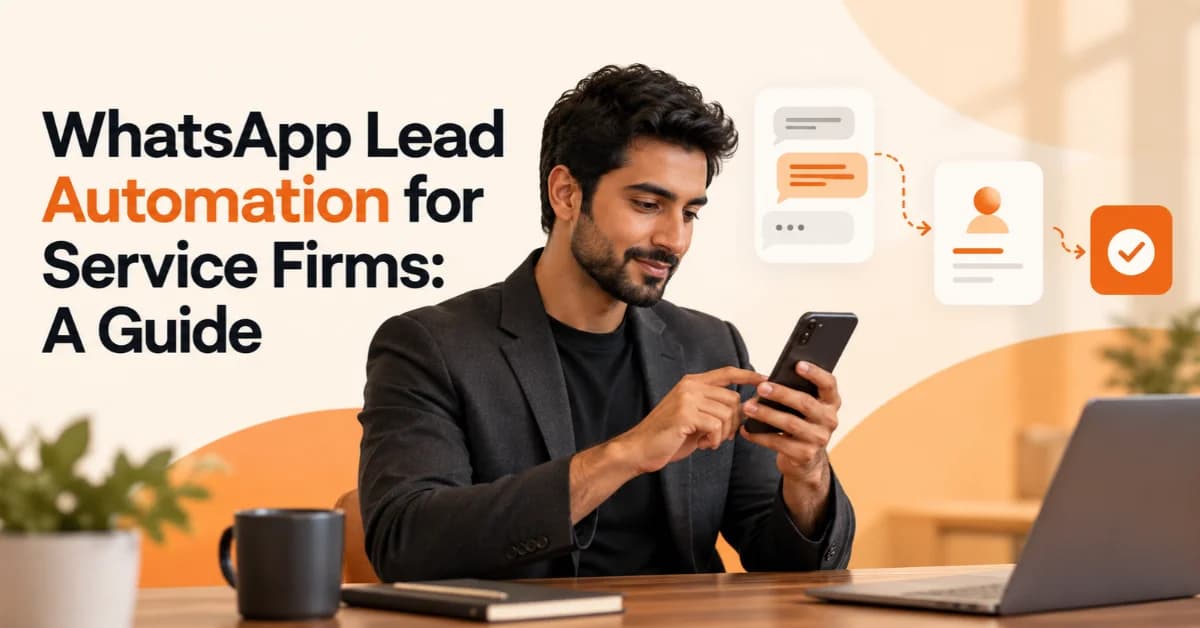
WhatsApp Lead Automation for Service Firms: A Guide
WhatsApp Lead Automation helps service firms respond to enquiries faster, qualify potential customers, schedule appointments, and manage follow-ups without relying entirely on manual work. For digital marketing agencies, consultants, IT service providers, and other professional businesses, a well-planned WhatsApp workflow can make lead management more organized and improve the customer experience.
Many service businesses receive enquiries through websites, social media, online advertisements, and referrals. When teams handle every message manually, they can miss opportunities, delay responses, or forget to follow up with interested prospects. WhatsApp automation can address these problems by connecting customer conversations with automated messages, lead qualification questions, CRM systems, and appointment scheduling tools.
However, successful automation involves more than sending automatic replies. Businesses need a clear process, relevant messaging, appropriate customer consent, and a smooth transition to human support. This guide explains how service firms can build a practical WhatsApp lead automation system and measure its performance.
What Is WhatsApp Lead Automation?
WhatsApp Lead Automation is the use of automated messages, chatbots, integrations, and workflows to capture, qualify, organize, and follow up with potential customers through WhatsApp.
Instead of managing every enquiry manually, a service firm can create a workflow that acknowledges new messages, collects basic information, assigns leads to the right team member, and helps prospects book consultations.
For example, a web development agency could use WhatsApp automation to ask a new prospect about their website requirements, budget range, and expected launch date. The system can then record the answers in a customer relationship management (CRM) platform and notify the appropriate sales representative.
Common applications include:
Automated welcome messages and frequently asked questions.
Lead qualification and enquiry routing.
CRM integration and lead ownership.
Appointment scheduling and reminders.
Follow-up messages based on customer interactions.
Lead tracking and sales reporting.
The objective is not to remove human interaction. It is to reduce repetitive tasks so teams can focus on understanding customer needs, recommending solutions, and closing suitable opportunities.
Why Do Service Firms Need WhatsApp Automation?
Service businesses often sell expertise rather than physical products. Prospects may need consultations, proposals, demonstrations, or several conversations before making a decision. Consistent communication is therefore important throughout the sales process.
WhatsApp automation can help businesses address common lead management challenges.
Slow responses: Automated acknowledgements confirm that a message has arrived, even when the team cannot respond immediately.
Missed enquiries: A structured workflow can record incoming leads and assign responsibility for the next action.
Inconsistent follow-ups: Reminders help sales teams contact interested prospects at appropriate times.
Repetitive questions: Automated responses can handle routine enquiries about services, availability, and consultation procedures.
Poor lead organization: CRM integration can help teams track enquiry sources, lead status, and assigned representatives.
Limited availability: Configured workflows can collect basic information outside normal working hours.
For example, a UAE consulting firm might receive business setup enquiries through its website and social media campaigns. Automation can acknowledge each enquiry, identify the service requested, and route the prospect to the relevant consultant.
These workflows can improve operational consistency, but results depend on lead quality, response handling, service relevance, and the overall sales process.
How to Set Up WhatsApp Lead Automation for a Service Business
A successful WhatsApp automation workflow starts with a clear understanding of how prospects find your business and what they need before becoming customers. Follow these steps to build a system that supports your existing sales process.
1. Choose WhatsApp Business or the WhatsApp Business Platform
The WhatsApp Business app can support basic business communication, including greeting messages, away messages, and quick replies. Businesses that need advanced chatbots, multi-agent workflows, or deeper CRM integrations may require the WhatsApp Business Platform and a suitable software provider.
Choose your setup based on enquiry volume, team size, integration requirements, and budget. Review the official WhatsApp Business website before selecting a solution.
2. Set Up Automated Welcome Messages and Quick Replies
Create a short welcome message that acknowledges new enquiries and explains what happens next.
For example:
Hi! Thanks for contacting our team. How can we help you today? Please select a service below, and we'll guide you to the right person.
Depending on your setup, offer options such as:
Digital marketing services
Website development
AI and workflow automation
General business enquiries
Keep messages conversational and make it easy for prospects to request human assistance.
3. Build a Lead Qualification Chat Flow
A lead qualification chatbot should collect enough information to help the sales team respond appropriately without overwhelming the prospect.
For a digital marketing agency, useful questions might include:
What service are you interested in?
What is your main business goal?
When would you like to start?
Would you prefer a consultation or a written proposal?
Ask questions progressively rather than presenting a long form in the first message. Provide an option to speak with a team member when a prospect has a complex requirement.
4. Connect WhatsApp to Your CRM
CRM integration with WhatsApp helps service firms organize enquiries instead of leaving important information scattered across individual conversations.
A suitable integration may allow you to:
Create or update lead records.
Assign leads to sales representatives.
Record enquiry sources and service interests.
Schedule follow-up tasks.
Track appointments and sales outcomes.
Before choosing a CRM connector, confirm which features it supports. Some integrations synchronize basic contact information, while others support conversation history, automation rules, and reporting.
5. Test the Workflow Before Launch
Run test conversations using different enquiry types. Check whether messages arrive correctly, leads reach the right team, CRM records remain accurate, and customers can request human assistance.
Also test opt-outs, duplicate enquiries, failed integrations, and after-hours messages. A small pilot can help identify problems before you use the workflow with real prospects.
What Is the Best WhatsApp Automation Tool for Agencies?
The best WhatsApp automation tool for agencies depends on the existing CRM, the number of people handling enquiries, the complexity of the workflow, and the available budget. There is no single solution that fits every service firm.
Consider these options when planning your setup:
WhatsApp Business Platform: Provides the foundation for business messaging and more advanced integrations.
HubSpot: Can support CRM-led lead management and sales workflows when the chosen WhatsApp integration provides the required features.
Salesforce: May suit firms that need structured sales pipelines, lead ownership, and more complex CRM processes.
Zapier: Can connect supported applications through no-code automation workflows.
n8n: Offers workflow automation for teams that need more control over integrations and process logic.
Approved WhatsApp solution providers: May offer shared inboxes, chatbot builders, team routing, and reporting features.
Compare the total cost, implementation effort, data handling, available integrations, and ongoing maintenance. WhatsApp messaging charges and third-party subscription fees may apply, so review the pricing for your specific setup before committing.
Can You Integrate WhatsApp with HubSpot or Salesforce?
Yes. Businesses can connect WhatsApp with HubSpot or Salesforce through supported native capabilities, third-party integrations, approved messaging providers, or custom development. The exact features depend on the selected product, plan, and integration.
A connected workflow can help a service firm:
Capture a new WhatsApp enquiry.
Create or update the corresponding CRM record.
Assign the lead to the appropriate salesperson.
Schedule a reminder for the next follow-up.
Track whether the prospect books a meeting or becomes a customer.
For example, a B2B consulting firm could route enquiries about different services to specialized consultants while keeping lead status visible to its sales manager.
Before implementation, confirm whether the integration supports two-way messaging, contact synchronization, reporting, and the specific automation rules your team needs.
How Does WhatsApp Lead Nurturing and Follow-Up Work?
Lead nurturing via WhatsApp helps service firms maintain relevant communication with prospects who need more time before making a decision. Automated follow-ups can remind prospects about appointments, share requested information, and prompt the next step in the sales process.
A simple follow-up sequence might look like this:
Immediately after an enquiry: Acknowledge the message and explain how the team will respond.
After initial qualification: Share relevant service information or request any missing details.
When the prospect is ready: Offer a consultation booking link.
Before the appointment: Send a confirmation or reminder when permitted.
After the consultation: Follow up on the proposal at an agreed time, if the prospect has consented to the communication.
For example, a UAE digital agency could automatically send a prospect its requested service overview and offer a discovery call. If the prospect books a meeting, the workflow can update the CRM and notify the account manager.
Keep follow-ups useful rather than repetitive. Respect customer preferences, follow applicable messaging rules, and provide a clear way to stop further messages.
Is WhatsApp Lead Automation Compliant with GDPR and Meta Policies?
WhatsApp lead automation can support responsible communication, but using automation does not automatically make a business compliant. Firms must consider applicable privacy laws, customer consent, data security, and WhatsApp's messaging requirements.
Before launching a workflow, check the following:
Obtain appropriate permission: Explain what communications customers are agreeing to receive and record consent where required.
Follow WhatsApp policies: Business-initiated messages on the WhatsApp Business Platform generally require approved message templates outside the 24-hour customer service window. Review the official WhatsApp Business messaging policy.
Respect opt-outs: Stop relevant communications when customers withdraw permission or request no further messages.
Protect customer information: Limit access to lead records and use appropriate security measures.
Collect only necessary data: Avoid asking for sensitive or irrelevant information during lead qualification.
Check regional requirements: Businesses handling personal data in the UAE should review the UAE government's data protection guidance, while firms serving European customers should assess GDPR obligations where applicable.
Businesses should also provide a clear route to human support when using automated replies. Review the rules relevant to your particular messaging setup before launch.
Common WhatsApp Automation Mistakes Service Firms Should Avoid
Poorly designed automation can frustrate prospects instead of improving the customer experience. Avoid these common problems:
Sending unsolicited bulk messages: Contact prospects only through appropriate, permitted communication practices.
Using robotic replies: Write natural messages that acknowledge the customer's actual question.
Asking too many questions: Collect only the details needed to route or qualify the enquiry.
Hiding human support: Make it easy to speak with a person when automation cannot resolve a request.
Ignoring lead ownership: Assign responsibility so every qualified enquiry has a clear next step.
Failing to test integrations: Check for duplicate records, missing information, and broken workflows.
Measuring activity instead of outcomes: Track qualified enquiries and booked appointments, not just the number of messages sent.
The best automation system supports the sales team rather than creating another complicated process to manage.
How to Measure WhatsApp Lead Automation Performance
Track a small set of meaningful metrics to understand whether WhatsApp lead automation is improving your sales process.
First-response time: How long prospects wait for an initial response.
Lead qualification rate: The proportion of enquiries that meet your qualification criteria.
Appointment booking rate: The proportion of relevant leads that schedule a meeting.
Conversion rate: The proportion of qualified leads that become paying customers.
Follow-up completion rate: The proportion of planned follow-ups completed on time.
Cost per qualified lead: The cost of generating a lead that meets your business requirements.
Opt-out and failed-delivery rates: Indicators that help identify messaging or delivery problems.
Compare these metrics with your previous performance and review them regularly. For example, if response times improve but appointment bookings remain low, examine the qualification questions, service offer, and booking process.
Avoid assuming that automation alone caused an improvement. Lead quality, advertising, pricing, and sales performance can also affect results.
FAQs
How do I automate leads on WhatsApp?
Start by choosing the appropriate WhatsApp business solution, configuring welcome messages, creating a short lead qualification flow, and connecting a CRM if needed. Test message delivery, lead assignment, follow-ups, and human handover before launching the workflow.
Can WhatsApp automatically reply to customers?
Yes. The WhatsApp Business app supports basic automated messages and quick replies, while more advanced workflows can use the WhatsApp Business Platform and compatible automation tools. Available features depend on the solution you choose.
Is WhatsApp automation free for service businesses?
Basic WhatsApp Business features may be available without a platform subscription. However, advanced automation, CRM software, integration services, and business messaging may involve charges. Review current provider and WhatsApp pricing before selecting a solution.
Can WhatsApp book appointments automatically?
Yes. A suitable chatbot or workflow can collect a prospect's preferred appointment time, connect to a supported booking system, and send confirmations or reminders. Check calendar availability and provide a human handover option when needed.
Does WhatsApp automation work for B2B service firms?
Yes. B2B service firms can use it to qualify enquiries, schedule discovery calls, route leads to consultants, and manage proposal follow-ups. The workflow should reflect the firm's sales process and the longer decision cycles common in some B2B services.
Build a Smarter WhatsApp Lead Workflow with BrandVexo
WhatsApp Lead Automation can help service firms manage enquiries, organize follow-ups, and create a more consistent customer journey. The strongest results come from combining relevant messaging, clear lead ownership, reliable CRM integration, and timely human support.
BrandVexo Digital Solutions helps businesses develop practical digital growth systems through AI automation, CRM workflows, and digital strategy. If your team is losing time to manual follow-ups or disconnected lead records, reviewing your current process is a useful first step toward identifying what to automate.
+971 52 356 5409
Disclaimer: This article is for informational purposes only and does not constitute legal, privacy, or technical advice. WhatsApp features, pricing, and compliance requirements may change, so verify the latest official guidelines before implementing any automation workflow.
Free growth plan
Ready to grow your business?
Reading is a start — now let's build it. Tell us where you want to grow and a senior strategist will map the fastest, most profitable way to get there. Free, no obligation.
Discussion
Join the conversation
Be the first to comment. Comments are reviewed before they appear, so yours won't show up instantly — but we read every one.
Leave a comment
Keep reading
All articles Automation
CRM Automation for Startups: A Practical Guide
CRM Automation for Startups helps streamline lead management, automate sales workflows, improve follow-ups, connect tools, and support scalable business growth.
 Automation
AI Workflow Automation: A Practical Guide for B2B Teams
Learn how AI workflow automation helps B2B teams improve efficiency, automate repetitive tasks, connect systems, measure ROI, and scale business operations.
 Automation
AI Automation ROI: How to Calculate the Business Case
Learn how to calculate AI Automation ROI with formulas, UAE examples, costs, payback periods, KPIs, and practical steps for building a business case.