

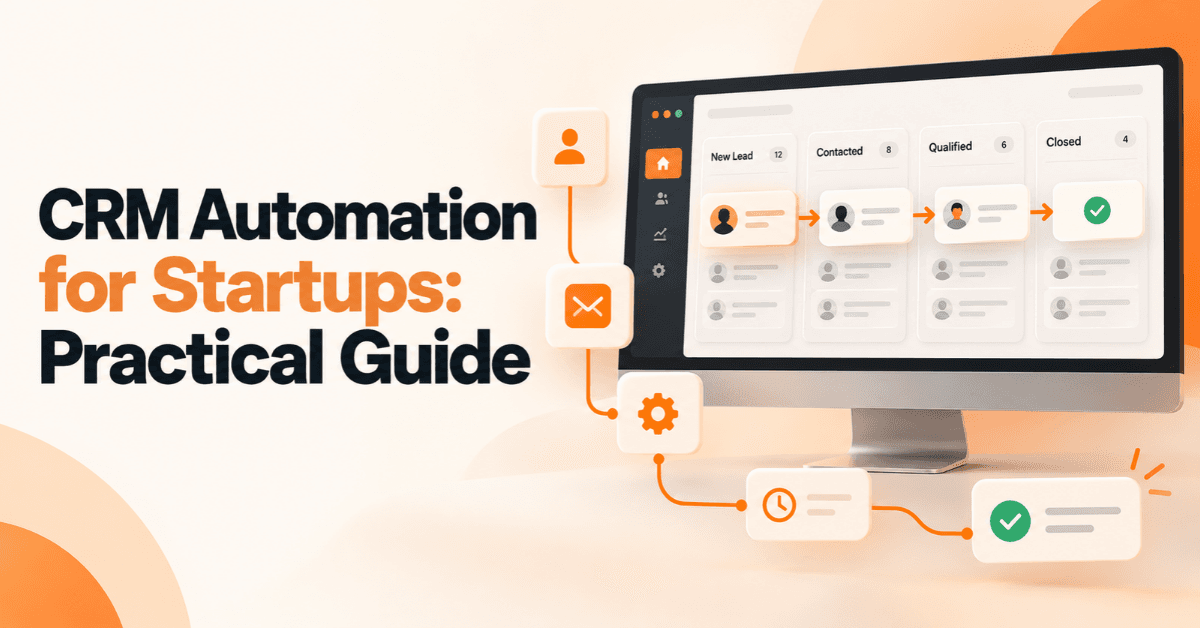
CRM Automation for Startups: A Practical Guide
Startups often lose valuable leads for a simple reason: their sales process depends too much on manual work. A website enquiry may sit in an inbox, a WhatsApp conversation may never reach the sales pipeline, or a salesperson may forget to follow up after a meeting. CRM Automation for Startups helps solve these problems by turning repetitive customer and sales tasks into structured workflows. Instead of manually creating contacts, assigning leads, updating deal stages, and setting reminders, startups can automate many of these steps.
For an early-stage business, the goal is not to automate everything. The better approach is to automate the repetitive work that slows the team down while keeping important customer interactions human.
What Is CRM Automation for Startups?
CRM automation uses software and predefined rules to perform repetitive customer relationship and sales tasks automatically.
A traditional CRM mainly stores customer information, sales activities, notes, and deal records. CRM automation adds another layer by allowing the system to respond when specific events happen.
For example:
Website form submitted → Contact created → Lead enriched → Lead assigned → Salesperson notified → Follow-up task created
This reduces manual data entry and creates a more consistent process for handling leads.
For startups, this can be especially useful because a small team may handle marketing, sales, customer service, and operations at the same time.
How CRM Automation Works
A simple automated workflow usually follows five stages:
Capture the lead from a website, campaign, email, WhatsApp or another channel.
Organize the information inside the CRM.
Enrich the record with relevant information when appropriate.
Route the lead to the correct person.
Trigger the next action, such as a notification, task or follow-up.
The result is a more organized contact management system and a clearer sales process.
CRM Automation vs. Traditional CRM Management
A CRM does not automatically create an efficient sales process.
With manual CRM management, employees may need to:
Enter contact details manually
Assign leads themselves
Remember follow-up dates
Update deal stages
Send internal notifications
Copy information between systems
With automation, predefined workflows can handle many of these repetitive actions.
The difference becomes more important as the startup grows and the number of leads increases.
Why Do Startups Need CRM Automation?
The main reason startups need CRM automation is simple: limited teams need to spend their time on activities that require judgment, communication, and relationship building.
Automation can handle repetitive processes while salespeople focus on qualified opportunities.
Reduce Manual Data Entry
Manual data entry takes time and can introduce errors. A properly configured workflow can transfer information from a website form or another connected application into the CRM automatically. This creates a more consistent record and reduces the need for employees to copy information between systems.
Respond to Leads Faster
Speed matters when someone submits a sales enquiry. Instead of waiting for a salesperson to notice a new lead, automation can create a task or notification immediately.
A startup can then establish a clear process for responding to the enquiry.
Create Clear Lead Ownership
Every lead should have a clear owner. Without defined ownership, two salespeople may contact the same prospect while another lead receives no attention. Automation can assign leads according to predefined rules such as location, product interest, customer type, or sales territory.
Keep the Sales Pipeline Organized
A growing startup needs visibility into its opportunities.
A simple pipeline might contain:
New Lead
Qualified
Contacted
Proposal Sent
Negotiation
Won or Lost
Automation can update tasks, notifications, or related records as opportunities move through these stages.
This strengthens pipeline management and makes it easier for founders and sales managers to understand what requires attention.
What Should a Startup Automate First in Its CRM?
Startups should avoid automating every possible process immediately.
The best starting point is repetitive work that happens frequently and follows predictable rules.
Lead Capture and Contact Creation
Begin by connecting the channels that generate enquiries.
These might include:
Website forms
Landing pages
Email enquiries
Paid advertising
Social media
WhatsApp
Referral forms
When a new lead arrives, the CRM can create or update the relevant contact record.
This gives the sales team one place to review customer information.
Lead Routing Automation
Lead routing automation determines who should receive a new lead. For example, imagine a UAE-based software startup that sells three products. A new website enquiry selects one product on the form.
The CRM could use that information to route the enquiry to the salesperson responsible for that product.
More advanced rules could consider:
Location
Lead source
Product interest
Customer type
Company size
Sales territory
Existing account ownership
The important point is to define the routing rules before building the automation.
Sales Workflow Automation
Sales workflow automation can handle many routine actions after a lead enters the pipeline.
Examples include:
Creating follow-up tasks
Sending internal notifications
Updating deal stages
Reminding salespeople about overdue activities
Creating tasks after meetings
Flagging inactive opportunities
Starting approved nurture sequences
Reactivating suitable older leads
The objective is not to replace salespeople. It is to reduce the administrative work surrounding sales.
Lead Scoring and Nurturing
Not every lead is ready to speak with sales immediately. A startup can use simple lead scoring and nurturing rules to distinguish between high-intent prospects and people who are still researching.
For example, a prospect who requests pricing may receive a higher priority than someone who only downloads a general guide.
Keep the first scoring model simple. Too many conditions can make the system difficult to understand and maintain.
CRM Integration: Connecting Your Startup's Tools
CRM integration connects the CRM with other systems used by the business. This matters because customer information rarely begins and ends inside the CRM. A lead may first interact with a website, advertisement, email campaign, WhatsApp conversation, webinar, or sales form.
Connecting these systems can reduce data silos and create a more complete customer journey.
Website and Forms
A website form can send information directly to the CRM.
The workflow might:
Create the contact.
Record the lead source.
Identify the service of interest.
Assign ownership.
Create a follow-up task.
This removes several manual steps from the process.
Email and Marketing Platforms
CRM integration with marketing automation can help startups connect marketing activity with sales activity. For example, marketing information can help the sales team understand where a prospect came from and what type of content or campaign generated the enquiry.
This can support better customer journey mapping and lead nurturing.
WhatsApp and Customer Communication
Many startups receive enquiries through WhatsApp, particularly in markets where customers prefer direct messaging.
A suitable integration can help bring relevant WhatsApp interactions into the wider customer workflow.
However, startups should verify the CRM's supported WhatsApp capabilities, integration method, permissions, and applicable costs before building a workflow around it.
Accounting, Support and Other Systems
As the company grows, CRM data may need to connect with:
Accounting systems
Customer support platforms
Calendars
Payment tools
Forms
Analytics platforms
Internal communication tools
The objective should always be practical: connect systems where the integration improves accuracy, visibility, or speed.
Best CRM Automation Tools for Startups
There is no single best CRM for every startup.
The right choice depends on the team's size, budget, technical skills, sales process, integrations, and growth plans.
HubSpot for Growing Startup Teams
HubSpot provides CRM and automation capabilities for startups and small businesses. It can support contact management, sales pipelines, workflows, tasks, and other customer processes depending on the selected products and subscription. For startups considering the best CRM for early stage startups, ease of adoption can be as important as the number of features.
A smaller team may benefit more from a CRM that employees actually use than from a highly complex platform that requires extensive administration.
Zapier for Connecting Different Apps
Zapier uses trigger-and-action workflows to connect applications.
For example:
New website lead → Create CRM contact → Add lead source → Notify sales team → Create follow-up task
This approach can be useful when a startup uses several different SaaS applications and needs them to exchange information.
n8n for Flexible and Custom Automation
n8n can be useful for teams that want greater flexibility in building workflows and connecting APIs and services. It may suit startups with technical resources that need more customized automation logic.
The key consideration is not whether a tool is powerful. It is whether the startup has a clear use case and the resources to maintain the workflow.
Free and Affordable CRM Options
Startups often search for free CRM software for startups or affordable CRM tools for small business.
Cost matters, but the cheapest option is not always the least expensive in practice.
Consider the complete cost of:
CRM subscriptions
Automation tools
Integrations
Additional users
Setup
Maintenance
Training
Custom development
A simple system that the team adopts can produce more value than an inexpensive system that nobody maintains.
How to Automate CRM Workflow: Step-by-Step Startup Process
A practical startup CRM implementation guide should begin with the sales process rather than the software.
Step 1 — Map the Customer Journey
Document how a lead moves from first contact to customer.
Ask:
Where do leads come from?
Who receives them?
How are they qualified?
When does sales contact them?
What makes a lead an opportunity?
What happens after conversion?
This customer journey mapping exercise exposes repetitive tasks that are suitable for automation.
Step 2 — Define Pipeline Stages
Create a small number of meaningful stages.
Avoid creating a separate stage for every possible activity.
The pipeline should make it obvious where each opportunity stands and what should happen next.
Step 3 — Define Lead Ownership Rules
Decide who owns each type of lead.
For example:
Website lead → Product category → Assigned sales representative
Document these rules before creating automated routing.
Step 4 — Connect Your Tools
Identify the applications that need to share information.
Use native integrations where practical. Use platforms such as Zapier or n8n when additional connections or workflow logic are required.
Step 5 — Build the First Automation
Start with one valuable workflow.
A strong first workflow could be:
New lead → CRM record → Enrichment → Lead assignment → Sales notification → Follow-up task
This workflow addresses several common startup problems without creating unnecessary complexity.
Step 6 — Test Before Scaling
Test the workflow with sample records.
Check:
Duplicate contacts
Missing fields
Incorrect assignments
Failed notifications
Incorrect pipeline stages
Integration errors
Unexpected triggers
Do not immediately deploy a complicated workflow across every lead.
Step 7 — Measure and Improve
Review the results regularly.
Useful metrics include:
Lead response time
Lead-to-opportunity rate
Conversion rate
Follow-up completion
Pipeline velocity
Automation errors
User adoption rates
Revenue generated
This turns automation into an ongoing improvement process rather than a one-time technology project.
CRM Automation Example for a Small UAE Startup
Consider a Dubai-based B2B services startup that receives enquiries through its website, WhatsApp, and paid advertising.
The company has three sales representatives.
Before automation, a founder manually forwards enquiries to the sales team. Some leads receive quick responses, while others remain in email or WhatsApp conversations.
A better workflow could look like this:
A prospect submits a website form.
The CRM creates the contact.
Available customer information is enriched.
The system checks the lead source and service interest.
Lead routing automation assigns the appropriate salesperson.
The salesperson receives a notification.
A follow-up task is created automatically.
The opportunity enters the appropriate pipeline stage.
If the lead remains inactive, the CRM creates a reminder.
Management reviews response time and conversion data.
The same principle can apply to leads coming from other channels.
The important lesson is that the startup does not need dozens of automated workflows. One well-designed workflow can remove several repetitive tasks.
CRM Automation Best Practices for Startups
Follow these principles when building automation:
Start with repetitive tasks.
Keep workflows easy to understand.
Define lead ownership clearly.
Standardize important CRM fields.
Use consistent pipeline stages.
Avoid unnecessary automation.
Check data quality regularly.
Test workflows before deployment.
Train employees on the new process.
Review failed automations.
Track business outcomes instead of automation volume.
Expand workflows only when the underlying process is stable.
Good automation should make the process easier to manage, not harder.
Common CRM Automation Mistakes to Avoid
Automating a Broken Sales Process
Automation cannot solve an unclear sales process.
If the team does not know how leads should move through the pipeline, adding more workflows will usually create more confusion.
Creating Too Many Workflows
A startup may become excited about automation and create dozens of rules.
This can make troubleshooting difficult.
Start with the workflows that solve the biggest operational problems.
Ignoring Data Quality
Automation depends on the information it receives.
Duplicate contacts, missing fields, inconsistent naming, and incorrect lead sources can produce poor outcomes.
Data hygiene should therefore remain part of the CRM process.
No Clear Lead Ownership
A lead routing system without clear ownership rules can still create confusion.
Every lead should have a defined next step and responsible person.
Choosing Tools Before Defining Requirements
Do not select software simply because it has the longest feature list.
First define the process, then identify the capabilities required to support it.
Forgetting User Adoption
Even the best CRM automation strategy will fail if employees avoid the CRM.
Keep workflows practical, explain why they exist, and make sure automation reduces work rather than adding unnecessary steps.
How Much Does CRM Automation Cost for a Startup?
There is no single CRM automation cost for every startup.
The total depends on the CRM, number of users, automation requirements, integrations, communication channels, and technical complexity.
Typical cost areas include:
CRM subscription
Automation platform
Third-party integrations
WhatsApp or communication services
Initial setup
Custom development
Maintenance
Employee training
A startup can often begin with one or two high-value workflows and expand gradually.
This approach allows the company to validate the process before investing in more complex automation.
What Features Should a Startup Look for in a CRM?
When comparing CRM platforms, look beyond the basic contact database.
Important capabilities may include:
Contact management
Pipeline management
Workflow automation
Lead routing
Lead scoring
Email integration
WhatsApp integration where required
Reporting and analytics
API access
Third-party integrations
User permissions
Data export
Mobile access
Scalability
The right feature set depends on the startup's actual sales process.
How to Measure CRM Automation ROI
CRM automation should produce measurable business value.
Start by comparing the process before and after automation.
For example, measure:
Average lead response time
Time spent on manual data entry
Follow-up completion rate
Qualified lead rate
Conversion rate
Sales cycle length
Number of stalled opportunities
Revenue generated
Automation maintenance cost
ROI does not only mean additional revenue.
If automation saves several hours every week, reduces missed leads, and improves pipeline visibility, those improvements also contribute to business value.
CRM Automation for Startups: A Simple Implementation Roadmap
Phase 1 — Build the Foundation
Start by:
Cleaning CRM data
Defining pipeline stages
Creating ownership rules
Identifying repetitive tasks
Standardizing important fields
Phase 2 — Automate Core Workflows
Next, automate:
Lead capture
Lead routing
Internal notifications
Follow-up tasks
Data synchronization
Phase 3 — Optimize and Scale
Once the foundation works reliably, consider:
Lead scoring
Advanced integrations
More detailed reporting
Customer retention workflows
Advanced enrichment
Additional sales automation
This phased approach helps startups avoid overengineering their CRM too early.
FAQs
Why do startups need CRM automation?
Startups use CRM automation to reduce repetitive administrative work, organize leads, improve follow-up consistency, and create clearer sales processes. It allows small teams to handle more activity without relying entirely on manual processes.
What is the best automated CRM for a small team?
There is no universal best CRM. Startups should compare ease of use, automation capabilities, integrations, pricing, reporting, scalability, and the team's technical requirements before choosing a platform.
How do you set up a startup CRM from scratch?
Start by mapping the customer journey, defining pipeline stages, creating lead ownership rules, standardizing data fields, connecting important tools, and automating one high-value workflow. Test the process before expanding it.
How much does CRM automation cost for a startup?
The cost varies based on the CRM platform, users, integrations, automation tools, communication channels, setup requirements, and maintenance. Starting with a small number of workflows can help control initial costs.
Can a CRM automate lead generation?
A CRM can automate parts of the lead management process, such as capturing leads from connected sources, assigning them, scoring them, and triggering follow-up workflows. It does not automatically replace the broader marketing activities required to generate demand.
What is lead routing automation?
Lead routing automation assigns new leads to the appropriate salesperson or team according to predefined rules, such as location, product interest, lead source, or customer type.
What is the difference between CRM integration and CRM automation?
CRM integration connects the CRM with other systems so information can move between them. CRM automation uses rules and triggers to perform actions automatically. They often work together.
Can startups automate WhatsApp leads?
Yes, startups can connect WhatsApp-related workflows with suitable CRM and integration solutions, but the exact capabilities depend on the CRM, WhatsApp setup, approved integration methods, and available features.
How BrandVexo Can Help!
BrandVexo helps businesses build practical digital growth systems across digital marketing, SEO, web development, AI automation, and business solutions. Our approach focuses on solving real business problems and creating measurable outcomes rather than chasing vanity metrics.
We can help businesses evaluate their digital workflows, identify automation opportunities, improve customer journeys, and build practical systems that support sustainable growth.
Phone: +971 52 356 5409
Email: info@brandvexo.com
Website: www.brandvexo.com
Final Thoughts
CRM Automation does not need to be complicated to create value. For most startups, the strongest starting point is simple: capture leads correctly, assign clear ownership, create reliable follow-up processes, and keep the sales pipeline updated. From there, startups can connect marketing tools, WhatsApp, email platforms, analytics, and other systems as their needs grow.
The best automation strategy is not the one with the most workflows. It is the one that removes meaningful repetitive work while helping people make better sales and customer decisions.
Disclaimer: CRM features, pricing, integrations, and automation capabilities can vary by platform, plan, region, and third-party service. Businesses should verify current product documentation before implementation.
Free growth plan
Ready to grow your business?
Reading is a start — now let's build it. Tell us where you want to grow and a senior strategist will map the fastest, most profitable way to get there. Free, no obligation.
Discussion
Join the conversation
Be the first to comment. Comments are reviewed before they appear, so yours won't show up instantly — but we read every one.
Leave a comment
Keep reading
All articles Automation
WhatsApp Lead Automation for Service Firms: A Guide
Learn how WhatsApp lead automation helps service firms capture leads, automate follow-ups, connect CRM systems, and book more appointments.
 Automation
AI Workflow Automation: A Practical Guide for B2B Teams
Learn how AI workflow automation helps B2B teams improve efficiency, automate repetitive tasks, connect systems, measure ROI, and scale business operations.
 Automation
AI Automation ROI: How to Calculate the Business Case
Learn how to calculate AI Automation ROI with formulas, UAE examples, costs, payback periods, KPIs, and practical steps for building a business case.