

Business Automation Solutions That Save Time and Cut Costs
Explore Business Automation Solutions that save time, reduce costs, improve workflows, and help small businesses increase productivity and support growth.
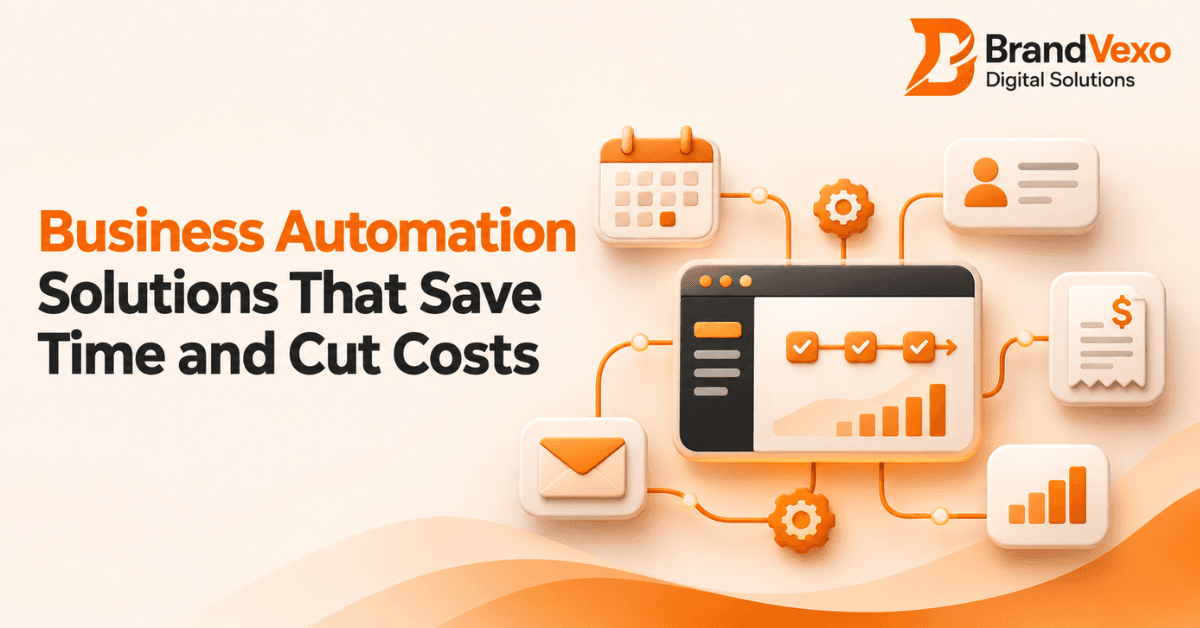
Running a business involves many daily responsibilities, from managing customer enquiries and processing invoices to coordinating employees and tracking sales. When teams handle these activities manually, they spend valuable time on repetitive work instead of focusing on customers, business development, and long-term growth. Business Automation Solutions help companies simplify these operations through software, connected applications, and automated workflows. Businesses can use automation to manage customer communication, organise internal processes, reduce administrative workloads, and improve operational efficiency.
What Are Business Automation Solutions and How Do They Work?
Business Automation Solutions use software and digital technology to complete repetitive business activities with limited manual involvement. These systems follow predefined instructions, respond to specific actions, and transfer information between connected applications.
For example, when a potential customer submits an enquiry through a website, an automated workflow can record their details, send an acknowledgement email, notify the sales team, and create a follow-up task in a customer relationship management (CRM) system.
This process reduces manual data entry and helps businesses respond consistently.
Common Types of Business Automation
Businesses can automate different activities depending on their operational requirements.
Workflow automation: Moves tasks between employees or departments according to predefined rules.
CRM automation: Organises customer information, lead assignments, and follow-up reminders.
Marketing automation: Schedules campaigns, sends emails, and manages customer communication.
Accounting automation: Supports invoicing, payment reminders, and financial record organisation.
HR automation: Simplifies employee onboarding, leave requests, and attendance processes.
Inventory automation: Tracks stock levels and sends low-inventory notifications.
Customer support automation: Uses chatbots and automated ticket systems to handle common enquiries.
Robotic Process Automation (RPA): Uses software bots to perform repetitive, rule-based tasks across digital applications.
These tools allow businesses to create connected workflows instead of managing every activity separately.
Why Businesses Need Automation to Save Time and Reduce Costs
Manual processes can create unnecessary delays, increase administrative expenses, and make it difficult for employees to manage growing workloads. Even simple activities, such as updating customer records or sending payment reminders, can consume several hours when performed repeatedly.
Automation helps businesses complete routine activities faster and allocate employee time more effectively.
Key Benefits of Business Automation
1. Saves employee time
Automated systems handle repetitive activities, allowing employees to focus on customer service, planning, and important business decisions.
2. Reduces operational expenses
Businesses can reduce the time spent on manual processing, paperwork, repetitive administration, and avoidable corrections.
3. Improves accuracy
Automated workflows follow consistent instructions, helping reduce common data-entry mistakes and missed tasks.
4. Improves customer experience
Automatic confirmations, appointment reminders, and enquiry responses help customers receive timely communication.
5. Supports business growth
Companies can manage increasing numbers of customers and transactions without making every process more complicated.
6. Strengthens team productivity
Connected applications improve information sharing and reduce unnecessary communication between departments.
The biggest advantage comes when automation improves an entire process rather than simply speeding up one isolated task.
Best Business Automation Solutions for Small and Growing Companies
Small businesses do not always need complex enterprise systems. They can begin with affordable software that addresses their most time-consuming activities.
The right tools depend on business size, industry, available budget, and existing software.
1. Customer Relationship Management (CRM) Automation
CRM automation helps businesses manage customer information and sales activities from one central system.
Companies can use it to:
Capture enquiries from websites and social media.
Store customer details automatically.
Assign new leads to sales representatives.
Schedule follow-up reminders.
Track sales opportunities.
Maintain customer communication records.
For example, a Dubai-based consultancy can automatically add website enquiries to its CRM and notify the relevant sales representative. This reduces the risk of overlooking potential customers.
2. Marketing and Email Automation
Marketing automation helps businesses maintain consistent communication with their audiences.
Common applications include:
Scheduling email campaigns.
Sending welcome messages to new subscribers.
Creating automated follow-up sequences.
Segmenting customers based on interests.
Tracking campaign engagement.
Scheduling social media content.
Businesses can also connect marketing automation with their lead management systems to improve the customer journey.
3. Accounting and Invoice Automation
Financial administration often involves repetitive tasks that businesses can simplify through accounting software.
Useful functions include:
Generating invoices.
Sending payment reminders.
Recording transactions.
Tracking outstanding balances.
Organising financial documents.
Preparing routine financial reports.
Automation does not remove the need for financial reviews. Businesses should still check transactions, reconcile accounts, and maintain accurate records.
4. Workflow and Project Management Automation
Project management platforms help teams coordinate responsibilities and monitor deadlines.
Businesses can automate:
Task assignments.
Project status notifications.
Approval requests.
Deadline reminders.
Progress updates.
Internal task handovers.
These features are particularly useful for companies managing several projects or remote teams.
5. Customer Support Automation
Customer support automation helps businesses respond to common questions without requiring an employee to handle every enquiry manually.
Companies can use:
Website chatbots.
Automated email responses.
Customer support ticket systems.
Frequently asked question workflows.
Appointment booking systems.
WhatsApp notifications.
Businesses should provide a clear option to speak with a human representative when customers have complex questions or specific concerns.
How Does Business Automation Cut Costs?
Business automation cuts costs by reducing repetitive manual work, improving resource allocation, and minimising avoidable errors. It allows employees to complete routine activities more efficiently while helping businesses manage their existing resources.
For example, a small service company may spend several hours each week scheduling appointments, preparing invoices, and sending customer reminders.
An automated system can manage these activities using connected booking, accounting, and communication applications.
The main cost-saving opportunities include:
Lower administrative expenses: Reduce time spent on repetitive office tasks.
Fewer processing errors: Minimise incorrect entries and avoidable corrections.
Reduced paperwork: Store and manage digital documents instead of relying on printed records.
Better employee utilisation: Allow staff to focus on activities that generate business value.
Faster customer responses: Reduce delays that can lead to missed enquiries.
Improved resource planning: Use operational data to identify unnecessary expenses.
However, automation also involves software subscriptions, implementation, employee training, and maintenance costs. Businesses should calculate the total cost before choosing a solution.
What Manual Business Processes Should Be Automated First?
Businesses should start with activities that occur frequently, follow clear rules, and consume significant employee time. Automating these processes can produce measurable improvements without requiring a major technology investment.
Consider automating the following activities first:
Customer data entry: Transfer information from enquiry forms into a CRM.
Appointment scheduling: Allow customers to book available time slots automatically.
Invoice generation: Create invoices using approved customer and service information.
Payment reminders: Send notifications when invoices approach their due dates.
Lead follow-ups: Send acknowledgement messages and assign follow-up tasks.
Employee administration: Organise routine leave requests and approval notifications.
Inventory updates: Notify employees when stock reaches a defined threshold.
Business reporting: Collect information from connected systems for regular reports.
How to Identify the Right Automation Opportunities
Before purchasing software, businesses should review their existing workflows.
Ask these questions:
Which activities take the most employee time?
Which tasks require frequent repetition?
Where do employees make avoidable mistakes?
Which processes cause delays between departments?
Can the task follow clear rules and instructions?
Would automation provide measurable financial value?
Prioritise processes that offer the greatest potential benefit relative to their implementation costs.
How to Implement Business Automation Solutions Successfully
Successful automation requires more than selecting software. Businesses need a clear implementation strategy that connects technology with their actual operational needs.
Step-by-Step Business Automation Strategy
Step 1: Identify time-consuming processes
Review daily operations and identify repetitive activities that slow down employees or create unnecessary expenses.
Step 2: Set measurable automation goals
Decide what you want to improve. Your objectives might include reducing response times, improving invoice processing, or minimising manual data entry.
Step 3: Choose suitable automation software
Compare available tools based on functionality, pricing, ease of use, integration options, and security features.
Step 4: Check compatibility with existing systems
Make sure your selected tools can exchange information with your current CRM, accounting software, website, and communication platforms.
Step 5: Start with important workflows
Avoid automating everything simultaneously. Begin with one or two processes that offer clear operational benefits.
Step 6: Train employees
Explain how the automated workflows operate and what employees should do when a process requires manual attention.
Step 7: Monitor and improve performance
Review automation results regularly. Identify errors, workflow delays, and opportunities to improve efficiency.
Common Automation Mistakes to Avoid
Businesses should watch out for these problems:
Automating inefficient processes without improving them first.
Selecting expensive software without calculating its value.
Ignoring employee training and feedback.
Connecting too many applications without a clear purpose.
Failing to monitor automated activities.
Removing human support from important customer interactions.
A well-planned system should make business operations easier to manage, not create additional complexity.
Business Automation Examples for UAE Companies
Businesses across the UAE operate in competitive markets where timely communication, efficient administration, and reliable customer service matter. Automation can help companies manage these responsibilities more consistently.
Here are some practical industry examples.
Real estate companies
Real estate agencies can automate property enquiries, viewing appointments, lead assignments, and customer follow-ups. This helps agents spend more time assisting qualified buyers and tenants.
E-commerce businesses
Online stores can automate order confirmations, stock notifications, delivery updates, and abandoned-cart reminders. These workflows help maintain communication throughout the purchasing process.
Professional service firms
Consultancies, marketing agencies, and other service providers can automate appointment bookings, client onboarding, document collection, and project notifications.
Retail businesses
Retailers can use inventory management systems to track stock levels, identify low-stock products, and generate sales reports.
Startups and SMEs
Small companies can automate customer enquiries, invoice reminders, employee administration, and routine reporting without building large administrative teams.
For UAE businesses, selecting automation software also requires attention to data protection, cybersecurity, financial recordkeeping, and relevant industry regulations.
How Business Automation Supports Small Business SEO and Organic Growth
Automation can also support digital marketing by helping businesses organise their SEO activities, manage leads, and maintain consistent communication with potential customers.
Although automation does not guarantee higher Google rankings, it can make marketing operations more organised and efficient.
How Automation Supports Small Business SEO
Small Business SEO involves improving a company's online visibility so potential customers can find its products and services through search engines.
Automation can support SEO activities through:
Scheduling website content and blog publishing.
Collecting website traffic and performance reports.
Tracking keyword ranking changes.
Organising content production tasks.
Monitoring website enquiries and conversions.
Sending notifications when new organic leads arrive.
For example, a UAE service company can connect its website enquiry form with a CRM. When someone discovers the business through Google and submits an enquiry, the system can record the lead and notify the sales team.
This creates a smoother journey from organic search to customer communication.
Build a Better SEO Plan With Automation
An effective SEO Plan combines keyword research, technical improvements, useful content, and performance monitoring.
Businesses can use automation to manage recurring SEO responsibilities, including:
Maintaining a content publishing calendar.
Organising keyword research and content briefs.
Tracking website performance.
Monitoring technical SEO issues.
Scheduling content updates.
Measuring organic enquiries and conversions.
However, automated reports and content tools should support human decision-making. Businesses still need original insights, accurate information, helpful content, and proper technical SEO.
For additional guidance, explore BrandVexo's SEO and Local SEO services, which cover technical SEO, content optimisation, local visibility, authority building, and performance reporting.
Support a Sustainable Organic Growth Strategy
An Organic Growth Strategy focuses on attracting relevant visitors through search engines, valuable content, and a strong digital presence.
Automation can support this strategy by connecting marketing activities with customer management systems.
For example, businesses can:
Capture leads generated through organic search.
Send relevant follow-up messages.
Organise customer enquiries.
Track marketing campaign performance.
Identify which website pages generate enquiries.
Maintain consistent communication with potential customers.
The goal is to create a connected process where marketing attracts potential customers and automation helps businesses manage those opportunities.
Businesses looking to connect their website, search visibility, and lead management can also explore BrandVexo's portfolio for an overview of its digital growth disciplines.
How to Measure the ROI of Business Automation
Businesses should measure automation performance to understand whether their investment delivers meaningful results.
The return on investment (ROI) calculation compares the financial benefits of automation with its total costs.
Use this formula:
ROI = {Financial Benefits - Total Costs} / {Total Costs} * 100
For example, if an automation project generates $5,000 in measurable financial benefits against a total cost of $2,000, its ROI is 150%.
When calculating the results, include software subscriptions, implementation, training, and ongoing maintenance expenses.
Important Automation Performance Indicators
Monitor these measurements:
Time saved: Hours employees save through automated processes.
Operating expenses: Changes in administrative and processing costs.
Error rates: Reduction in incorrect entries and manual corrections.
Response time: How quickly the business responds to customer enquiries.
Employee productivity: Improvement in completed tasks.
Conversion rates: Percentage of enquiries that become customers.
Customer satisfaction: Changes in customer experience and service quality.
Review these indicators regularly to identify which workflows deliver the greatest value.
What Are the Best Business Automation Solutions for Small Companies?
The best business automation solutions depend on a company's operational needs, budget, and growth plans. Small companies should prioritise tools that solve specific problems rather than investing in unnecessary software.
Common options include:
CRM software for customer and lead management.
Accounting software for invoices and payment tracking.
Marketing automation for email campaigns and customer communication.
Project management software for task assignments and deadlines.
Chatbots for handling common customer questions.
Inventory management software for stock monitoring.
AI automation tools for connecting applications and managing complex workflows.
Businesses should compare software features, integration capabilities, security, and total ownership costs before making a decision.
FAQs
1. What Are Business Automation Solutions?
Business Automation Solutions use software and connected digital systems to manage repetitive business activities. They help companies simplify workflows, improve productivity, reduce manual errors, and manage daily operations more efficiently.
2. How Does Business Automation Cut Costs?
Automation reduces costs by limiting repetitive manual work, improving processing accuracy, reducing paperwork, and making better use of employee time. Businesses must also consider software, setup, training, and maintenance costs.
3. What Are the Best Business Automation Solutions for Small Companies?
CRM systems, accounting software, marketing automation, project management platforms, and customer support tools are useful options. Small businesses should select tools according to their specific requirements and budgets.
4. Can Automation Reduce Operational Expenses?
Yes. Automation can reduce administrative workloads, minimise avoidable errors, and improve resource utilisation. The actual savings depend on the processes being automated and the cost of implementing and maintaining the systems.
5. Is Business Automation Worth the Investment?
Business automation can be worthwhile when it solves a recurring operational problem and delivers measurable benefits. Companies should compare the expected time savings, productivity improvements, and financial benefits against the total implementation cost.
6. How Can Small Businesses Start Automating Daily Operations?
Small businesses can begin by identifying repetitive tasks, selecting suitable software, and automating one important workflow. They should train employees, monitor performance, and expand automation gradually.
7. Does Business Automation Require Technical Knowledge?
Not always. Many modern automation platforms provide visual workflow builders and ready-made integrations. However, more complex systems may require technical expertise to configure, secure, and maintain them.
Build a More Efficient Business With Smarter Automation
Business Automation Solutions help companies save time, reduce operational expenses, improve customer communication, and manage daily workflows more effectively. From CRM and accounting automation to AI-powered customer support, the right technology can make business operations easier to manage.
However, successful automation starts with understanding your existing processes. Businesses should identify their biggest operational challenges, select appropriate tools, and measure the results before expanding their systems.
Combining automation with a clear digital strategy can also strengthen marketing operations, improve lead management, and support long-term business growth.
How BrandVexo Can Help!
BrandVexo helps businesses connect websites, AI automation, and digital marketing into practical growth systems. Its AI Automation services focus on workflow automation, lead capture, CRM integration, customer follow-ups, appointment booking, and reporting.
Whether you want to reduce repetitive work, improve lead management, or build more efficient business workflows, the right automation strategy can help your company move forward.
Contact BrandVexo Digital Solutions:
Website: www.brandvexo.com
Phone: +971 56 410 4881
Email: info@brandvexo.com
Speak with the BrandVexo team about building an automation strategy that supports your business goals.
Disclaimer: This article provides general information about business automation solutions and their potential benefits. Software suitability, implementation costs, and results may vary depending on business requirements. Consult qualified professionals before making technology or investment decisions.
Free growth plan
Ready to grow your business?
Reading is a start — now let's build it. Tell us where you want to grow and a senior strategist will map the fastest, most profitable way to get there. Free, no obligation.
Discussion
Join the conversation
Be the first to comment. Comments are reviewed before they appear, so yours won't show up instantly — but we read every one.
Leave a comment
Keep reading
All articles
AI Lead Qualification: How to Keep Human Review in the Loop
Explore AI lead qualification, smarter lead scoring and human review practices that help sales teams improve lead quality and manage prospects.

AI Chatbot Lead Handoff: How to Connect Bots With Sales Teams
Learn how AI chatbot lead handoff connects bots with sales teams through CRM integration, lead qualification, automated routing and faster follow-ups.

WhatsApp Lead Automation for Service Firms: A Guide
Learn how WhatsApp lead automation helps service firms capture leads, automate follow-ups, connect CRM systems, and book more appointments.