

CRM Automation: 12 Workflows That Save Sales Time
Discover 12 CRM automation workflows that save sales time, improve lead follow-up, and connect WhatsApp, chatbots, nurturing, and pipeline tasks.
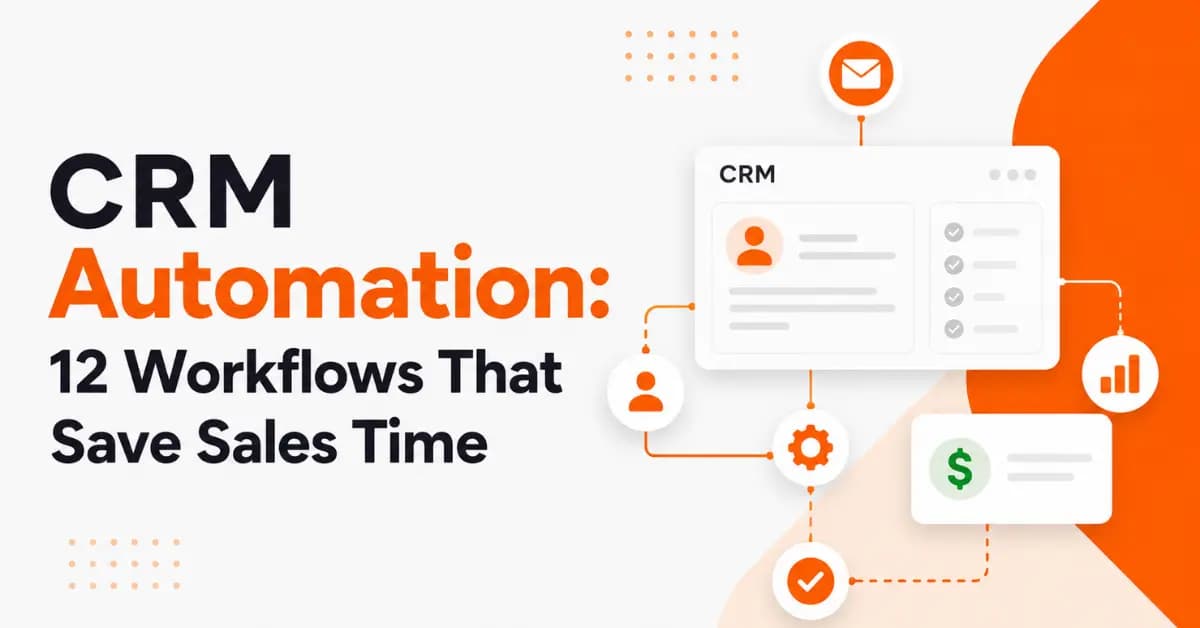
Sales teams rarely lose time because they do not know how to sell. They lose it because too much of their day goes into repetitive work: entering leads, sending follow-ups, updating CRM records, checking appointment status, and answering the same basic questions. CRM automation helps reduce that administrative workload. Instead of asking salespeople to remember every task, businesses can create workflows that automatically trigger the right action at the right time.
For example, when a new lead submits a website form, a CRM can create the contact, assign it to a salesperson, send an initial response, and create a follow-up task. When WhatsApp is connected through the appropriate business messaging infrastructure, the workflow can also support automated customer communication.
What Is CRM Automation?
CRM automation is the use of rules, triggers, and software integrations to perform repetitive customer relationship management tasks automatically.
A typical workflow follows a simple structure:
Trigger → Condition → Automated Action → Sales Follow-Up
For example:
New lead received → lead matches a target service → CRM assigns the lead → automated reply is sent → salesperson receives a follow-up task.
Unlike a basic CRM that mainly stores customer information, an automated CRM can actively move leads through defined sales processes.
Common CRM automation tasks include:
Lead capture
Lead assignment
Lead scoring
Follow-up reminders
Pipeline updates
Appointment scheduling
Customer notifications
Lead nurturing
Re-engagement
Post-sale follow-up
The best workflows usually focus on repetitive, rules-based tasks while leaving complex conversations to sales professionals.
How CRM Automation Saves Sales Time
Sales automation creates value by reducing the amount of manual work required between customer interactions.
A salesperson may otherwise need to:
Check where a lead came from.
Create a contact record.
Assign the lead.
Send a first response.
Set a reminder.
Update the sales pipeline.
Follow up again.
Record the conversation.
A well-designed workflow can handle many of these steps automatically.
This does not mean the salesperson becomes unnecessary. Instead, the salesperson receives a cleaner, more organized opportunity and can focus on qualification, relationship building, negotiation, and closing.
12 CRM Automation Workflows That Save Sales Time
The following workflows cover the most common opportunities for sales process automation.
1. New Lead Capture and Instant Response
A new lead should not sit in an inbox waiting for someone to manually enter the information into a CRM.
With CRM automation, a website form, landing page, advertising platform, or other lead source can trigger a workflow.
For example:
Lead submits form → CRM creates contact → lead source is recorded → salesperson is assigned → automated confirmation is sent.
An automated reply can confirm that the inquiry was received and explain what happens next.
This is especially useful when a business receives inquiries outside normal working hours.
What to Automate
Contact creation
Lead source tracking
Lead assignment
Confirmation messages
Internal notifications
Follow-up tasks
Best use: Businesses that receive regular website or campaign inquiries.
2. Automatic Lead Assignment
As lead volume increases, manually deciding who should handle each inquiry can become a bottleneck. CRM automation can assign leads according to predefined rules.
For example, a business could route leads based on:
Service requested
Customer location
Industry
Lead source
Customer type
Sales representative
Territory
A Dubai-based service company, for example, could route corporate-service inquiries to a specialist team while sending smaller SME inquiries to another representative.
This reduces delays and gives salespeople clear ownership.
Key benefit: Fewer unassigned leads and less administrative coordination.
3. Automated Lead Qualification
Not every inquiry deserves the same sales response. CRM automation can collect basic information and help sales teams identify which opportunities need immediate attention.
A qualification workflow might ask about:
Required service
Budget range
Business type
Location
Purchase timeframe
Number of employees
Specific requirements
The CRM can then assign a score or category based on predefined rules.
Example Lead Qualification Flow
New inquiry → qualification questions → information stored in CRM → lead scored → salesperson notified.
The important point is that automation should support qualification rather than blindly replace human judgment.
A high-value or unusual prospect may still require personal review even if the automated score is low.
4. Instant WhatsApp Follow-Up for New Leads
For businesses that use WhatsApp as a customer communication channel, CRM and messaging automation can create a faster lead-response process. The WhatsApp Business API, now part of the WhatsApp Business Platform, allows businesses to integrate WhatsApp messaging with systems such as CRMs and other backend platforms. The Cloud API supports programmatic messaging and integration with CRM and marketing systems.
A typical workflow could look like this:
Website inquiry → CRM contact created → WhatsApp message triggered → customer responds → salesperson receives conversation.
Automated replies can be useful for confirming:
Inquiry received
Business hours
Service categories
Appointment requests
Basic next steps
Frequently asked questions
Businesses should also follow the applicable WhatsApp Business Platform rules. For example, WhatsApp's current business policy states that business-initiated conversations require approved message templates, while businesses can reply without a template within the applicable 24-hour customer-service window. The policy also requires clear escalation paths when automation is used.
That makes human handoff an important part of responsible messaging automation.
5. Follow-Up Reminder Automation
One of the easiest sales tasks to automate is the reminder. A salesperson may intend to follow up with a prospect but forget because another meeting, call, or urgent task takes priority.
CRM automation can automatically create reminders when:
A new lead has not been contacted.
A quote has been sent.
A customer requested a callback.
A scheduled meeting is approaching.
A prospect has stopped responding.
Example Follow-Up Sequence
Day 0: Lead enters CRM
Day 1: Follow-up task created
Day 3: Reminder if no activity exists
Day 7: Re-engagement workflow triggered
After response: Salesperson takes over
This keeps opportunities moving without requiring salespeople to manually remember every deadline.
6. Quote and Proposal Follow-Up
Sending a quote is not the end of the sales process. Many opportunities stall because nobody follows up consistently after the proposal reaches the prospect. A CRM can automatically create an internal task after a quote is sent.
For example:
Proposal sent → follow-up date created → no activity detected → salesperson receives reminder.
The workflow can also update the opportunity stage when the salesperson records a response.
Automation should support the process rather than pressure customers with repetitive messages. A personalized human follow-up is usually more appropriate when the customer is considering a significant purchase.
7. WhatsApp Chatbot for Frequently Asked Questions
A WhatsApp chatbot can handle simple, predictable questions before a salesperson becomes involved.
For example, a customer might ask:
What services do you provide?
What are your business hours?
Where are you located?
How can I book a consultation?
Which service is suitable for my business?
Can someone contact me?
A chatbot can provide predefined information and collect basic details.
Good Chatbot Tasks
FAQs
Service selection
Basic lead qualification
Appointment requests
Business information
Customer routing
Status requests
What Should Stay Human?
Not every conversation should go through a bot.
Human involvement is particularly valuable for:
Complex negotiations
Complaints
Sensitive issues
High-value opportunities
Customized recommendations
Situations requiring professional judgment
A strong automation strategy makes the transition from chatbot to salesperson simple.
WhatsApp's business policy specifically calls for clear and direct escalation paths when automation is used during the customer-service window.
8. Automated Appointment Scheduling
Sales teams can lose significant time coordinating meeting availability. CRM automation can simplify the process by connecting lead information, scheduling tools, CRM activities, and reminders.
A typical workflow is:
Customer requests consultation → available time is selected → CRM activity is created → confirmation is sent → reminder is triggered → salesperson is notified.
This reduces back-and-forth communication.
Appointment automation works particularly well for:
Consultations
Product demonstrations
Sales calls
Service assessments
Discovery meetings
Follow-up meetings
The result is a smoother process for both the customer and the sales team.
9. Lead Nurturing for Prospects Not Ready to Buy
Not every prospect is ready to make a purchase immediately. Some people need more information before they speak with sales. Others may be interested but have a longer buying cycle.
CRM automation can place these prospects into a nurturing workflow based on their interests and stage in the sales funnel.
For example:
New lead → educational information → follow-up → engagement tracked → sales task created when buying intent increases.
Segmentation can be based on:
Industry
Service interest
Customer type
Previous interaction
Buying stage
Engagement
The objective is not to send more messages. It is to send more relevant communication.
10. Inactive Lead Re-Engagement
Some leads stop responding even though they initially showed interest. Instead of allowing these opportunities to disappear from the CRM, businesses can create a re-engagement workflow.
For example:
No activity for a defined period → CRM identifies inactive lead → re-engagement action → response detected → salesperson notified.
The exact timing depends on the business and sales cycle.
A B2B service with a long decision process may need a different approach from an ecommerce business with short purchase cycles.
This workflow helps sales teams recover opportunities without manually reviewing every inactive contact.
11. Customer Handoff and Sales Pipeline Updates
A CRM should provide a clear picture of where every opportunity stands.
Automation can help move records through defined stages such as:
New Lead → Contacted → Qualified → Proposal → Negotiation → Won/Lost
When a salesperson completes an action, the CRM can automatically:
Create the next task.
Notify another team member.
Update the pipeline.
Record customer activity.
Trigger an internal alert.
This creates a more consistent sales process.
It also helps managers identify where opportunities are getting stuck.
For example, if many deals remain in the proposal stage for weeks, management can investigate whether the issue involves pricing, follow-up, qualification, or customer decision cycles.
12. Post-Sale Follow-Up and Referral Workflow
CRM automation should not stop when a deal is marked "Won." The post-sale stage creates opportunities for better customer relationships, retention, reviews, and referrals.
A simple workflow might be:
Deal won → onboarding task → customer check-in → feedback request → referral opportunity.
Depending on the business, automation can support:
Thank-you communication
Onboarding reminders
Customer check-ins
Feedback collection
Review requests
Renewal reminders
Cross-selling
Referral follow-up
This turns CRM automation into a customer lifecycle tool rather than simply a lead-generation system.
How WhatsApp Business API Fits Into CRM Automation
WhatsApp can become particularly useful when it connects with a CRM rather than operating as a completely separate communication channel. The WhatsApp Cloud API supports text, media, message templates, and message-status tracking through its messaging infrastructure. It can also connect business messaging with CRM and other backend systems.
Consider this workflow:
Lead submits website form
↓
CRM creates customer record
↓
WhatsApp automated reply confirms the inquiry
↓
Customer answers qualification questions
↓
CRM records the information
↓
Lead is assigned to a salesperson
↓
Salesperson takes over the conversation
This approach combines the speed of automation with the value of human sales interaction.
Businesses should pay close attention to WhatsApp's current messaging requirements before implementing automated campaigns. Meta's policy states that approved templates are required for business-initiated conversations, and automated responses should include a clear route to human support.
What Sales Tasks Should You Automate?
The best candidates are tasks that are repetitive, predictable, and easy to measure.
Good Candidates for Automation
Lead assignment
CRM data entry
Follow-up reminders
Appointment confirmations
Internal notifications
Lead scoring
Pipeline updates
Basic FAQs
Customer segmentation
Lead re-engagement
Tasks That Need Human Attention
Complex negotiations
High-value sales
Complaints
Sensitive customer situations
Customized proposals
Relationship-building conversations
Strategic account management
A useful rule is simple:
Automate the process, not the relationship.
Benefits of CRM Automation for Sales Teams
Faster Lead Response
Automated workflows can reduce the time between lead submission and the first response. A faster response does not guarantee a sale, but it creates a more organized customer experience and reduces unnecessary waiting.
Fewer Missed Follow-Ups
Automatic reminders help salespeople stay on top of opportunities without relying entirely on memory or spreadsheets.
Better Sales Productivity
When CRM automation handles repetitive administrative tasks, salespeople can spend more time on activities that directly require their expertise.
More Consistent Customer Communication
Standardized workflows help teams maintain consistent processes across different sales representatives.
Better Sales Visibility
Managers can monitor:
Lead status
Follow-up activity
Pipeline stages
Appointment activity
Conversion opportunities
Sales performance
This makes it easier to identify bottlenecks and improve the sales process.
Common CRM Automation Mistakes to Avoid
Automating Every Customer Interaction
Too much automation can make communication feel impersonal. Use automation for repetitive tasks while keeping important conversations human.
Sending Too Many Automated Messages
More messages do not automatically create more sales. Messages should have a clear purpose and appropriate timing.
Ignoring CRM Data Quality
Automation depends on reliable information. If duplicate records, incorrect phone numbers, missing fields, or outdated lead stages exist, automated workflows may produce poor results.
Removing the Human Handoff
A customer should not become trapped inside a chatbot or automated workflow. Create a clear escalation path for situations that need a salesperson.
Ignoring WhatsApp Requirements
Businesses using the WhatsApp Business Platform need to understand applicable template, messaging, business, and escalation requirements. Meta's current policy provides specific rules around business-initiated conversations and automation.
Measuring Activity Instead of Results
Do not judge automation only by the number of messages or tasks completed.
Track business outcomes such as:
Qualified leads
Meetings booked
Conversion rate
Sales cycle
Revenue
Follow-up completion
Time saved
How to Choose the Right CRM Automation Workflows
You do not need to automate your entire sales process on day one. Start with the areas that create the most repetitive work.
Step 1: Identify Repetitive Sales Tasks
Ask the sales team:
"What tasks do you repeat every day that do not require sales judgment?"
The answers often reveal the best automation opportunities.
Step 2: Find Sales Bottlenecks
Look for areas where:
Leads wait too long.
Follow-ups get missed.
Data entry takes too much time.
Appointments require too much coordination.
Salespeople repeat the same answers.
Step 3: Start With Two or Three Workflows
Do not launch 20 automations at once.
Start with simple workflows such as:
New lead assignment
Follow-up reminders
Appointment scheduling
Once those work reliably, expand.
Step 4: Connect CRM and Communication Channels
Depending on the business, this may include:
Website forms
CRM
WhatsApp
Email
Calendar
Customer support tools
Marketing platforms
The goal is to reduce information silos.
Step 5: Test Before Scaling
Test every workflow using real-world scenarios.
Check:
Trigger accuracy
Message timing
CRM data mapping
Duplicate prevention
Human handoff
Failed automation scenarios
Step 6: Measure ROI
Measure both time savings and business performance.
For example:
Automation ROI = Value Created − Automation Cost
Value can include saved staff time, faster lead handling, improved conversion, and additional revenue.
CRM Automation Example for a UAE Business
Consider a Dubai-based professional services company that receives inquiries through its website and WhatsApp. Without automation, a salesperson may need to manually check each inquiry, create a CRM record, respond, qualify the prospect, assign tasks, and remember follow-ups.
A structured workflow can simplify the process:
Website or WhatsApp inquiry
↓
CRM contact created
↓
Automated reply
↓
Basic qualification
↓
Lead assigned to the right salesperson
↓
Follow-up reminder
↓
Consultation booked
↓
Proposal sent
↓
Post-sale follow-up
The salesperson still handles the important conversation, but the CRM handles many of the repetitive steps around it.
This model can work for UAE businesses across professional services, agencies, education, real estate, technology, consulting, and other customer-facing industries.
How to Measure CRM Automation Success
Automation should produce measurable improvements.
Track KPIs such as:
Lead response time: How quickly does the business respond?
Follow-up completion rate: How many planned follow-ups happen on time?
Qualified lead rate: How many new leads become genuine opportunities?
Appointment booking rate: How many qualified leads book meetings?
Sales conversion rate: How many opportunities become customers?
Average sales cycle: How long does it take to close a deal?
Administrative time: How much manual work does each salesperson perform?
Customer response rate: How often do customers engage with automated communication?
Revenue per salesperson: Is the sales team becoming more productive?
These measurements help businesses decide which workflows are worth improving and which ones need to be redesigned.
CRM Automation Best Practices
A successful automation strategy does not depend on having the most complicated system. It depends on designing useful workflows.
Follow these principles:
Start with repetitive processes.
Keep CRM data clean.
Use clear triggers and conditions.
Personalize customer communication.
Give customers an easy human handoff.
Test workflows before launching them.
Monitor failed automations.
Respect messaging permissions and platform policies.
Review automation performance regularly.
Measure revenue and productivity, not just activity.
Google's current guidance for AI-powered Search also emphasizes creating original, useful content for people rather than simply producing content designed to rank. That same principle applies to automation: the technology should solve a real customer or business problem rather than exist simply because automation is available.
Frequently Asked Questions
What is CRM automation?
CRM automation uses software rules and integrations to perform repetitive customer and sales tasks automatically. Examples include lead assignment, follow-up reminders, pipeline updates, appointment notifications, and customer communication.
How does CRM automation save sales time?
It reduces repetitive administrative work. Instead of manually entering information, setting reminders, assigning leads, and performing routine updates, salespeople can allow predefined workflows to handle these tasks.
Can CRM automation work with WhatsApp?
Yes. Business messaging infrastructure such as the WhatsApp Business Platform can be integrated with CRM and backend systems to support automated workflows, messaging, and customer handoffs.
What is the WhatsApp Business API used for?
It allows businesses to connect WhatsApp messaging with software systems and build structured business communication workflows. Depending on the implementation, businesses can send messages, use templates, track message status, and connect conversations with CRM systems.
What is a WhatsApp chatbot?
A WhatsApp chatbot is an automated conversational system that can respond to predefined customer questions or guide users through structured interactions. It is most useful for repetitive questions, basic qualification, routing, and simple customer requests.
Can automated replies replace salespeople?
No. Automated replies can handle repetitive communication, but salespeople remain important for complex questions, negotiations, high-value opportunities, complaints, and relationship-building.
Which sales tasks should be automated first?
Start with repetitive and measurable tasks such as lead assignment, follow-up reminders, appointment confirmations, basic FAQs, and pipeline updates.
Is CRM automation suitable for small businesses?
Yes. Small businesses can benefit from automation because it reduces repetitive administrative work. However, they should start with a few high-value workflows instead of creating unnecessary complexity.
How does CRM automation improve lead follow-up?
It can automatically create tasks, reminders, notifications, and communication triggers based on lead activity. This helps salespeople follow up more consistently.
How do you measure CRM automation ROI?
Compare the cost of the automation with measurable benefits such as time saved, additional qualified leads, faster response times, higher conversion rates, reduced administrative work, and additional revenue.
How BrandVexo Can Help With CRM Automation
At BrandVexo, we look at automation as part of a wider digital growth system rather than a standalone technology project. Businesses can combine CRM automation with digital marketing, lead generation, website development, AI automation, social media, and customer communication to create a more connected sales process. The right setup depends on how your business currently captures leads, communicates with customers, manages sales opportunities, and follows up after an inquiry.
If your team spends too much time on repetitive sales administration, the first step is to identify the workflows creating the biggest bottlenecks. From there, you can automate the right tasks while keeping human involvement where it matters most.
BrandVexo Digital Solutions
Phone: +971 52 356 5409
Email: info@brandvexo.com
Website: www.brandvexo.com
Conclusion
CRM automation works best when it removes repetitive work without removing the human side of sales. Start with two or three workflows, such as lead assignment, follow-up reminders, or WhatsApp-based customer responses, and measure the results. As your process becomes more reliable, you can expand automation across qualification, appointments, nurturing, pipeline management, and post-sale follow-up.
Disclaimer: CRM automation features, WhatsApp Business Platform requirements, and messaging policies may change over time. Always verify current platform rules and consult a qualified professional before implementing business-critical automation.
Free growth plan
Ready to grow your business?
Reading is a start — now let's build it. Tell us where you want to grow and a senior strategist will map the fastest, most profitable way to get there. Free, no obligation.
Discussion
Join the conversation
Be the first to comment. Comments are reviewed before they appear, so yours won't show up instantly — but we read every one.
Leave a comment
Keep reading
All articles
WhatsApp Lead Automation for Service Firms: A Guide
Learn how WhatsApp lead automation helps service firms capture leads, automate follow-ups, connect CRM systems, and book more appointments.
CRM Automation for Startups: A Practical Guide
CRM Automation for Startups helps streamline lead management, automate sales workflows, improve follow-ups, connect tools, and support scalable business growth.
AI Workflow Automation: A Practical Guide for B2B Teams
Learn how AI workflow automation helps B2B teams improve efficiency, automate repetitive tasks, connect systems, measure ROI, and scale business operations.