

How to Boost Local SEO for Multi-Location Ecommerce Stores
Boost Local SEO for multi-location ecommerce stores with better location pages, Google Business Profiles, local inventory, schema markup, and SEO tracking.
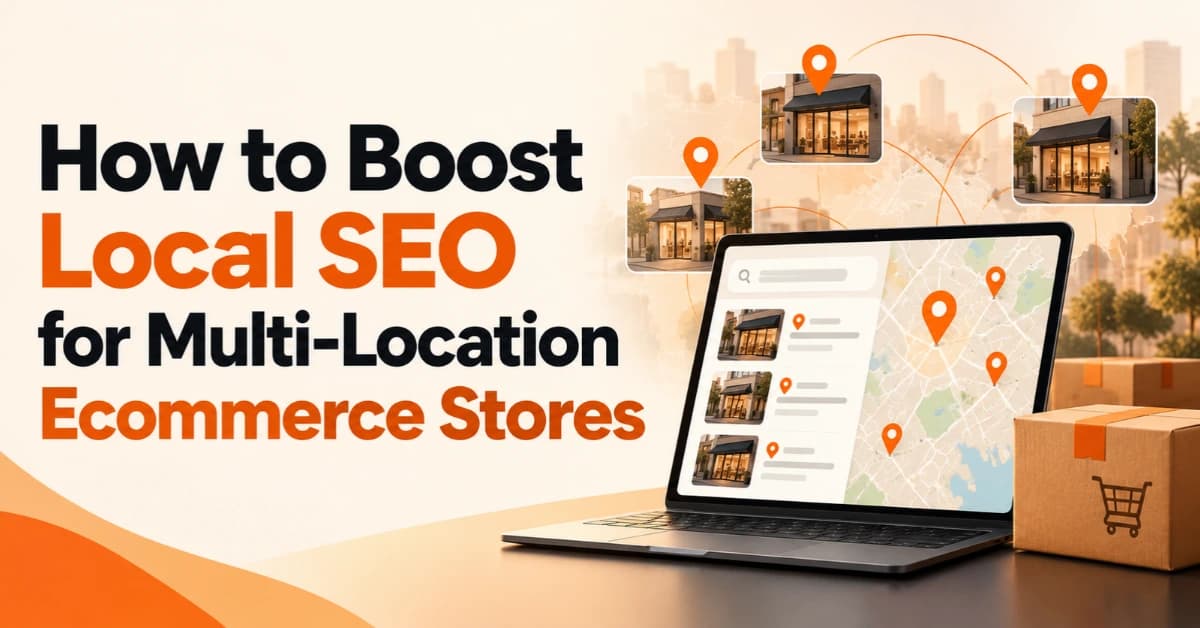
Running a multi-location ecommerce business creates a unique SEO challenge. Customers may search for products online, compare nearby stores, check local stock, or look for delivery options in a specific city. To reach these customers, businesses need more than a well-optimized homepage. They need a coordinated strategy that connects product pages, location-specific content, accurate business information, and a smooth shopping experience.
To Boost Local SEO effectively, ecommerce brands should align their website structure with local search intent, optimize eligible business listings, improve location pages, and make product availability clear. Whether a retailer operates several stores in Dubai or serves customers across multiple cities, a structured approach can help improve relevant search visibility and support more conversions.
What Is Local SEO for Multi-Location Ecommerce?
Local SEO for multi-location ecommerce helps businesses improve their visibility when customers search for products, stores, or services associated with a particular location. It combines traditional ecommerce SEO with geographic relevance, local business information, and location-specific customer needs.
For example, someone searching for “running shoes online” may want to compare products, while someone searching for “running shoes in Dubai” may also want to check nearby stock, visit a showroom, or arrange local delivery.
A strong multi-location ecommerce SEO strategy helps businesses address both types of intent through:
Relevant product and category pages.
Useful landing pages for individual locations.
Accurate store details and local business listings where eligible.
Clear inventory, delivery, and pickup information.
Logical internal linking and technically accessible pages.
The goal is not simply to rank for more city names. It is to help customers find the right products and purchasing options for their location.
How to Build a Multi-Location Ecommerce SEO Strategy
The first step is to understand how customers search for your products in different markets. Each location may have different demand, competitors, product availability, delivery options, and customer expectations.
1. Audit Your Website and Existing Locations
Start by reviewing your website's current performance. Identify which location pages receive organic traffic, which pages search engines index, and where customers leave without completing a purchase.
Use Google Search Console to examine search queries, impressions, clicks, and landing-page performance. Google Analytics 4 can help you assess engagement and conversions when tracking is configured correctly.
Your initial audit should cover:
Existing store and location pages.
Product and category page visibility.
Duplicate or unnecessary URLs.
Mobile usability and page performance.
Internal links to important locations.
Accuracy of addresses, opening hours, and stock information.
Prioritize locations with clear customer demand and commercial potential instead of trying to optimize every page simultaneously.
2. Research Local Keywords for Each Market
Local keyword research helps you understand what customers want before you create or update pages.
Combine product terms with relevant geographic modifiers. For a retailer operating in the UAE, examples could include “electronics store in Dubai,” “furniture showroom in Abu Dhabi,” and “local delivery in Sharjah.”
Consider three types of search intent:
Transactional: Customers want to buy a product or place an order.
Local discovery: Customers want to find a nearby store or showroom.
Informational: Customers need details about availability, delivery, pickup, or store services.
Map each keyword group to the most relevant page. Product searches should generally lead to relevant product or category pages, while store-related searches may require a dedicated location page.
Avoid targeting locations the business does not genuinely serve. Relevance and useful information matter more than inserting a city name into every heading.
How to Optimize Ecommerce Location Pages for Local SEO
Location pages help customers find relevant stores, understand local services, and choose the best way to purchase. They also give search engines a clearer understanding of the relationship between your business and the locations you serve.
Create a dedicated page for each important physical location when it provides distinct, useful information. Use a clear URL structure, such as:
/locations/dubai//locations/abu-dhabi//locations/sharjah/
Keep the structure consistent and link these pages from a central store locator.
What Should Every Local Landing Page Include?
Each page should provide practical details that help customers make a decision:
A unique page title and descriptive H1.
The store's address, phone number, and opening hours, where applicable.
Relevant product categories and available services.
Accurate pickup and local delivery information.
Directions, parking details, and accessibility information where useful.
Genuine customer reviews or location-specific testimonials.
Links to relevant products, categories, and related locations.
For example, a Dubai electronics store page could highlight the products available at that branch, its opening hours, pickup options, and directions. An Abu Dhabi page should reflect that location's actual services and customer needs rather than simply replacing the city name.
Do Multiple Locations Need Separate Landing Pages?
Separate landing pages are useful when each location serves a genuine customer need. However, avoid publishing dozens of nearly identical pages that differ only by a city name.
Google may treat substantially similar URLs as duplicates and select a canonical version for indexing. Use canonical tags where appropriate, maintain consistent URLs, and ensure every indexable location page provides a clear reason to exist.
How to Optimize Google Business Profiles for Multiple Locations
Google Business Profile can help eligible physical retailers appear in relevant local search results and Google Maps. Businesses with multiple eligible storefronts should maintain accurate information for each location.
Follow These Google Business Profile Best Practices
Use accurate business details: Keep the business name, address, phone number, category, and opening hours correct.
Choose relevant categories: Represent the actual business rather than adding unrelated categories to target more searches.
Add current photos: Show the real store, products, and customer-facing environment.
Update operating hours: Reflect public holidays, temporary closures, and seasonal changes.
Manage customer reviews: Encourage honest feedback and respond professionally.
Keep profiles consistent: Make sure each profile matches the corresponding location page.
Google requires eligible businesses to make in-person contact with customers during their stated hours. Online-only brands without qualifying in-person customer contact generally cannot create a Business Profile simply to target a city.
Remember that local map visibility and organic website rankings are related but distinct. A complete Business Profile does not replace useful website content, strong technical foundations, or relevant location pages.
How to Show Product Availability by Location on Your Website
Product availability is one of the most useful ways to connect local SEO with the ecommerce shopping experience. Customers who know whether an item is available nearby can make faster, more confident purchasing decisions.
Imagine a customer searching for a laptop in Dubai. Your website may rank for the relevant product, but the customer still needs to know whether a nearby branch has the model in stock, whether pickup is available, and how quickly local delivery can happen.
Improve this experience by providing:
Store-level inventory: Display stock information for individual branches when reliable data is available.
Location selection: Let shoppers choose a preferred store or delivery area.
Pickup options: Explain whether customers can collect orders and when those orders will be ready.
Local delivery details: Clearly state delivery areas, fees, and estimated timeframes.
Stock updates: Synchronize product availability with inventory systems as frequently as the business requires.
These features support localized product availability and can reduce frustration during checkout.
If you offer buy online, pick up in store (BOPIS), make the process easy to understand. Show pickup eligibility on relevant product pages and explain any restrictions before checkout.
Do not display real-time availability unless your systems support it. Inaccurate stock information can damage customer trust even when your SEO is strong.
How to Prevent Duplicate Content on Multi-Location Ecommerce Websites
Duplicate content can become a challenge when a website generates many location pages, product URLs, filters, and category variations.
For example, a retailer might publish nearly identical pages for “office chairs in Dubai” and “office chairs in Sharjah” without offering any meaningful local differences. These pages may add little value for shoppers and create unnecessary complexity for search engines.
Practical Ways to Manage Duplicate Content
Write useful local content. Include genuine differences in stock, delivery, pickup, services, and store information.
Review URL variations. Check whether filters, tracking parameters, and sorting options create unnecessary duplicate URLs.
Use canonical tags appropriately. Identify the preferred URL for substantially duplicate or equivalent pages.
Maintain consistent internal links. Link to the preferred URLs rather than generating conflicting versions.
Control indexation carefully. Review which pages offer sufficient value to appear in search results.
Canonical tags help communicate URL preferences, but they do not make weak location pages useful. Each page should serve a clear purpose for the customer. Google's ecommerce guidance also recommends a logical URL structure and crawlable navigation to help search engines understand important pages.
How to Use Local SEO Schema Markup for Ecommerce
Structured data gives search engines additional information about the content of a page. It can clarify product details, business information, and the relationship between pages on an ecommerce website.
Choose schema types that match the content and the business.
LocalBusiness: Use an appropriate subtype on qualifying physical store pages.
Product: Describe individual products using accurate product information.
Organization: Represent the overall business and its official details.
BreadcrumbList: Describe the hierarchy of pages on the website.
Follow These Structured Data Best Practices
Make sure your structured data matches the information customers can see on the page. Business addresses, opening hours, product prices, and availability must be accurate where included.
For a retailer with multiple stores, keep each location's business details separate and correctly associated with the relevant page. Use Google's LocalBusiness structured data documentation and its ecommerce structured data guide when planning implementation.
Validate the markup before publishing and monitor it after major website changes. Structured data can help Google interpret content, but it does not guarantee higher rankings or enhanced search results.
How to Build Local Citations and Maintain NAP Consistency
Local citations are mentions of a business's details on relevant directories, industry websites, and other online platforms. NAP stands for name, address, and phone number.
When a retailer operates multiple branches, outdated or mixed-up information can confuse customers. A listing might show an old address, while another directs shoppers to a branch that no longer exists.
To maintain accurate local citations:
Keep business names, addresses, and phone numbers correct.
Update relevant directories after opening or relocating a store.
Remove or correct outdated duplicate listings where possible.
Keep website contact details aligned with official business information.
Prioritize reputable directories and relevant local or industry platforms.
Citation building should focus on accuracy and relevance, not the number of listings. Avoid low-quality directory submissions that add no meaningful value to customers.
How to Measure Multi-Location Local SEO Performance
A successful local SEO strategy should produce measurable business value, not just higher rankings. Track performance by location so you can identify which pages attract qualified visitors and which need improvement.
Use Google Search Console, Google Analytics 4, and eligible Google Business Profile performance reports to monitor relevant indicators.
Key metrics include:
Organic impressions and clicks: Identify how often location pages appear in search and attract visitors.
Local keyword visibility: Monitor important product and location combinations.
Location-page engagement: Measure interactions with store details, product links, and store locators.
Conversion rate: Track purchases, qualified leads, and pickup orders where measurement is available.
Business Profile interactions: Review calls, website clicks, and other available actions for eligible profiles.
Revenue by location: Compare ecommerce sales and attributed conversions across markets.
Use consistent tracking parameters and conversion events where appropriate. Remember that online purchases, store visits, and phone inquiries may involve different attribution paths.
Review results regularly. If a location page attracts traffic but few customers proceed to product pages, improve its relevance, inventory information, navigation, or calls to action before creating more pages.
Common Multi-Location Ecommerce SEO Mistakes to Avoid
Even a well-planned strategy can underperform when businesses overlook basic SEO and customer experience issues.
Avoid these common mistakes:
Keyword stuffing: Repeating the same city and product keywords unnaturally.
Thin location pages: Publishing pages with little useful information beyond a location name.
Incorrect inventory: Showing products as available when they are out of stock.
Inconsistent business details: Displaying outdated contact information across the website and listings.
Poor mobile experience: Making store locators, product filters, or checkout difficult to use on phones.
Unnecessary indexable URLs: Allowing filters and parameters to create large numbers of low-value pages.
Misleading location targeting: Creating pages for cities the business does not genuinely serve.
Focus on providing accurate information, useful content, and a straightforward shopping experience. These improvements support customers while helping search engines interpret your website more effectively.
How to Build a Scalable Local SEO Strategy for Growing Ecommerce Brands
As an ecommerce business expands, local SEO needs a repeatable process. Without clear standards, different teams may create inconsistent location pages, overlook technical issues, or fail to update store information.
Use this practical action plan:
Audit: Review existing location pages, technical SEO, and local search performance.
Prioritize: Identify high-value locations, products, and relevant search queries.
Optimize: Improve location pages, internal links, product availability, and business listings.
Validate: Check structured data, canonical tags, mobile usability, and indexation.
Measure: Compare traffic, engagement, conversions, and revenue across locations.
Improve: Update content and fix problems based on customer feedback and performance data.
For a business expanding from Dubai into Abu Dhabi and Sharjah, this process creates a consistent foundation while allowing each location page to reflect its actual products, services, and customer needs.
The objective is to build a scalable system, not simply publish more pages.
FAQs
How do I manage SEO for multiple store locations?
Create useful pages for important locations, maintain accurate business information, organize internal links logically, and monitor performance separately for each location. Centralized SEO standards help maintain consistency as the business grows.
What is the best local SEO strategy for ecommerce?
The best approach combines relevant location pages, local keyword research, accurate product availability, technical SEO, and business listings where eligible. Prioritize improvements based on customer demand and business goals.
Do online-only ecommerce stores need local SEO?
Online-only stores can target location-specific product searches and delivery needs through organic SEO. However, a business must meet Google's eligibility requirements to create a Google Business Profile. An online-only presence alone does not qualify.
How do I show product availability by location?
Connect your website to reliable inventory data and allow customers to select a store or delivery area. Display accurate stock, pickup eligibility, and delivery information on relevant product pages.
How can I avoid duplicate content across location pages?
Give each page a distinct purpose and include useful location-specific details. Use a consistent URL structure, appropriate canonical tags, and relevant internal links. Avoid creating pages that only change the city name.
How long does multi-location SEO take to show results?
Timelines vary depending on website quality, competition, existing authority, technical issues, and implementation. Some improvements may become visible relatively quickly, while competitive organic rankings can take several months or longer. Measure progress rather than relying on a fixed deadline.
Build a Stronger Local SEO Strategy With BrandVexo
To Boost Local SEO across multiple ecommerce locations, businesses need to connect search intent, location pages, product availability, technical SEO, and meaningful performance tracking. Each element should help customers find relevant products and complete their purchase with confidence.
BrandVexo Digital Solutions helps businesses strengthen search visibility through technical SEO, content strategy, on-page optimization, local SEO, and performance tracking. If your ecommerce website serves multiple locations, start by identifying the pages and technical issues that limit your current visibility.
Explore BrandVexo's SEO & Local SEO services to review relevant opportunities for your website and build a strategy aligned with your business goals.
Disclaimer: This article provides general SEO guidance and does not guarantee rankings, traffic, or sales. Search performance depends on competition, website quality, implementation, and other factors. Check Google's current documentation before implementing technical SEO or structured data changes.
Free growth plan
Ready to grow your business?
Reading is a start — now let's build it. Tell us where you want to grow and a senior strategist will map the fastest, most profitable way to get there. Free, no obligation.
Discussion
Join the conversation
Be the first to comment. Comments are reviewed before they appear, so yours won't show up instantly — but we read every one.
Leave a comment
Keep reading
All articles
How to Build a Local SEO Strategy for Growing Businesses
Build a local SEO strategy that improves search visibility, attracts nearby customers, strengthens your Google presence, and supports business growth.
How to Use AEO vs GEO vs SEO for Better Online Visibility
Compare AEO vs GEO vs SEO and learn how to improve organic rankings, answer visibility, and AI search presence with a practical strategy for your business.
International vs Multilingual SEO: What You Need to Know
International vs Multilingual SEO explained. Compare key differences, URL structures, hreflang tags, and strategies for reaching global audiences.