

WhatsApp Automation for Business: Complete Guide
Learn WhatsApp Automation, automated replies, chatbots, API integration, CRM workflows, costs, use cases, and best practices for business growth.
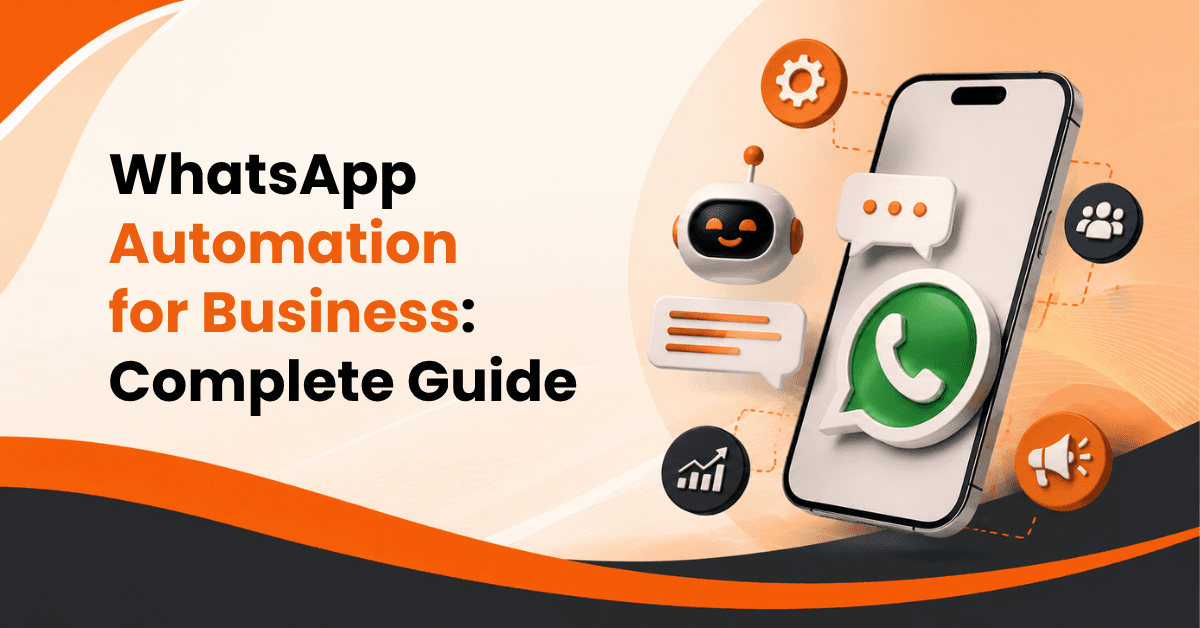
Customers expect businesses to respond quickly, answer questions clearly, and make it easy to take the next step. For many businesses, managing every WhatsApp conversation manually becomes difficult as message volume grows. WhatsApp Automation helps businesses handle repetitive conversations, qualify leads, send updates, manage follow-ups, and provide faster customer support without requiring a team member to answer every basic question manually.
With the right setup, automation can connect WhatsApp with chatbots, CRM systems, sales workflows, appointment systems, and other business tools. The WhatsApp Business Platform also supports programmatic messaging and integrations with backend and CRM systems.
What Is WhatsApp Automation?
WhatsApp Automation is the use of software, workflows, APIs, chatbots, and predefined rules to automatically manage selected customer interactions on WhatsApp. Instead of asking an employee to respond to every “What are your prices?”, “Where are you located?” or “Can I book an appointment?” message, a business can create automated replies that handle routine questions.
A typical automated conversation may work like this:
Customer message → Trigger → Automated response → Customer selection → Business workflow → Human handover if required
The important point is that automation should support customer communication rather than make every conversation robotic.
How WhatsApp Automation Works
A basic WhatsApp automation workflow usually includes:
A WhatsApp Business account or WhatsApp Business Platform setup
A trigger, such as an incoming message
Predefined responses or chatbot logic
Customer information or qualification questions
Integration with CRM or other business systems
Human escalation for complex requests
Tracking and performance measurement
For businesses using the WhatsApp Business Platform, the Cloud API can send and receive messages programmatically and connect WhatsApp conversations with systems such as CRM and marketing platforms.
WhatsApp Automation vs Manual Messaging
Manual messaging works well when a business receives only a small number of conversations. However, it can become inefficient when multiple customers contact the business simultaneously.
Automation can help businesses:
Respond faster
Handle repetitive questions
Capture leads consistently
Organize customer information
Automate follow-ups
Reduce missed inquiries
Escalate complex conversations to employees
The goal is not to eliminate human communication. The goal is to allow employees to spend more time on conversations that actually require human judgment.
What Is the WhatsApp Business API?
The WhatsApp Business API, commonly associated with the WhatsApp Business Platform and Cloud API, allows businesses to connect WhatsApp with software systems and business workflows.
The official Cloud API is designed for businesses that need to communicate with customers at scale and can connect conversations with agents, bots, CRM systems, and other backend systems.
WhatsApp Business App vs WhatsApp Business API
The WhatsApp Business App can be suitable for smaller operations that primarily need a business profile, manual customer conversations, and basic business messaging features.
The WhatsApp Business Platform becomes more useful when a company needs advanced automation and integrations.
Key differences include:
Business App: Better suited to simpler, more manual communication.
Business Platform/API: Better suited to scalable messaging, automation, integrations, and multiple business workflows.
Automation: API-based systems can connect WhatsApp with bots, CRM platforms, websites, and other applications.
Scalability: Businesses can build systems to manage larger conversation volumes.
Who Should Use the WhatsApp Business API?
The WhatsApp Business API can be particularly useful for:
Growing SMEs
E-commerce companies
Sales teams
Customer-support departments
Appointment-based businesses
Education and training businesses
Service companies
Businesses receiving large numbers of inquiries
Businesses should choose their setup based on actual communication needs rather than adopting an API simply because it sounds more advanced.
How WhatsApp Automation Helps Businesses
The biggest advantage of WhatsApp Automation is not simply sending messages automatically. It is creating a more organized customer journey.
Faster Customer Responses
Customers often contact a business outside traditional working hours or expect an immediate response. An automated greeting can acknowledge the customer and provide useful options while the team prepares to respond.
For example:
“Welcome to ABC Services. How can we help you today?”
Then provide options such as:
Get a quote
Book an appointment
Check an order
Talk to support
This gives customers a clear next step instead of leaving them waiting.
Better Lead Management
WhatsApp can become an important lead-generation channel when automation collects the right information.
For example, a marketing agency could ask:
What service do you need?
What is your estimated budget?
When would you like to start?
What is the best way to contact you?
The business can then send qualified information to its sales team or CRM.
24/7 Customer Communication
Automation can handle basic inquiries even when employees are unavailable. This does not mean every customer needs a fully automated conversation. A simple after-hours message can explain when the team will respond and provide useful self-service options.
Consistent Customer Experience
When different employees answer the same question differently, customers may receive inconsistent information. Predefined automated replies help businesses maintain consistent answers for common questions, provided the information is reviewed and updated regularly.
What Can You Automate on WhatsApp?
Messaging automation can cover many repetitive customer interactions.
Common examples include:
Welcome messages
Frequently asked questions
Lead qualification
Appointment requests
Booking confirmations
Order updates
Delivery notifications
Payment reminders
Customer follow-ups
Feedback requests
Support ticket updates
Product inquiries
Promotional campaigns
Abandoned-cart communication
The best automation starts with repetitive, predictable tasks rather than trying to automate every possible conversation.
Automated Replies for Common Questions
Automated replies are useful for questions that have straightforward answers.
Examples include:
What are your opening hours?
Where is your office?
What services do you offer?
How can I book?
What payment methods do you accept?
How long does delivery take?
How can I request a quotation?
For more complicated questions, the system should offer a clear route to a human agent.
What Is a WhatsApp Chatbot?
A WhatsApp chatbot is a software system that interacts with customers through automated conversational flows.
A simple chatbot may use buttons and predefined choices. More advanced systems can use artificial intelligence to interpret customer questions and determine the appropriate response.
WhatsApp Chatbot vs Automated Replies
These terms are related but not identical. Automated replies usually refer to predefined responses triggered by specific situations. A WhatsApp chatbot can manage a broader conversation by asking questions, presenting options, collecting information, and moving the customer through a workflow.
For example:
Customer: I want a quotation.
Chatbot: Sure. Which service are you interested in?
Customer: Website development.
Chatbot: What type of website do you need?
Customer: E-commerce.
Chatbot: Please share your estimated product count and preferred launch date.
The collected information can then be passed to a sales representative.
When Should a Business Use a WhatsApp Chatbot?
A chatbot makes sense when customers regularly need guidance through a predictable process.
Good examples include:
Product selection
Lead qualification
Appointment booking
Customer support
Frequently asked questions
Order tracking
Service inquiries
Businesses should avoid creating unnecessarily complicated chatbot menus. A simple flow that solves a customer's problem is usually better than a long automated conversation.
WhatsApp Automation Use Cases by Business Type
Different businesses can automate different parts of their customer journey.
WhatsApp Automation for E-commerce
E-commerce businesses can use WhatsApp automation for:
Order confirmations
Delivery updates
Product questions
Cart recovery
Customer feedback
Repeat-purchase reminders
For example, after an order is placed, the customer can receive a confirmation and later a delivery update without an employee manually sending each message.
WhatsApp Automation for Service Businesses
Service companies can automate:
Lead qualification
Appointment requests
Reminders
FAQs
Quote requests
Follow-ups
A salon, consultancy, clinic, agency, or repair business can use a structured WhatsApp workflow to collect information before a team member joins the conversation.
WhatsApp Automation for B2B Companies
B2B companies can use automation for:
Demo requests
Sales inquiries
Lead qualification
Follow-up reminders
Support requests
Customer onboarding
The key is to use automation to organize the sales process while keeping important conversations human.
WhatsApp Automation for Local Businesses
Local businesses can automate common questions about:
Location
Opening hours
Services
Availability
Bookings
Pricing
Promotions
This can be particularly useful for businesses that receive repeated inquiries through WhatsApp every day.
How to Set Up WhatsApp Automation Step by Step
A successful automation system starts with the customer journey, not the technology.
1. Define Your Business Goal
Start with one clear objective.
For example:
Generate more qualified leads
Reduce repetitive support questions
Increase appointment bookings
Improve follow-up speed
Automate order updates
A focused objective makes the automation easier to design and measure.
2. Choose the Right WhatsApp Solution
Determine whether your business only needs basic WhatsApp Business features or requires the WhatsApp Business Platform and API. Businesses that need CRM connections, advanced workflows, chatbots, or scalable messaging may need an API-based setup.
3. Map the Customer Journey
Create a simple workflow:
Trigger → Message → Customer response → Next action → Human handover
For example:
New enquiry → Welcome message → Service selection → Qualification → Sales team
4. Create Automated Replies
Write short and useful messages. Avoid paragraphs that force customers to read large amounts of information on a mobile screen. Give customers clear options and make the next step obvious.
5. Add Human Handover
Automation should always have a sensible escalation path.
WhatsApp's Business Policy specifically allows automation during the customer-service window but requires businesses to provide clear and direct escalation paths, including human-agent transfer.
6. Test Before Launch
Test the workflow using different customer questions and unexpected inputs.
Check:
Incorrect responses
Broken links
Missing information
Human escalation
Follow-up timing
Mobile usability
CRM data capture
WhatsApp Automation Examples and Workflows
The following workflows show how messaging automation can connect different stages of the customer journey.
Lead Generation Workflow
Website/ad → WhatsApp → Welcome message → Qualification questions → CRM → Sales follow-up
This workflow can reduce the amount of manual data collection required from sales teams.
Customer Support Workflow
Customer question → WhatsApp chatbot → FAQ → Unresolved issue → Human agent
The chatbot handles simple questions while the support team focuses on issues requiring judgment.
Appointment Booking Workflow
Customer request → Service selection → Available option → Confirmation → Reminder
For more structured interactions, WhatsApp's platform also supports Flows designed for experiences such as appointment booking, product browsing, and feedback collection.
Post-Purchase Workflow
Order placed → Confirmation → Delivery update → Feedback request → Repeat purchase
This keeps customers informed without requiring an employee to manually send every update.
WhatsApp Automation and CRM Integration
Connecting WhatsApp with a CRM can help businesses turn conversations into structured customer data.
Instead of keeping important information only inside chat histories, businesses can connect customer interactions with their sales or support processes.
What CRM Integration Can Help Businesses Track
A connected system may help track:
New leads
Customer details
Conversation history
Lead status
Follow-up dates
Sales opportunities
Campaign responses
Support requests
Why Integration Matters as Your Business Grows
Managing dozens of conversations manually may be possible for a small team.
Managing hundreds or thousands of conversations becomes more difficult.
CRM integration can help reduce information gaps and give sales and support teams better visibility into customer interactions.
WhatsApp Automation Costs: What Should Businesses Expect?
There is no single WhatsApp Automation price that applies to every business.
The total cost depends on the technology and messaging requirements.
Typical cost factors include:
WhatsApp Business Platform setup
Automation software
Chatbot development
CRM integration
Number of users or agents
Message volume
Message category
Third-party platform fees
Ongoing maintenance
Meta currently charges businesses using the WhatsApp Business Platform on a per-message basis for delivered messages, with pricing depending on the recipient market and message category. Meta's pricing page also identifies marketing, utility, authentication, and service categories.
How to Estimate Your Automation Budget
A useful planning formula is:
Total automation cost = Setup + Platform + Messaging + Integration + Maintenance
Do not compare providers only by their initial setup price. Consider the total cost of operating the system over time.
WhatsApp Automation Best Practices
Good automation should feel useful rather than intrusive.
Follow these practices:
Keep messages short and clear.
Give customers useful choices.
Use relevant customer information where appropriate.
Provide a human handover option.
Avoid unnecessary follow-ups.
Keep automated information updated.
Test workflows regularly.
Monitor customer feedback.
Respect applicable privacy and messaging requirements.
Review performance before expanding automation.
Businesses should also pay close attention to WhatsApp's current policies. For example, businesses using the WhatsApp Business Platform can initiate conversations only with approved message templates, while replies within the 24-hour customer-service window can be handled without a template.
WhatsApp Automation Mistakes to Avoid
Automating Everything
Not every customer conversation should be automated. Complaints, complex sales discussions, sensitive issues, and unusual requests may require a human.
Sending Too Many Messages
More messages do not automatically mean better marketing. Customers should receive relevant communication at an appropriate frequency. WhatsApp has introduced controls and limits intended to reduce unwanted business messaging and protect the customer experience.
Poorly Designed Chatbot Flows
A chatbot with too many questions or confusing menus can frustrate customers. Keep important journeys short and give customers an obvious way to move forward.
No Human Handover
A customer who cannot reach a person when automation fails may leave the conversation entirely. Human escalation should be part of the workflow from the beginning.
Ignoring Privacy and Messaging Rules
Businesses should understand WhatsApp policies and applicable local laws before launching automated campaigns. WhatsApp's business policies address consent, message templates, automation, and escalation requirements.
How to Measure WhatsApp Automation Performance
Automation should be measured like any other business process.
Key WhatsApp Automation Metrics
Track metrics such as:
Response time
Lead conversion rate
Qualified leads
Conversation completion rate
Appointment bookings
Customer response rate
Human handover rate
Customer satisfaction
Cost per lead
Revenue generated
A high number of automated conversations does not necessarily mean the system is successful.
The better question is whether automation helps customers complete useful actions and helps the business achieve its objectives.
How to Improve Underperforming Automations
Review conversations regularly.
Look for:
Questions the chatbot cannot answer
Points where customers leave
Repeated requests for human assistance
Long or confusing flows
Low-performing messages
Incorrect or outdated information
Then simplify the workflow and test the changes again.
Is WhatsApp Automation Right for Your Business?
WhatsApp Automation can be a strong fit when a business receives many repetitive enquiries or needs faster follow-up.
It may be particularly useful if:
Your team misses WhatsApp leads.
Customers repeatedly ask the same questions.
You need structured lead qualification.
Your business requires appointment reminders.
Customers expect quick responses.
Your sales team needs better follow-up.
You manage a high volume of conversations.
However, automation may not be the first priority if your message volume is very low or every customer interaction requires highly customized advice.
The right question is not “Can we automate this?”
It is:
“Will automation make this customer journey faster, clearer, or easier?”
How BrandVexo Can Help With WhatsApp Automation
BrandVexo can help businesses approach WhatsApp Automation as part of a broader digital growth strategy rather than treating it as an isolated chatbot project.
The right solution starts by understanding how customers currently discover the business, ask questions, become leads, receive follow-ups, and complete purchases or bookings.
BrandVexo can support businesses with areas such as:
WhatsApp automation strategy
Customer journey mapping
Automated replies
WhatsApp chatbot workflows
Lead-generation automation
CRM integration
Follow-up workflows
AI automation
Performance tracking
The goal should be simple: automate repetitive work while keeping the customer experience useful and human when it matters.
If your business is considering WhatsApp Automation, start by identifying the three to five customer interactions your team handles repeatedly. Those workflows are often the best starting point for automation.
FAQ
What is WhatsApp Automation?
WhatsApp Automation uses software, APIs, chatbots, and predefined workflows to automatically manage selected customer conversations and business processes on WhatsApp.
Is WhatsApp Automation free?
Not necessarily. Costs can include software, setup, integrations, chatbot development, and WhatsApp messaging charges. WhatsApp Business Platform pricing depends on factors such as message category and recipient market.
What is the WhatsApp Business API used for?
The WhatsApp Business API allows businesses to connect WhatsApp with software systems, agents, chatbots, CRM platforms, and other business applications for scalable communication.
Can WhatsApp automate customer replies?
Yes. Businesses can create automated replies for common questions, greetings, workflows, notifications, and other appropriate customer interactions.
Can I use a WhatsApp chatbot for lead generation?
Yes. A WhatsApp chatbot can ask qualification questions, collect customer information, identify requirements, and transfer qualified leads to a sales team.
Can WhatsApp integrate with a CRM?
Yes. The WhatsApp Business Platform can connect with backend systems and CRM platforms, allowing businesses to build workflows around customer conversations and lead data.
Is WhatsApp Automation suitable for small businesses?
It can be. Small businesses can start with simple automation for FAQs, lead capture, bookings, and follow-ups, then expand as conversation volume grows.
What messages can businesses automate on WhatsApp?
Depending on the setup and applicable WhatsApp policies, businesses can automate customer-service responses, notifications, appointment workflows, lead qualification, follow-ups, and other approved business messaging use cases.
Conclusion
WhatsApp Automation can help businesses respond faster, manage leads more effectively, automate repetitive tasks, and create more organized customer journeys. The most effective strategy is not to automate everything. Start with repetitive interactions, build clear workflows, measure results, and provide customers with an easy path to human support.
Free growth plan
Ready to grow your business?
Reading is a start — now let's build it. Tell us where you want to grow and a senior strategist will map the fastest, most profitable way to get there. Free, no obligation.
Discussion
Join the conversation
Be the first to comment. Comments are reviewed before they appear, so yours won't show up instantly — but we read every one.
Leave a comment
Keep reading
All articles
WhatsApp Lead Automation for Service Firms: A Guide
Learn how WhatsApp lead automation helps service firms capture leads, automate follow-ups, connect CRM systems, and book more appointments.
CRM Automation for Startups: A Practical Guide
CRM Automation for Startups helps streamline lead management, automate sales workflows, improve follow-ups, connect tools, and support scalable business growth.
AI Workflow Automation: A Practical Guide for B2B Teams
Learn how AI workflow automation helps B2B teams improve efficiency, automate repetitive tasks, connect systems, measure ROI, and scale business operations.